NHTSA ID Number: 10138138
Manufacturer Communication Number: 15-08-44-002
Summary
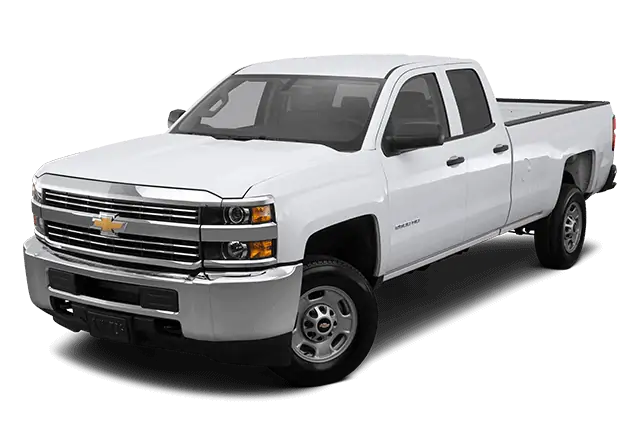
This informational bulletin provides technicians with information on upgrading an IO5 non-navigation radio to an IO6 navigation radio.
5 Affected Products
Vehicles
| CHEVROLET | SILVERADO 1500 | 2014 |
| CHEVROLET | SILVERADO 2500 | 2015 |
| GMC | SIERRA 1500 | 2014 |
| GMC | SIERRA 2500 | 2015 |
| GMC | SIERRA DENALI | 2015 |
Parts
| SPLITTER ASM-NAVN SIG | 20960972
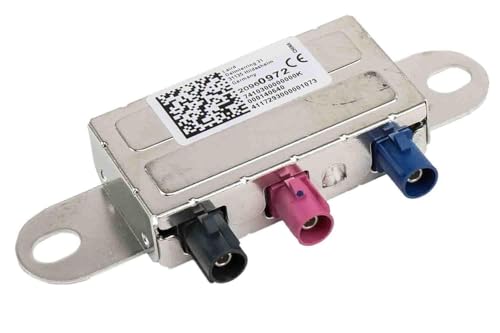
GM Genuine Parts 20960972 Navigation Signal Splitter
|
| CABLE ASM-NAVN ANT COAX | 23497538 |
| MODULE ASM-HMI CONT | 23266008 |


SEOCONTENT-START
#15-08-44-002: Information on Upgrading an IO5 NonNavigation Radio to an IO6 Navigation Radio – (Jul 22, 2015)
| Subject: | Information on Upgrading an IO5 Non-Navigation Radio to an IO6 Navigation Radio |
| Models: | 2014 Chevrolet Silverado 1500 |
| 2015 Chevrolet Silverado 2500/3500 (without AVF) | |
| 2014 GMC Sierra 1500 | |
| 2015 GMC Sierra 2500/3500 (without AVF) | |
| Equipped with IO5 Radio | |
| Attention: | This Bulletin also applies to any of the above models that may be Export vehicles. |
If a customer requests to upgrade an IO5 non-navigation radio to an IO6 navigational radio, technicians should follow the instructions below.
Note: Please review the entire procedure before trying to perform it.
- Disable the SIR system. Refer to Vehicle Service Manual
 .
.
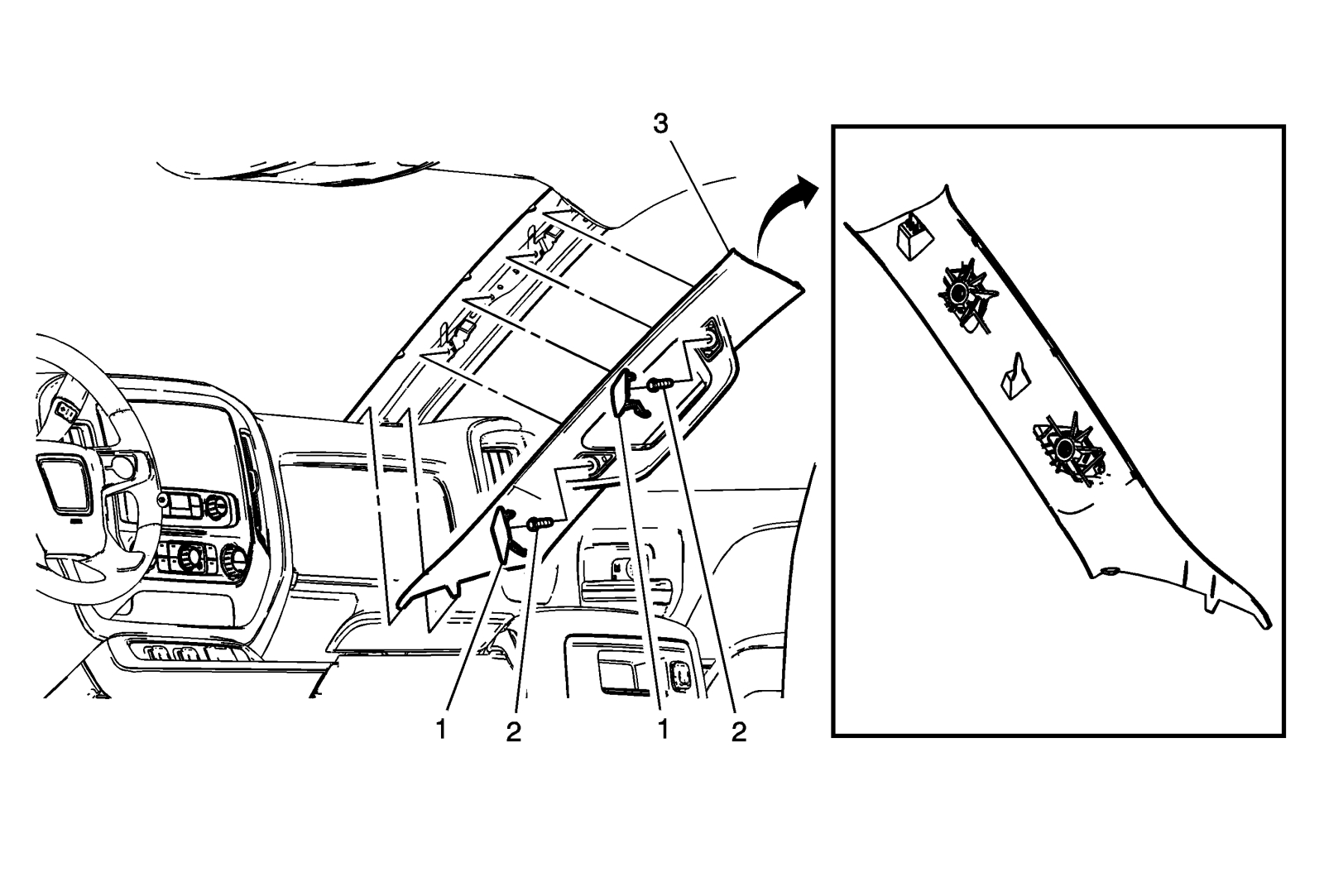
- Remove the right windshield pillar assist handle covers (1).
- Remove the right windshield pillar assist handle fasteners (2).
Tighten
Upon reassembly, tighten the right windshield pillar assist handle fasteners to 9 Nm (80 lb in).
- Disengage the retainers and remove the right windshield garnish molding assembly (3).
Note: Upon reassembly, ensure the tab is fully seated in the I/P upper trim panel prior to engaging the upper retainer.
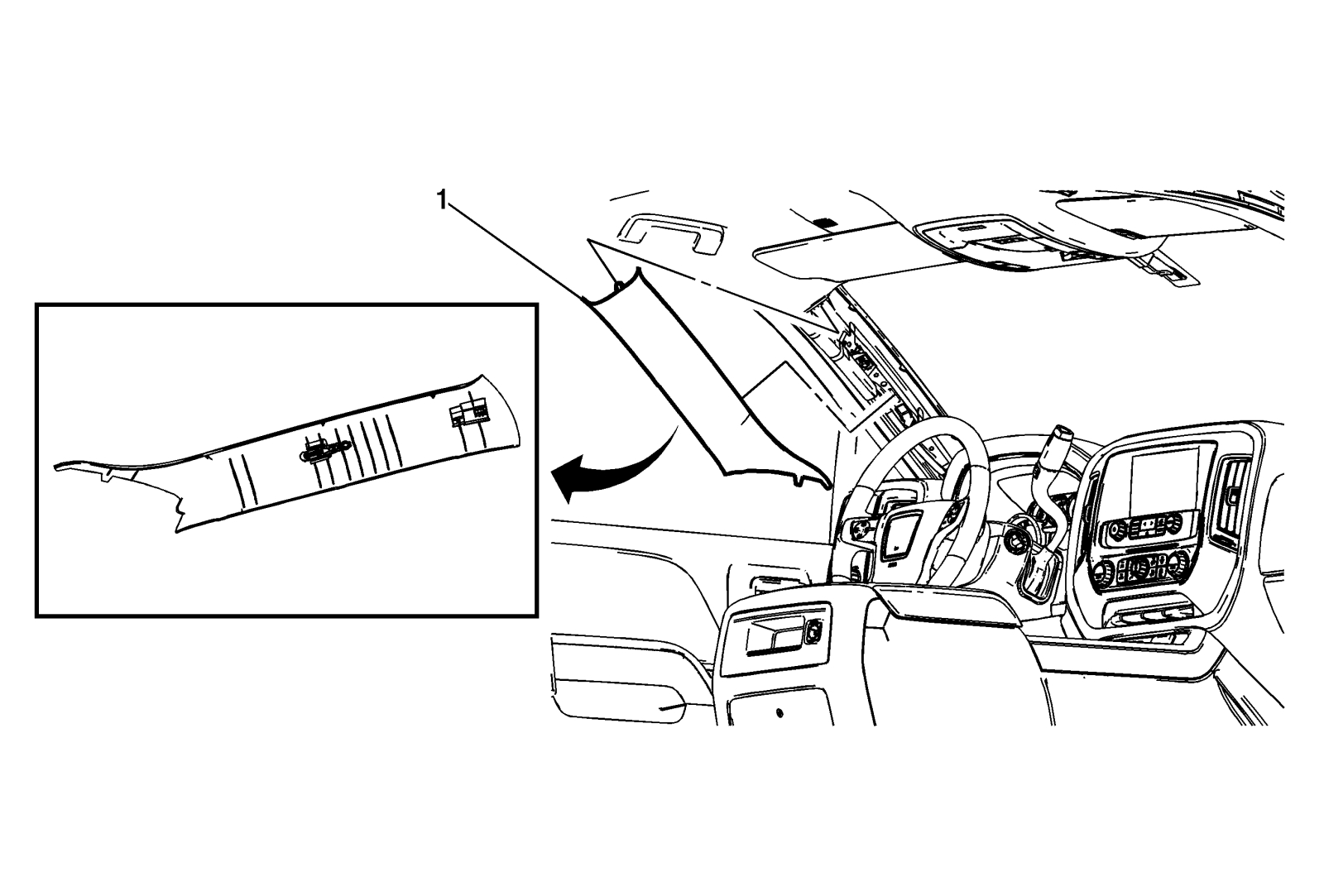
- Disengage the retainers and remove the left windshield garnish molding assembly (1).
Note: Upon reassembly, the tether clip at the center portion of the left garnish molding must be replaced.
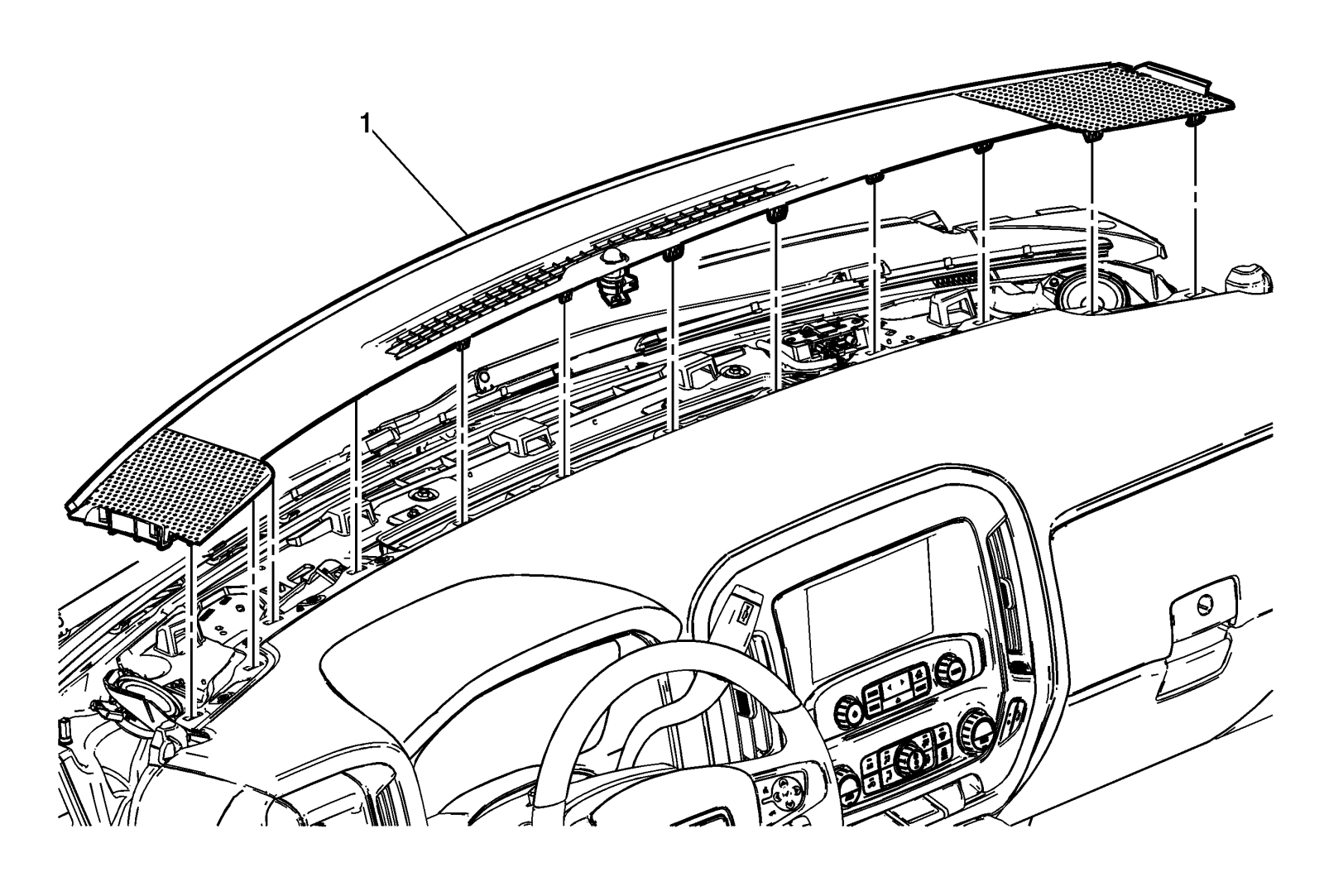
- Using a flat-bladed plastic trim tool, release the 12 retainers securing the instrument panel extension (1) to the upper instrument panel.
Disconnect any electrical connectors.
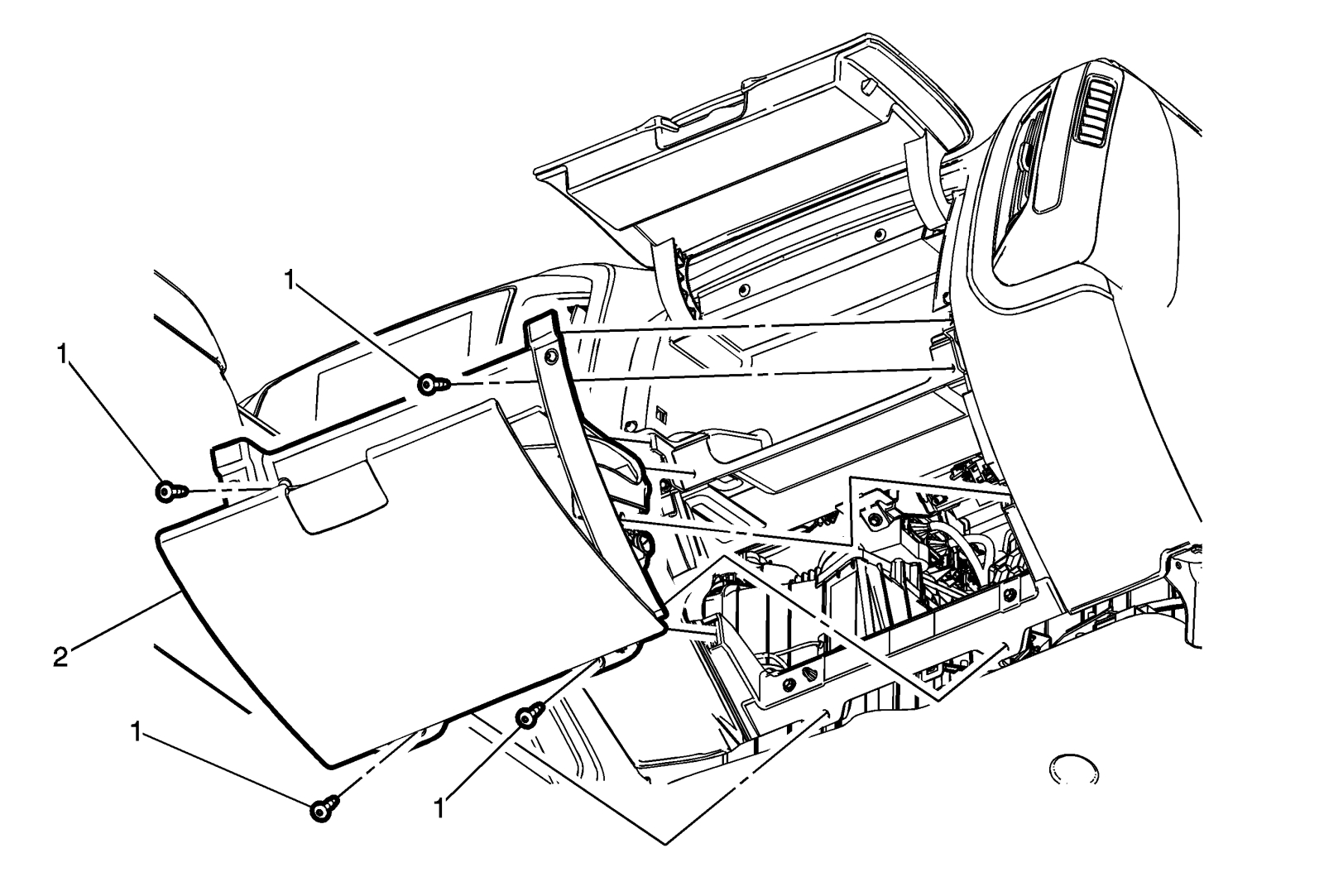
Caution: Use the correct fastener in the correct location. Replacement fasteners must be the correct part number for that application. Fasteners requiring replacement or fasteners requiring the use of thread locking compound or sealant are identified in the service procedure. Do not use paints, lubricants, or corrosion inhibitors on fasteners or fastener joint surfaces unless specified. These coatings affect fastener torque and joint clamping force and may damage the fastener. Use the correct tightening sequence and specifications when installing fasteners in order to avoid damage to parts and systems.
- Remove the instrument panel compartment bolts (1).
Tighten
Upon reassembly, tighten the instrument panel compartment bolts to 2.5 Nm (22 lb in).
- Using a flat-bladed plastic trim tool, release the retainer clips securing the instrument panel compartment (2) to the instrument panel assembly.
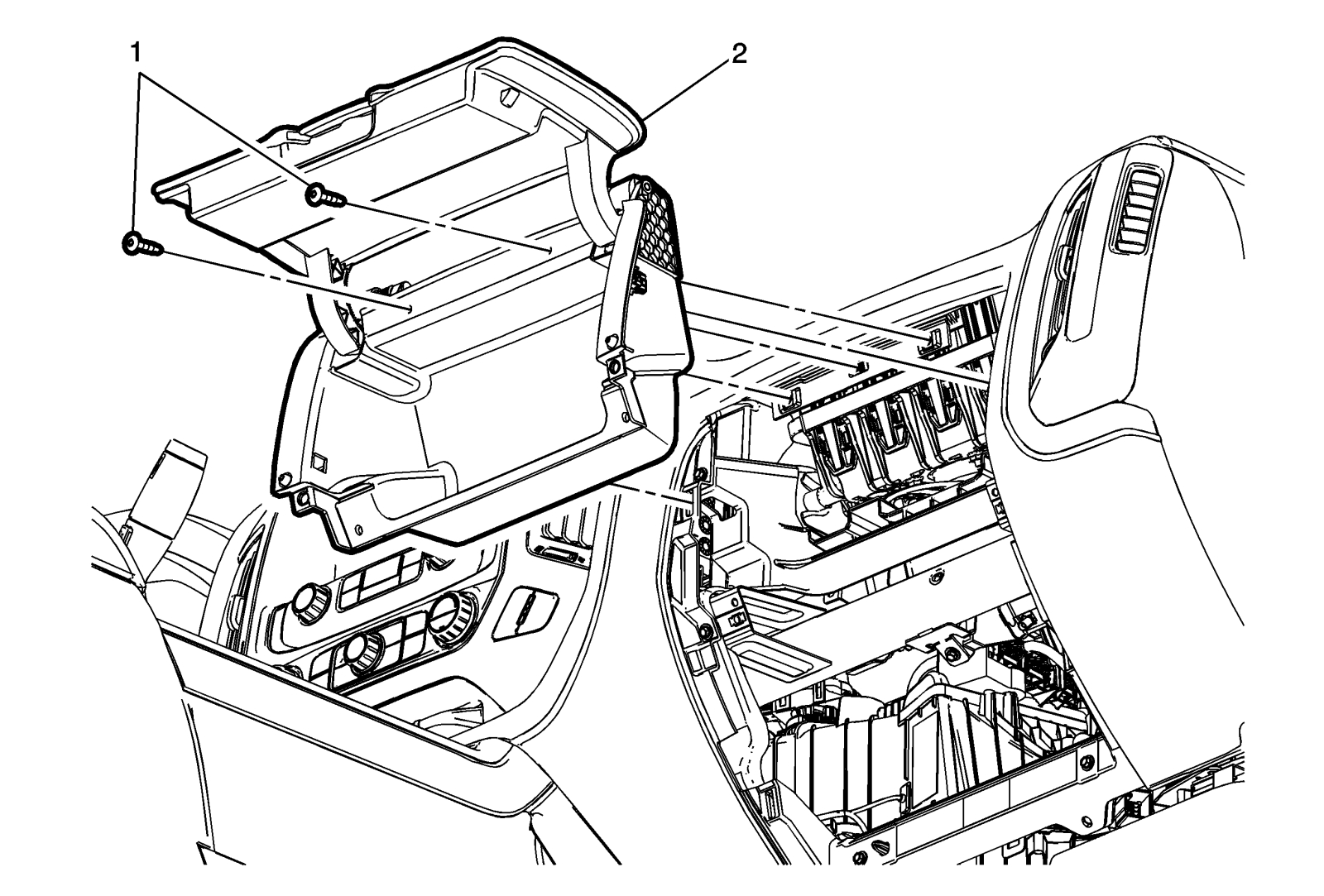
- Remove the instrument panel upper compartment bolts (1).
Tighten
Upon reassembly, tighten the instrument panel upper compartment bolts to 2.5 Nm (22 lb in).
- Using a flat-bladed plastic trim tool, release the retainer clips securing the instrument panel upper compartment (2) to the instrument panel assembly.
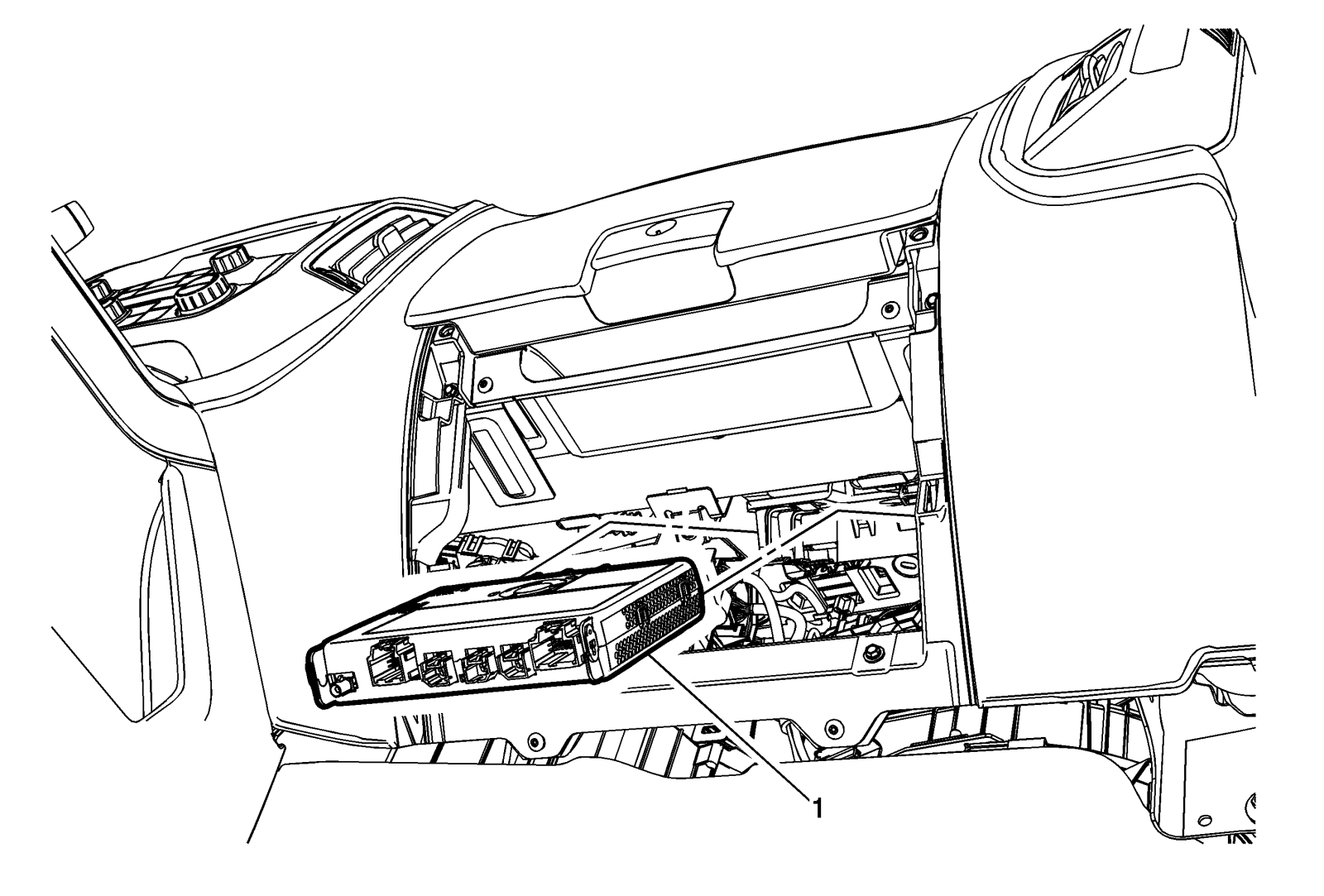
- Disconnect the electrical connections from the factory installed HMI module (1).
- Slide the factory installed HMI module rearward to release from bracket.
- Install the replacement HMI module, P/N 23266008, in reverse order and connect electrical connections.
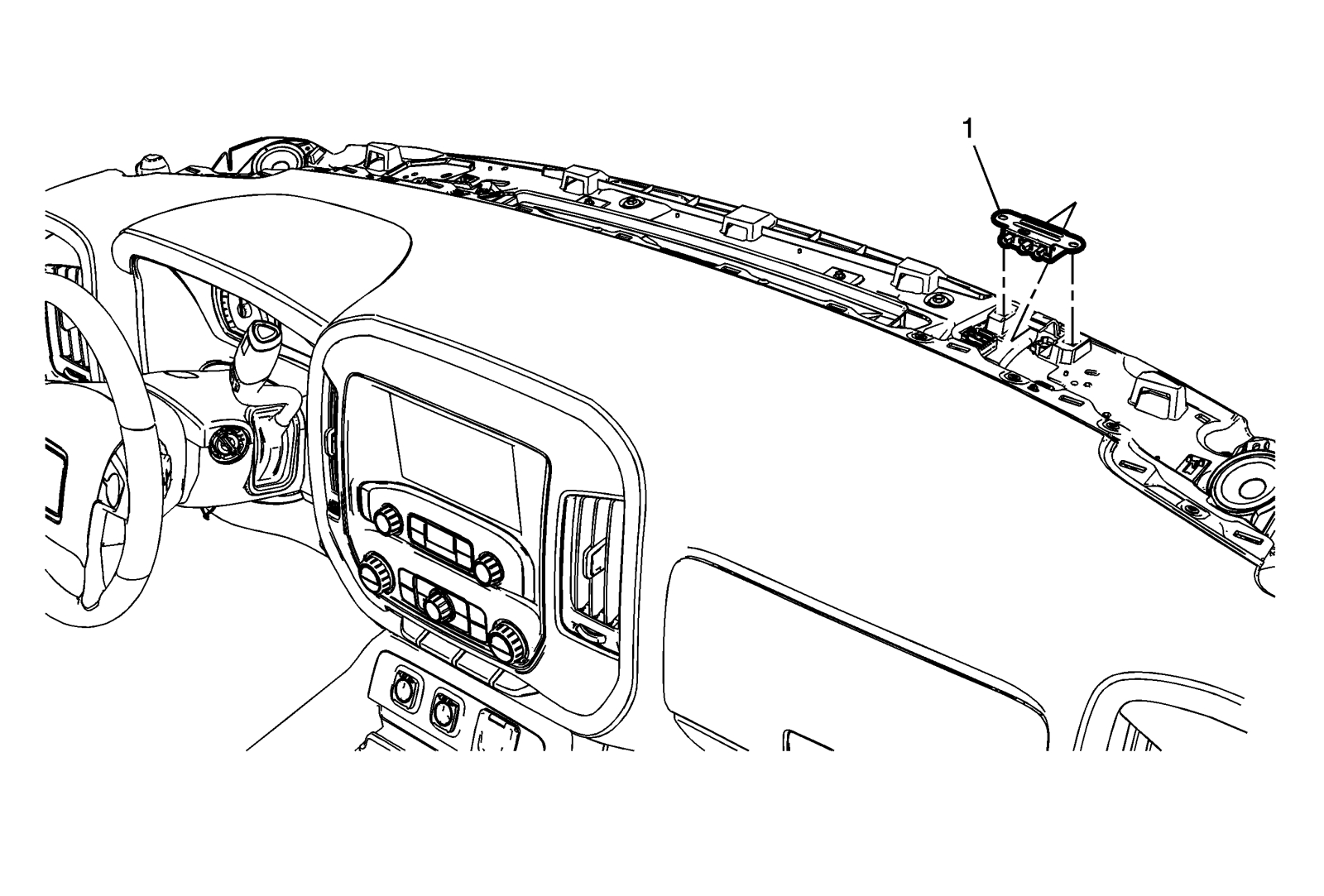
- Install navigation splitter (1), P/N 20960972, to the retaining tabs on bracket.
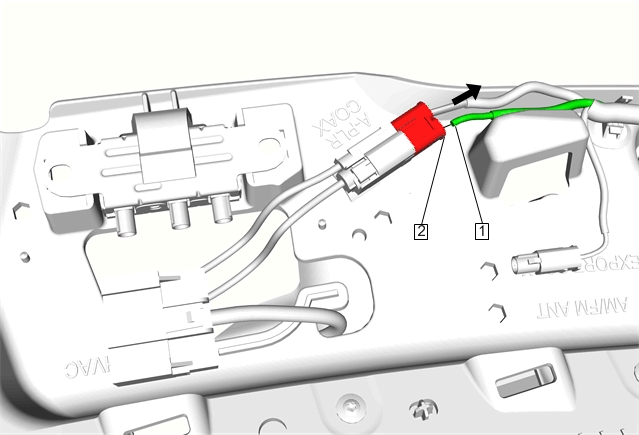
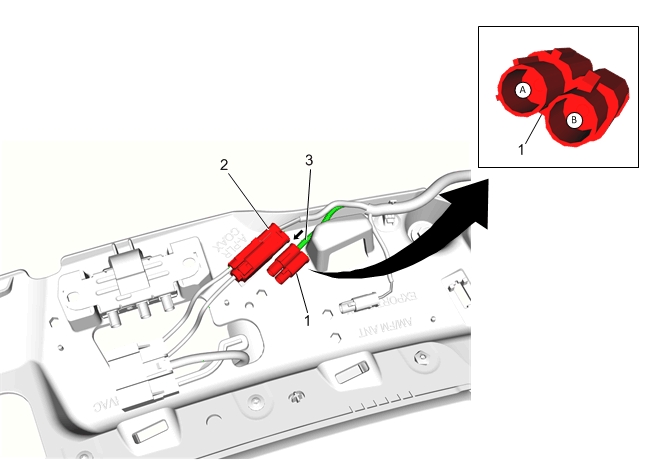
- Position connector from kit (1), P/N 13589365, next to current A-pillar harness connector (2) and insert previously removed terminal (3) into cavity 1 (A) of connector (1) P/N 13589365.
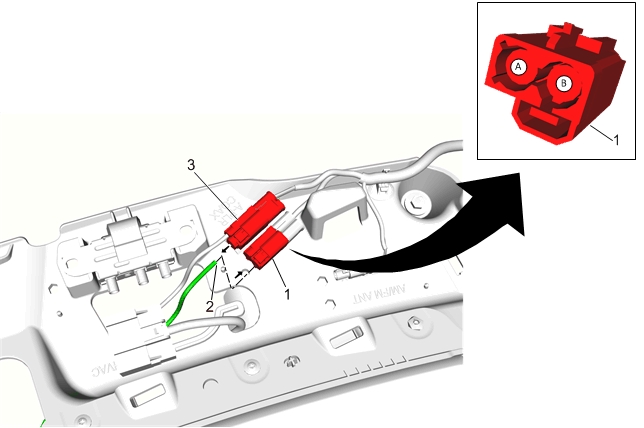
- Unseat terminal (2) from cavity 2 of the A-pillar harness connector (3).
- Position connector from kit (1), P/N 13589366, next to current A-pillar harness connector (3) and insert previously removed terminal (2) into cavity 2 (B) of connector (1) P/N 13589366.
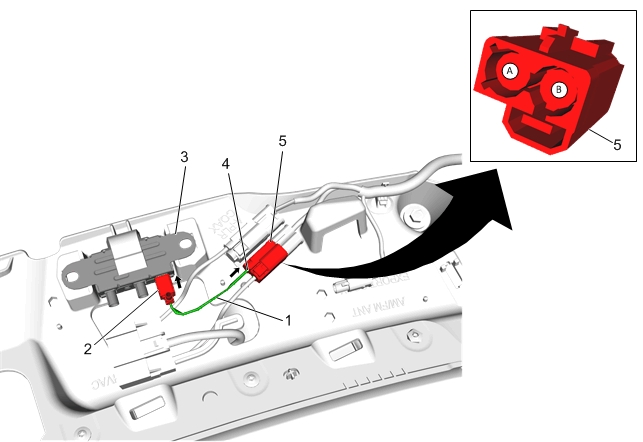
- Install coax jumper (1), P/N 23497539, from kit.
- Insert female terminal end (4) into cavity 1 (A) of connector (5) P/N 13589366.
- Insert other end of jumper (2) into splitter (3) (Gray Connector).
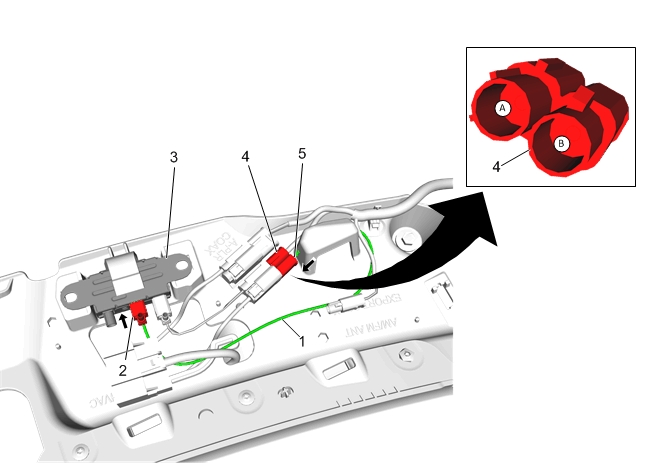
- Install coax jumper (1), P/N 23497540, from kit.
- Insert male terminal end (5) into cavity 2 (B) of connector (4) P/N 13589365.
- Insert other end of jumper (2) into splitter (3) (Pink Connector).
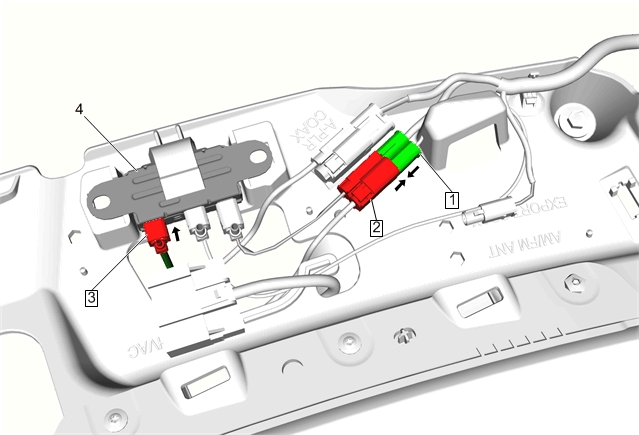
- Mate connectors (1) P/N 13589365 and (2) P/N 13589366.
- Install coax jumper (3), P/N 23497541, from splitter (4) to HMI module.
- Calibrate the HMI module. Go to HMI Programming Procedure-Human Machine Interface Control Module Programming and Setup-Replace and Program Control Module. Refer to Vehicle Service Manual.
- Prior to re-installing upper and lower instrument panel compartments and trim, test drive the vehicle to ensure NAV function is working.
- Inspect newly installed coax cables and connection system and if required use cable ties and foam tape, P/N 19243085, provided in the kit to secure existing parts.
- Re-install previously removed trim.
- Enable SIR system. Refer to Vehicle Service Manual.
- Contact Techline Customer Support Center (TCSC) at 1-800-828-6860 English or 1-800-503-3222 French for vehicle software upgrade. ($50.00 additional reconfiguration fee).
Parts Information
| Part Number | Description |
| 20960972
GM Genuine Parts 20960972 Navigation Signal Splitter
|
SPLITTER ASM-NAVN SIG |
| 23497538 | CABLE ASM-NAVN ANT COAX |
| 23266008 | MODULE ASM-HMI CONT |
Warranty Information
The above modification is considered to be a customer option and should be performed at the customer’s expense.
SEOCONTENT-END
Bulletin No.: 15-08-44-002
Date: Jul-2015
To View or Download this Document Click Here
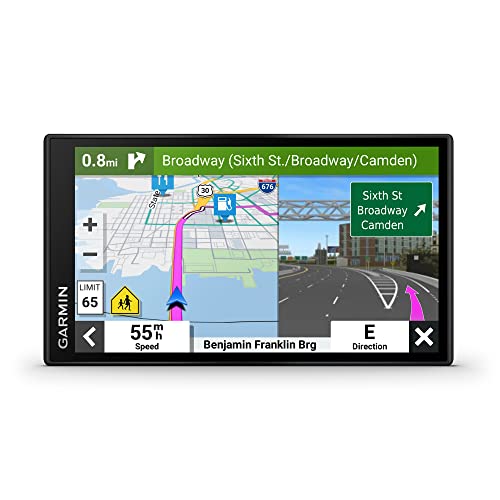
- 6” high-resolution navigator includes map updates of North America
- Hands-free calling when paired with your compatible smartphone with BLUETOOTH technology and convenient Garmin voice assist lets you ask for directions to places you want to go
- Road trip–ready features include the HISTORY database of notable sites, a U.S. national parks directory, Tripadvisor traveler ratings and millions of Foursquare POIs
- Driver alerts for things such as school zones, sharp curves and speed changes help encourage safer driving and increase situational awareness
- Access live traffic, fuel prices, parking, weather and smart notifications when you pair this navigator with your compatible smartphone running the Garmin Drive app
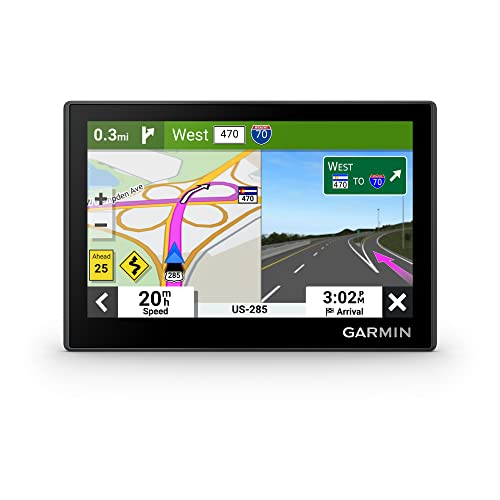
- Bright, high-resolution 5” glass capacitive touchscreen display lets you easily view your route
- Get more situational awareness with alerts for school zones, speed changes, sharp curves and more
- View food, fuel and rest areas along your active route, and see upcoming cities and milestones
- View Tripadvisor traveler ratings for top-rated restaurants, hotels and attractions to help you make the most of road trips
- Directory of U.S. national parks simplifies navigation to entrances, visitor centers and landmarks within the parks
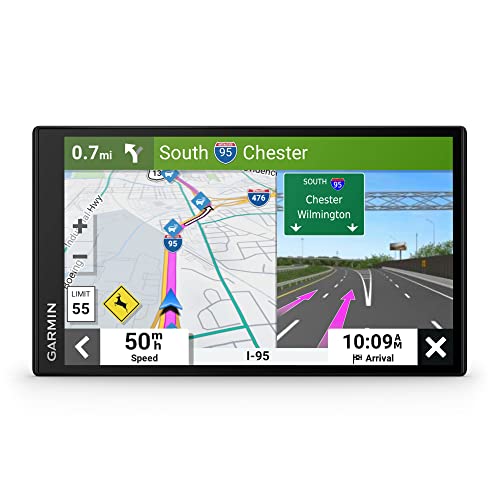
- 7” high-resolution navigator includes map updates of North America .Special Feature:Easy-To-Read Display; Voice Assist; Hands-Free Calling; Live Traffic and Weather; Traffic Cams and Parking; Smart Notifications,Driver Alerts; Tripadvisor; National Parks Directory; Find Places by Name; Garmin Real Directions Feature.
- Hands-free calling when paired with your compatible smartphone with BLUETOOTH technology and convenient Garmin voice assist lets you ask for directions to places you want to go
- Road trip–ready features include the HISTORY database of notable sites, a U.S. national parks directory, Tripadvisor traveler ratings and millions of Foursquare POIs
- Driver alerts for things such as school zones, sharp curves and speed changes help encourage safer driving and increase situational awareness
- Access live traffic, fuel prices, parking, weather and smart notifications when you pair this navigator with your compatible smartphone running the Garmin Drive app
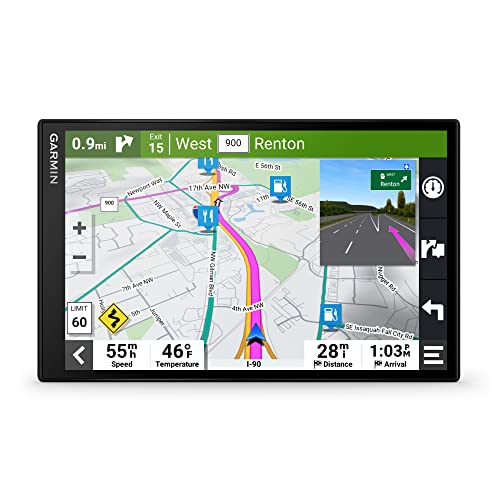
- 8” navigator with high-resolution, dual-orientation display and map updates of North America .Special Feature:Large Display; Voice Assist; Hands-Free Calling; Live Traffic and Weather; Traffic Cams and Parking; Smart Notifications,Driver Alerts; Tripadvisor; National Parks Directory; Find Places by Name; Garmin Real Directions Feature.
- Hands-free calling when paired with your compatible smartphone with BLUETOOTH technology and convenient Garmin voice assist lets you ask for directions to places you want to go
- Road trip–ready features include the HISTORY database of notable sites, a U.S. national parks directory, Tripadvisor traveler ratings and millions of Foursquare POIs
- Driver alerts for things such as school zones, sharp curves and speed changes help encourage safer driving and increase situational awareness
- Access live traffic, fuel prices, weather, parking and smart notifications when you pair this navigator with your compatible smartphone running the Garmin Drive app
- 【9-inch HD Large Screen】 The 9-inch HD touchscreen delivers a clearer and broader field of view. This car GPS navigation system provides sharper graphics and more convenient menu navigation, reducing driver distraction and enhancing driving safety
- 【Free Lifetime Map Updates】 This GPS navigation for car comes pre-loaded with the latest 2026 North America maps. We offer free lifetime update services, ensuring your navigation system for vehicle always has the most current road information and points of interest data for accurate route planning
- 【Voice Guidance & Safety Alerts】 Clear turn-by-turn voice prompts assist you in navigating confidently. As a reliable truck GPS, it proactively provides speed limit reminders, red-light camera warnings, and school zone alerts to help you drive safely
- 【Customized Vehicle Route Planning】 This device can create customized routes for cars, trucks, and RVs. By entering vehicle dimensions, it can avoid low bridges, weight-restricted roads, and narrow passages, making it an essential car GPS navigation system for various vehicle types
- 【Smart Search & FM Transmission】 Supports quick destination input via address, zip code, or POI. The built-in FM transmitter clearly broadcasts voice guidance through your car's audio system (Note: This function only transmits audio and is not a standalone FM radio)
This product presentation was made with AAWP plugin.
Will this work for 2016 as well
I would check with your dealer part department, but I think it should be similar…