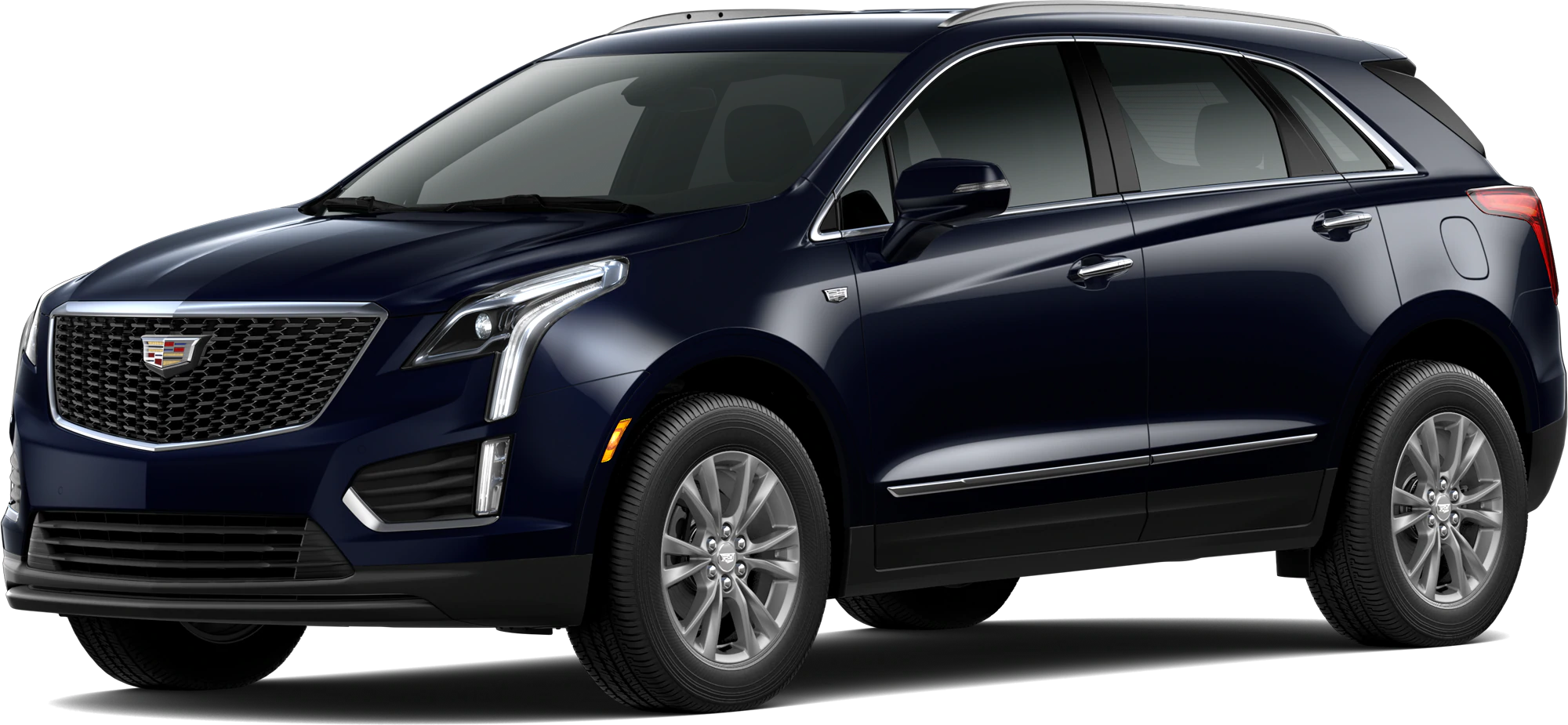
September 22, 2022 NHTSA CAMPAIGN NUMBER: 22V709000
An inoperative rearview camera can reduce the driver’s rear visibility, increasing the risk of a crash.
NHTSA Campaign Number: 22V709000
Manufacturer General Motors , LLC
, LLC
Components BACK OVER PREVENTION
Potential Number of Units Affected 95,231
Summary
General Motors, LLC (GM) is recalling certain 2020-2021 Cadillac XT5, XT6, and GMC Acadia vehicles equipped with the optional Surround Vision feature. The rearview camera coaxial cable connectors may have been crimped improperly, causing the rearview camera to fail or function intermittently.
Remedy
Dealers will replace the coaxial cables, free of charge. Owner notification letters were mailed January 18, 2023. Owners may contact Cadillac customer service at 1-800-458-8006 or GMC customer service at 1-800-462-8782. GM’s number for this recall is N222378380.
Notes
Owners may also contact the National Highway Traffic Safety Administration Vehicle Safety Hotline at 1-888-327-4236 (TTY 1-800-424-9153), or go to www.nhtsa.gov.
Check if your Vehicle has a Recall
Condition
General Motors has decided that a defect which relates to motor vehicle safety exists in certain 2020-2021 model year Cadillac XT5, XT6, and GMC Acadia vehicles equipped with the optional Surround Vision feature. The rear view camera in these vehicles may fail or function intermittently. If the rear view camera is not functioning properly, rear visibility is reduced, increasing the risk of a crash during a backing event.
Correction
Dealers will replace the affected coaxial cables.
Parts
| Quantity | Part Name | Part No. |
| 1 | CABLE ASM-DIGITAL RDO ANT & NAVN ANT COAX (Acadia) (VPM to In-Line Connector) | 86775887 |
| 1 | CABLE ASM-DIGITAL RDO ANT & NAVN ANT COAX (Acadia) (Radio to In-Line connector) | 86775888 |
| 1 | CABLE ASM-DIGITAL RDO ANT & NAVN ANT COAX (XT5 / XT6) (Radio to In-Line connector) | 86775889 |
| 1 | CABLE ASM-DIGITAL RDO ANT & NAVN ANT COAX (XT5) (VPM to In-Line Connector) | 86775890 |
Service Procedure for XT6
Important: Use extreme care when handling the new service coax cables. Avoid kinks, sharp bends, pinch points, and excessive wire tie tightness.
Note: The existing coax cable is bundled with the body harness. The service coax cable will be routed next to the body harness. The terminals must be removed from the existing coax cables to ensure they are not used in future repairs.
1. Remove the right front side door sill garnish molding. Refer to Front Side Door Sill Garnish Molding Replacement in SI.
2. Remove the right-side instrument panel insulator. Refer to Instrument Panel Insulator Replacement – Right Side in SI.
3. Locate the coax cable that goes from the A11 radio to the IP to X219 Body Coax In-line Connection. Disconnect both
connectors.
Note: Ensure that you service the orange VPM connector, not the radio coax.
4. Cut off the two connectors and discard. The unused coax can remain bundled with the body harness.
5. Route the new service coax cable along the body harness branch to the radio. Use care to not kink the coax cable, use smooth large radius bends.
6. Connect the new coax cable to the A11 radio and the X219 IP to Body Coax In-line Connection.
7. Using wire tie wraps, secure the new coax cable to the body harness, use care to not crush the coax cable by excessive tightening of the tie wraps.
8. Reinstall the right-side instrument panel insulator. Refer to Instrument Panel Insulator Replacement – Right Side in SI.
9. Reinstall the front side door sill garnish molding. Refer to Front Side Door Sill Garnish Molding Replacement in SI.
Service Procedure for Acadia and XT5
Note: The existing coax cable is bundled within the body harness. The service coax cable will be routed next to the body harness. The terminals must be removed from the existing coax cables to ensure they are not used in future repairs.
Note: XT5 vehicles equipped with RPO DRZ have an additional coax connection at X307 located in the left upper rear quarter panel area. Disable the existing coax and install the new coax as described in the steps below.
1. Remove the right front side door sill garnish molding. Refer to Front Side Door Sill Garnish Molding Replacement in SI.
2. Remove the right-side instrument panel insulator. Refer to Instrument Panel Insulator Replacement – Right Side in SI.
3. Reposition the right front seat, it is only necessary to unbolt the seat and reposition it rearward in the vehicle, do not remove the complete seat assembly. Refer to Front Seat Removal and Installation in SI.
4. Remove the left front seat from the vehicle. Refer to Front Seat Removal and Installation in SI.
5. Remove the left and right floor console extensions. Refer to Front Floor Console Extension Panel Replacement in SI.
6. Remove the left front side door sill garnish molding. Refer to Front Side Door Sill Garnish Molding Replacement in SI.
Note: It is not necessary to remove the third-row seat (if equipped).
7. Remove the left quarter lower rear trim panel. Refer to Quarter Lower Rear Trim Panel Replacement in SI.
8. Remove the right body rear corner upper garnish molding. refer to Body Rear Corner Upper Garnish Molding Replacement in SI.
9. Slightly lower the rear of the headliner by releasing the two fasteners, allowing access the coax routing.
10. Remove the liftgate upper trim finish panel. Refer to Liftgate Upper Trim Finish Panel Replacement in SI.
11. Locate the X902 coax connector at the top of the liftgate.
12. Decommission the existing coax cables. Be aware that the existing coax will stay bundled with the harness, the ends are to be cut off to prevent future use.
13. Disconnect the coax at the X902 location. Cut the connector off the coax that leads to the VPM in the left quarter panel. Use care to terminate the correct connector.
14. Disconnect the red dual coax at the VPM located in the left quarter panel. Cut the red connector off the coax.
15. Locate the coax cable that goes from the A11 radio to the X209/208 IP to Body Coax In-line Connection. Disconnect both connectors.
Note: Ensure you service the orange VPM connector, not the radio coax.
16. Cut off the two connectors and discard. The unused coax can remain bundled with the body harness.
17. Cut off the coax connector the connects the X209/208 body coax in-line connector to the A11 radio coax removed above. Save the fastener to body.
Important: Use extreme care when handling the new service coax cables. Avoid kinks, sharp bends, pinch points, and excessive wire tie tightness.
18. Starting with the red connector at the VPM, route the new coax cable.
19. Route the short side of the new coax to the rear headliner location.
TIP: For vehicles equipped with RPO DRZ: The coax cable going to the liftgate has a dual barrel connector. Use the following steps to separate the connector allowing the cables to pass through the grommet.
- Pry off the blue clip.
- Remove the two coax cables from the connector.
- Tape the two coax cables together.
- Pass the two coax cables through to the liftgate, remove the tape and reassemble the cable to connector assembly. Ensure the blue clip retains the two coax cables into the connector.
20. Feed the coax through the rubber grommet from the body to the liftgate.
21. Route the long side of the coax forward in the vehicle following the body harness that runs along the left lower side of the vehicle. This will lead to the driver side area of the floor under the front seat.
22. Follow the branch of the body harness that runs through the console area to the right side of the vehicle.
23. Route the coax to the X209/208 coax in line connection at the right front kick panel area.
24. Install the short new service coax cable along the body harness branch from the kick panel area X209/208 in-line connector to the A11 radio.
25. Connect the coax to the A11 radio.
26. Connect the A11 radio coax to the X209/208 body coax in-line connector, secure with the original harness clip to the body.
27. Connect the new coax red connector to the VPM.
28. Connect the coax at the Liftgate X902 location. If applicable, connect the X307 location.
29. Secure the new coax cables to the existing body harness every 150mm with wire ties (this is an approximate measurement; some locations may require a spacing adjustment due to harness routing).
30. Reinstall the headliner as necessary.
31. Reinstall the liftgate upper trim finish panel. Refer to Liftgate Upper Trim Finish Panel Replacement in SI.
32. Reinstall the right body rear corner upper garnish molding. refer to Body Rear Corner Upper Garnish Molding Replacement in SI.
33. Reinstall the left quarter lower rear trim panel. Refer to Quarter Lower Rear Trim Panel Replacement in SI.
34. Reinstall the left front side door sill garnish molding. Refer to Front Side Door Sill Garnish Molding Replacement in SI.
35. Reinstall the left and right floor console extensions. Refer to Front Floor Console Extension Panel Replacement in SI.
36. Reinstall the left and right front seats. Refer to Front Seat Removal and Installation in SI.
37. Reinstall the right-side instrument panel insulator. Refer to Instrument Panel Insulator Replacement – Right Side in SI.
38. Reinstall the right front side door sill garnish molding. Refer to Front Side Door Sill Garnish Molding Replacement in SI.
Frequently Asked Questions (FAQs) for Safety Recall N222378380
Rear View Camera Intermittent or Inoperative
These questions and answers are being provided to help GM dealers respond to inquiries from involved vehicle owners about the Safety Recall identified above.
Q1) Which vehicles are involved?
A1) Certain 2020-2021 model year Cadillac XT5, XT6, and GMC Acadia vehicles equipped with the optional Surround Vision feature.
Q2) What is the issue or condition?
A2) The rear view camera in these vehicles may fail or function intermittently.
Q3) What symptoms may be experienced? What warning signs may be associated with the issue or condition described?
A3) The operator may notice intermittent camera performance or the loss of the camera image.
Q4) What is the remedy/repair?
A4) Dealers will replace the affected coaxial cables.
Q5) What is the safety risk? Is the vehicle safe to drive?
A5) If the rear view camera is not functioning properly, rear visibility is reduced, increasing the risk of a crash during a backing event.
Q6) Does the customer have to pay for this remedy/repair?
A6) No, this inspection/repair will be done at no cost to the customer.
Q7) Is the remedy/repair available now?
A7) Yes, please see the attached bulletin for details.
Q8) What should customers do until recall repairs can be completed? Are there any special instructions?
A8) If special instructions are provided, they will be included in the notification letters to customers.
Q9) How can customers check to see if their vehicle is involved in this field action?
A9) Customers who own a vehicle involved in the field action will be notified by mail by General Motors, but they may also check their Vehicle Identification Number (VIN) for field actions in GM Owner Center at https://my.gm.com/recalls or via NHTSA’s website at https://vinrcl.safercar.gov/vin/.
Q10) If customers are concerned, can they get a rental car or courtesy transportation?
A10) Courtesy transportation is available for customers whose vehicles are involved in this recall and are within the warranty coverage period for the warranty which is associated with this recall. Please refer to Warranty Administration Bulletin #17-NA-073: Field Action Courtesy Transportation Policy for further information.
Chronology :
GM previously investigated rear view camera related complaints involving the subject vehicles in July 2020. GM closed that investigation based on, among other evidence, its field-data analysis, which indicated that the rate of relevant field complaints involving the subject vehicles was low and there were no relevant alleged crashes in the subject vehicles. Additionally, rear view camera performance is checked both at the end of the assembly line and at dealer pre-delivery inspection.
On July 22, 2022, NHTSA opened PE22-006 to investigate these vehicles based on NHTSA VOQs. GM opened a second investigation into this condition on July 23, 2022 to refresh its field data analysis. As part of this second investigation, GM found that the rate of relevant field complaints had risen over time and were now significantly higher than the first investigation. GM also identified three alleged minor property-damage crashes potentially related to this condition.
Based on this refreshed analysis, GM’s Safety Field Action Decision Authority (SFADA) decided to conduct a safety recall on September 15, 2022.
6 Affected Products
Vehicles
19 Associated Documents
Manufacturer Notices(to Dealers,etc) – Dealer Message re Stop Delivery Order for Upcoming Safety Recall N222378380
Recall Acknowledgement
Defect Notice 573 Report
RCLRPT-22V709-6245.PDF 244.065KB
Recall 573 Report – 9/28/22
RCLRPT-22V709-2445.PDF 215.677KB
Manufacturer Notices(to Dealers,etc) – Dealer Message re N222378380 – Safety Recall Rear View Camera Intermittent or Inoperative Application for Used Vehicle Working Capital Assistance Program (WCAP)
Recall 573 Report – 10/31/22
RCLRPT-22V709-6585.PDF 215.654KB
ISSUED Interim Owner Notification Letter(Part 577)
RIONL-22V709-0711.pdf 131.787KB
Recall 573 Report – 12/1/22
RCLRPT-22V709-9373.PDF 215.668KB
Miscellaneous Document – Frequently Asked Questions (FAQs) for Safety Recall N222378380 Rear View Camera Intermittent or Inoperative
RMISC-22V709-9206.pdf 99.723KB
Remedy Instructions and TSB
Manufacturer Notices(to Dealers,etc) – Dealer Message re N222378380 – Safety Recall Rear View Camera Intermittent or Inoperative
Remedy Instructions and TSB
RCRIT-22V709-4584.pdf 382.366KB
Manufacturer Notices(to Dealers,etc) – Dealer Message re REVISION: N222378380-01- Safety Recall Rear View Camera Intermittent or Inoperative Revised Service Procedure
Miscellaneous Document – Frequently Asked Questions (FAQs) for Safety Recall N222378380 Rear View Camera Intermittent or Inoperative
RMISC-22V709-7966.pdf 99.723KB
ISSUED Owner Notification Letter(Part 577)
RCONL-22V709-8994.pdf 78.811KB
Remedy Instructions and TSB
RCRIT-22V709-8313.pdf 437.383KB
Manufacturer Notices(to Dealers,etc) – Dealer Message re REVISION: N222378380-02 – Safety Recall Rear View Camera Intermittent or Inoperative Revised Service Procedure, Warranty sections
Recall Quarterly Report #1, 2023-1
RCLQRT-22V709-3156.PDF 211.135KB
Recall Quarterly Report #2, 2023-2
RCLQRT-22V709-1977.PDF 211.243KB
Latest Recalls Documents
1 Associated Investigation
Rear-View Camera Failure
NHTSA ID: PE22006
Dated opened: July 22, 2022
The Office of Defects Investigation (ODI) has received 12 complaints from vehicle owners and several Early Warning Reporting (EWR) Field Reports alleging failures of the Rear-View Camera (RVC) in 2020 and 2021 Cadillac XT5, XT6, and GMC Acadia vehicles. The complaints report that the screen for the RVC is black, sometimes with a red triangle and a circle with a line through it. The reports have been received over the past 24 months with most occurring with low vehicle mileage.
Failure or malfunction of the RVC results in reduced visibility of the area behind the vehicle. This limited view may lead to an increased risk of incidents resulting in injury and/or property damage while the vehicle is in reverse.
ODI is opening this Preliminary Evaluation (PE) to determine the scope and severity of the potential problem and to fully assess the potential safety-related issues.
The ODI reports cited above are available to review online at NHTSA.gov under ODI identification numbers: 11429267, 11425365, 11415501, 11406709, 11343838, 11463278, 11446363, 11431846, 11415261, 11390254, 11471702, 11463901.

- [Easy to Use—Work Out of the Box] + [FOXWELL 2026 New Version] FOXWELL NT604 Elite scan tool is the 2026 new version from FOXWELL, designed for car owners who want to figure out the cause of issues before fixing car problems by scanning common systems like ABS, SRS, engine, and transmission. The NT604 Elite obd2 scanner diagnostic tool comes with the latest software—no need to waste time downloading software first. Plug the scanner into the OBDII port with OBDII cable to start the diagnosis.
- [Affordable] + [Reliable Car Health Monitor] Will you be confused what happens when the warning light of ABS/SRS/transmission/check engine flashes? Instead of taking your cars to dealership, this FOXWELL scanner will help you do a thorough scanning and detection for your cars and pinpoint the root cause. Note:The device is a diagnostic tool, not a repair tool. To turn off a warning light, you must first physically repair the issue causing it. Only then can the scanner be used to clear the corresponding fault code.
- [5 in 1 Car Diagnostic Scanner] Compared with obd scanners (50-100), NT604 Elite code scanner not only includes their OBDII diagnosis but also serves as ABS/SRS scanner, transmission and check engine code reader. When it’s an odb2 scanner, you can use it to check if your car is ready for annual test through I/M readiness menu. In addition, live data stream, built-in DTC library, data play back and print, all these features are a big plus for it. Note: doesn't support maintenance functions like reset or relearn. For the SRS system, NT604 Elite can read and clear common fault codes not caused by a crash, but crash/collision data cannot be cleared.
- [Fantastic AUTOVIN] + [No extra software fee] Through the AUTOVIN menu, this NT604 Elite car scanner allows you to get your V-IN and vehicle info rapidly, no need to take time to find your V-IN and input one by one. What's more, the NT604 Elite ABS SRS scanner supports 60+ car brands from worldwide (America/Asia/Europe). You don’t need to pay extra software fee. AUTOVIN may not work on some older vehicles or certain vehicle brands. If AUTOVIN fails, please input the vin code manually or go to the Diagnostic Menu to select your vehicle model.
- [Solid protective case KO plastic carrying bag] + [Lifetime update] Almost all same price-level car scanner diagnostic tool only offers plastic bag to hold the scanner.However, NT604 Elite automotive scanner is equipped with solid protective case, preventing your obd2 scanner from damage. Then you don’t need to pay extra money to buy a solid toolbox.

- OBD2 SCANNER FOR ALL SYSTEMS – The INNOVA SD35 is a tablet-based OBD2 scanner designed for advanced diagnostics. Read and clear check engine light, ABS, SRS, and TPMS codes, plus test your car battery and alternator to prevent unexpected failures. Vehicle coverage may vary. Please use Innova’s Coverage Checker to verify compatibility.
- ALL-SYSTEM DIAGNOSTICS & LIVE DATA – Unlike basic code readers, this OBD2 scanner for all vehicles scans engine, transmission, ABS, SRS, and more. Get real-time live data, including RPM, fuel trims, temperature readings, and oxygen sensor performance.
- OBD2 TABLET WITH USER-FRIENDLY INTERFACE – This automotive scan tool features a high-resolution display, making vehicle diagnostics faster and easier.
- ADVANCED TPMS, OIL RESET & SERVICE FUNCTIONS – Perform TPMS sensor checks, oil light reset, and other service resets with ease This professional diagnostic tool provides comprehensive vehicle maintenance capabilities in one device.
- WIDE VEHICLE COVERAGE (1996 & NEWER CARS & TRUCKS) – This OBD2 scanner Bluetooth tablet is compatible with Toyota, Ford, Honda, Chevrolet, Nissan, Dodge, and more. However, feature coverage may vary. Please use Innova's Coverage Checker to verify coverage.

- [All System Diagnostics, Professional-Level Scanner] - BLCKTEC 460T is the ultimate OBD2 diagnostic tool for home mechanics and professionals. It supports all 10 OBD2 modes, reads and clears Engine/Transmission/ABS/SRS codes, performs All-System Diagnostics, offers workshop reset tools, and provides real-time live data. It helps you pinpoint issues, assess your car's condition, and prepare for SMOG checks with ease. NOTE: Function availability depends on your vehicle. Before you buy, be sure to use the Compatibility Checker on BLCKTEC website or contact our customer support to verify that the features you need are supported for your vehicle’s specific year, make, and model.
- [12+ Most Popular Reset Functions] - BLCKTEC 460T OBD2 scanner offers 12+ dealer-level service functions, including Oil Maintenance Reset, ABS Bleeding, EPB Reset, SAS(Steering Angle Sensor) Recalibration, DPF(Diesel Particulate Filter) Reset, Throttle Body Relearn, Battery Reset/Initialization, TPMS Relearn, Transmission Reset, Fluid Change Reset, Maintenance Reset and more, enabling you to perform workshop services like a pro. NOTE: Function availability depends on your vehicle. Be sure to use the Compatibility Checker on BLCKTEC website to verify that the features you need are supported for your vehicle.
- [Real-Time OBD2 and OEM Live Data, Freeze Frame Data] - BLCKTEC 460T helps diagnose vehicle issues when warning lights like Check Engine Light or ABS/SRS Light appear. It offers detailed DTC info, ECU Freeze Frame Data, and real-time OBD2 and advanced OEM live data, including Engine, Transmission, ABS, SRS, and more, making it easy to diagnose and resolve vehicle problems. You can view, graph, record, replay, and overlay up to four live data streams in a single graph for better analysis.
- [AutoVIN, AutoReLink, AutoScan, 3X Faster] - Equipped with AutoVIN technology, 460T automatically retrieves the VIN to save you time. Its AutoScan and AutoReLink features scan all of the vehicle's ECUs and detect any fault codes immediately after you plug the scanner into the vehicle's OBD2 port - no button presses required. Additionally, it regathers DTC and I/M readiness information every 30 seconds, simplifying monitor tests. 460T's advanced technology makes it 3X faster than other products.
- [Get RepairSolutions2, the #1 Auto Repair App for Free] - When paired with RepairSolutions2(RS2) App, 460T becomes even more powerful. RS2's Verified Fix Database built by master technicians, provides the parts needed for the repair. Additionally, RS2 gives you access to OEM warranty info, maintenance schedules, TSB, and dealership recall info, making car care easier than ever. RS2 is free with no subscription fees and it stores your car scan reports in the cloud, allowing you to access, share, or print them anytime and anywhere.
- 【Reset ABS/SRS/Transmission/Engine Lights】 More than an check engine code reader, OBDMATE OM901 obd2 scanner performs comprehensive diagnostics for the 4 most-used systems (ABS/SRS/Engine/Transmission). It quickly clears fault codes, turns off warning lights, read data stream and auto VIN.
- 【3.5" Handheld Scanner with 4 System Diagnose】 3.5" Super large TFT screen equipped displays an intuitive menu and clear readings of various sensors from ABS, SRS, ECM and TCM systems. It arrived with a silicone protective case and hard-shell carrying case, ensuring long-lived durability and drop resistance. The car diagnostic tool is plug-to-play designed, plug it and get diagnosis started without any batteries or updates required.
- 【One-Click I/M Readines&Full OBD2 Functions】 Press F1 to get an intuitive corloured form about whether various emissions-related systems on the vehicle are operating properly. Help you get smog-check ready quickly. OM901 car scanner supports all essential OBD2 functions you need: read & clear codes, view freeze frame, read I/M readiness, retrieve VIN, live data stream (with graphing display), O2 sensor test, onboard monitoring mode, and EVAP leak test.
- 【Battery Voltage Check&DLC Pin Test】 It allows you to monitor battery health by testing current battery voltage. Plus, this obd2 diagnostic tool features DLC 16-PIN test to check current voltage of every pin.
- 【Automotive Scanner Diagnostic Kit】 The package comes with 1 car scanner, 1 USB-type c cable, 1 hard storage bag and 1 user manual(en). Free to update without any hidden fees. 5 languanges available in setting including English, French, Italian, German and Espanish. Valuable and Portable, making it a great tool kit for car owners, DIY enthusiasts, and professional mechanics.

- [Diagnose Like a Pro] BlueDriver Pro is a professional OBD2 scanner and diagnostic tool that helps you scan, understand, and clear vehicle trouble codes with confidence. Turn your phone into a powerful car diagnostic scanner—no guesswork, no unnecessary repairs.
- [Read and Clear More Codes Than Ever] Read and clear more codes than basic car code readers. Access enhanced diagnostics for Check Engine, ABS, SRS, Airbag, TPMS, Transmission.
- [Verified Fixes and Real-Time Data] Get unlimited, technician-verified repair reports matched to your VIN, with definitions, causes, and confirmed fixes. Monitor live vehicle data as you drive, view freeze frames, check smog readiness, and analyze Mode 6 test results.
- [Wireless & Bluetooth Enabled] - Say goodbye to wires. BlueDriver connects with Bluetooth via your phone/tablet to a sensor that plugs into your car's OBDII port. Get all of the capabilities of an expensive code reader & scan tool without any annoying wires.
- [Broad Make & Model Coverage] Strong support for GM, Ford, Stellantis (RAM, Jeep, Chrysler), Toyota, Honda, Nissan, Mazda, Subaru, Hyundai, Mercedes-Benz, BMW, and VW.
SEOCONTENT-START
This is a representative letter. Customer letters are personalized and list specific model, model year and VIN. IMPORTANT SAFETY RECALL October 2022 This notice applies to your vehicle, VIN: __________________________________ Dear General Motors Customer: This notice is sent to you in accordance with the National Traffic and Motor Vehicle Safety Act. General Motors has decided that a defect which relates to motor vehicle safety exists in certain 2020-2021 model year Cadillac XT5, XT6, and GMC Acadia vehicles equipped with the optional Surround Vision feature. As a result, GM is conducting a safety recall. We apologize for this inconvenience. However, we are concerned about your safety and continued satisfaction with our products. IMPORTANT • Your vehicle is involved in GM safety recall N222378380. Why is your vehicle being recalled? The rear view camera in these vehicles may fail or function intermittently. If the rear view camera is not functioning properly, rear visibility is reduced, increasing the risk of a crash during a backing event. What will we do? Parts to repair your vehicle are not currently available, but when parts are available, your GM dealer will replace the affected coaxial cables. This service will be performed for you at no charge. We are working as quickly as possible to correct this condition. When parts are available, we will send you another letter asking you to take your vehicle to your GM dealer to have your vehicle serviced. You can also check the status of this recall at: https://my.gm.com/recalls. Do you have questions? If you have questions or concerns that your dealer is unable to resolve, please contact the appropriate Customer Assistance Center at the number listed below. Division Number Text Telephones (TTY) Cadillac 1-866-982-2339 1-800-833-2622 GMC 1-866-996-9463 1-800-462-8583 Puerto Rico – English 1-800-496-9992 Puerto Rico – Español 1-800-496-9993 Virgin Islands 1-800-496-9994 For the hearing or speech impaired, please contact our Customer Assistance Center using the Telecommunication Relay Service by dialing 711 then providing the appropriate Customer Assistance Center number for your vehicle. If after contacting your dealer and the Customer Assistance Center, you are still not satisfied we have done our best to remedy this condition without charge and within a reasonable time, you may wish to write the Administrator, National Highway Traffic Safety Administration, 1200 New Jersey Avenue, SE., Washington, DC 20590, or call the toll-free Vehicle Safety Hotline at 1.888.327.4236 (TTY 1.800.424.9153), or go to http://www.nhtsa.gov. The National Highway Traffic Safety Administration Campaign ID Number for this recall is 22V709. Federal regulation requires that any vehicle lessor receiving this recall notice must forward a copy of this notice to the lessee within ten days. Regina Carto Vice President Global Vehicle Safety and Systems GM Recall: N222378380
**************************************************************************************************************
Product Safety Recall N222378380 Rear View Camera Intermittent or Inoperative Copyright 2023 General Motors. All Rights Reserved. Page 1 of 13 Release Date: March 2023 Revision: 02 Revision Description: This bulletin has been revised to update the service procedure, and update the labor times under labor code 9106493. Please discard all copies of N222378380-01. Attention: It is a violation of Federal law for a dealer to deliver a new motor vehicle or any new or used item of motor vehicle equipment (including a tire) covered by this notification under a sale or lease until the defect or noncompliance is remedied. Vehicles involved in this recall were placed on stop delivery September 22, 2022. Once the service procedure contained in this bulletin has been performed on the vehicle, the vehicle is released from stop delivery and the vehicle can be delivered to the customer. All involved vehicles that are in dealer inventory must be held and not delivered to customers, dealer traded, or used for demonstration purposes until the repair contained in this bulletin has been performed on the vehicle. Make Model Model Year RPO Description From To Cadillac XT5 2020 2021 UV2 360 Surround Vision Cadillac XT6 2020 2021 GMC Acadia 2020 2021 Involved vehicles are marked “Open” on the Investigate Vehicle History screen in GM Global Warranty Management system. This site should always be checked to confirm vehicle involvement prior to beginning any required inspections and/or repairs. Condition General Motors has decided that a defect which relates to motor vehicle safety exists in certain 2020-2021 model year Cadillac XT5, XT6, and GMC Acadia vehicles equipped with the optional Surround Vision feature. The rear view camera in these vehicles may fail or function intermittently. If the rear view camera is not functioning properly, rear visibility is reduced, increasing the risk of a crash during a backing event. Correction Dealers will replace the affected coaxial cables. Parts Quantity Part Name Part No. 1 CABLE ASM-DIGITAL RDO ANT & NAVN ANT COAX (Acadia) (VPM to In-Line Connector) 86775887 1 CABLE ASM-DIGITAL RDO ANT & NAVN ANT COAX (Acadia) (Radio to In-Line connector) 86775888 1 CABLE ASM-DIGITAL RDO ANT & NAVN ANT COAX (XT5 / XT6) (Radio to In-Line connector) 86775889 1 CABLE ASM-DIGITAL RDO ANT & NAVN ANT COAX (XT5) (VPM to In-Line Connector) 86775890 Important: Due to limited initial parts availability, dealers are encouraged not to order these parts for use as shelf stock. Reminder: Parts may be removed from Retail Inventory Management (RIM). Dealers should review the affected parts to confirm RIM managed status. Parts may have quantity limiters in effect. Warranty Information Labor Operation Description Labor Time Trans. Type Net Item 9106492 Replace Front Coax Cable (XT6 Only) 0.4 ZFAT N/A 9106493 Replace Front and Rear Coax Cables Acadia XT5 ADD: Equipped with RPO DRZ 2.7 2.5 0.2 ZFAT N/A 9106494 Floor Plan Reimbursement – NEW INVENTORY ONLY N/A ZFAT * 9106495 Working Capital Assistance Program Reimbursement – USED INVENTORY ONLY N/A ZFAT ** Product Safety Recall N222378380 Rear View Camera Intermittent or Inoperative Page 2 of 13 Note: To avoid having to “H” route the floor plan / WCAP transaction for approval, it must be submitted prior to the repair transaction. Floor Plan Reimbursement – NEW INVENTORY ONLY * USA & Canada Only – For vehicles eligible for floor plan reimbursement, the amount should be submitted in Net Item/Miscellaneous. This amount should represent the product of the vehicle’s average daily interest rate (see table below) multiplied by the actual number of days the vehicle was in dealer inventory and not available for sale. This reimbursement is limited to the number of days from the date of the stop delivery message (September 22, 2022) to the date the repair is completed, and the vehicle is ready for sale (not to exceed 108 days). Vehicle Floor Plan Reimbursement Amount USA Canada 2020 Cadillac XT5 $5.43 $6.77 2020 Cadillac XT6 $9.54 $8.10 2020 GMC Acadia $6.92 $6.39 2021 Cadillac XT5 $8.52 $7.46 2021 Cadillac XT6 $9.35 $7.97 2021 GMC Acadia $7.02 $6.39 Working Capital Assistance Program (WCAP) Reimbursement – USED INVENTORY ONLY Note: USA & Canada Only – To avoid having to “H” route the WCAP transaction for approval, it must be submitted prior to the repair transaction. Important: The WCAP ZSET transaction labor code, 9800098, provided in the dealer message sent on October 6, 2022, must have been submitted prior to the submittal of the ZFAT transaction labor code or the claim will reject. ** USA & Canada Dealers Only – For vehicles eligible under the Working Capital Assistance Program, the amount should be submitted in Net Item/Miscellaneous. This amount has been calculated to a daily value for the days that the vehicle was in used dealer inventory and not available for sale. This reimbursement is limited to the number of days from the date of the stop sale/stop delivery order (September 22, 2022) to the date the inspection or repair closed the recall bulletin. (not to exceed 108 days). Vehicle Working Capital Assistance Reimbursement Amount USA Canada 2020 Cadillac XT5 $16.92 $19.02 2020 Cadillac XT6 $18.36 $20.79 2020 GMC Acadia $14.94 $23.29 2021 Cadillac XT5 $18.51 $25.50 2021 Cadillac XT6 $20.60 $20.25 2021 GMC Acadia $17.81 $22.83 Service Procedure for XT6 Important: Use extreme care when handling the new service coax cables. Avoid kinks, sharp bends, pinch points, and excessive wire tie tightness. Note: The existing coax cable is bundled with the body harness. The service coax cable will be routed next to the body harness. The terminals must be removed from the existing coax cables to ensure they are not used in future repairs. 1. Remove the right front side door sill garnish molding. Refer to Front Side Door Sill Garnish Molding Replacement in SI. 2. Remove the right-side instrument panel insulator. Refer to Instrument Panel Insulator Replacement – Right Side in SI. Product Safety Recall N222378380 Rear View Camera Intermittent or Inoperative Page 3 of 13 6275058 A11 Radio (1) I.P. Coax (2) I.P. to X219 Body In-line Connector 6178287 3. Locate the coax cable that goes from the A11 radio to the IP to X219 Body Coax In-line Connection. Disconnect both connectors. Product Safety Recall N222378380 Rear View Camera Intermittent or Inoperative Page 4 of 13 6178286 Note: Ensure that you service the orange VPM connector, not the radio coax. 4. Cut off the two connectors and discard. The unused coax can remain bundled with the body harness. 5. Route the new service coax cable along the body harness branch to the radio. Use care to not kink the coax cable, use smooth large radius bends. 6. Connect the new coax cable to the A11 radio and the X219 IP to Body Coax In-line Connection. 6178288 7. Using wire tie wraps, secure the new coax cable to the body harness, use care to not crush the coax cable by excessive tightening of the tie wraps. 8. Reinstall the right-side instrument panel insulator. Refer to Instrument Panel Insulator Replacement – Right Side in SI. 9. Reinstall the front side door sill garnish molding. Refer to Front Side Door Sill Garnish Molding Replacement in SI. Service Procedure for Acadia and XT5 Note: The existing coax cable is bundled within the body harness. The service coax cable will be routed next to the body harness. The terminals must be removed from the existing coax cables to ensure they are not used in future repairs. Product Safety Recall N222378380 Rear View Camera Intermittent or Inoperative Page 5 of 13 6244006 Note: XT5 vehicles equipped with RPO DRZ have an additional coax connection at X307 located in the left upper rear quarter panel area. Disable the existing coax and install the new coax as described in the steps below. 1. Remove the right front side door sill garnish molding. Refer to Front Side Door Sill Garnish Molding Replacement in SI. 2. Remove the right-side instrument panel insulator. Refer to Instrument Panel Insulator Replacement – Right Side in SI. 3. Reposition the right front seat, it is only necessary to unbolt the seat and reposition it rearward in the vehicle, do not remove the complete seat assembly. Refer to Front Seat Removal and Installation in SI. 4. Remove the left front seat from the vehicle. Refer to Front Seat Removal and Installation in SI. 5. Remove the left and right floor console extensions. Refer to Front Floor Console Extension Panel Replacement in SI. 6. Remove the left front side door sill garnish molding. Refer to Front Side Door Sill Garnish Molding Replacement in SI. Note: It is not necessary to remove the third-row seat (if equipped). 7. Remove the left quarter lower rear trim panel. Refer to Quarter Lower Rear Trim Panel Replacement in SI. 8. Remove the right body rear corner upper garnish molding. refer to Body Rear Corner Upper Garnish Molding Replacement in SI. 9. Slightly lower the rear of the headliner by releasing the two fasteners, allowing access the coax routing. 10. Remove the liftgate upper trim finish panel. Refer to Liftgate Upper Trim Finish Panel Replacement in SI. 11. Locate the X902 coax connector at the top of the liftgate. 12. Decommission the existing coax cables. Be aware that the existing coax will stay bundled with the harness, the ends are to be cut off to prevent future use. 13. Disconnect the coax at the X902 location. Cut the connector off the coax that leads to the VPM in the left quarter panel. Use care to terminate the correct connector. Product Safety Recall N222378380 Rear View Camera Intermittent or Inoperative Page 6 of 13 6178290 14. Disconnect the red dual coax at the VPM located in the left quarter panel. Cut the red connector off the coax. 6275058 A11 Radio (1) I.P. Coax (2) I.P. to Body In-line Connector Product Safety Recall N222378380 Rear View Camera Intermittent or Inoperative Page 7 of 13 6178287 15. Locate the coax cable that goes from the A11 radio to the X209/208 IP to Body Coax In-line Connection. Disconnect both connectors. 6178286 Note: Ensure you service the orange VPM connector, not the radio coax. 16. Cut off the two connectors and discard. The unused coax can remain bundled with the body harness. 6178291 Product Safety Recall N222378380 Rear View Camera Intermittent or Inoperative Page 8 of 13 17. Cut off the coax connector the connects the X209/208 body coax in-line connector to the A11 radio coax removed above. Save the fastener to body. Important: Use extreme care when handling the new service coax cables. Avoid kinks, sharp bends, pinch points, and excessive wire tie tightness. 6178292 18. Starting with the red connector at the VPM, route the new coax cable. 6178293 Coax Routing Shown in Red 19. Route the short side of the new coax to the rear headliner location. TIP: For vehicles equipped with RPO DRZ: The coax cable going to the liftgate has a dual barrel connector. Use the following steps to separate the connector allowing the cables to pass through the grommet. Product Safety Recall N222378380 Rear View Camera Intermittent or Inoperative Page 9 of 13 6275091 • Use a paint pen to mark one of the coax cable to connector location. 6275093 • Pry off the blue clip. 6275095 • Slightly lift the retention tabs, releasing the coax cables from the connector. Product Safety Recall N222378380 Rear View Camera Intermittent or Inoperative Page 10 of 13 6275096 • Remove the two coax cables from the connector. 6275100 • Tape the two coax cables together. • Pass the two coax cables through to the liftgate, remove the tape and reassemble the cable to connector assembly. Ensure the blue clip retains the two coax cables into the connector. 20. Feed the coax through the rubber grommet from the body to the liftgate. 21. Route the long side of the coax forward in the vehicle following the body harness that runs along the left lower side of the vehicle. This will lead to the driver side area of the floor under the front seat. 22. Follow the branch of the body harness that runs through the console area to the right side of the vehicle. 23. Route the coax to the X209/208 coax in line connection at the right front kick panel area. 24. Install the short new service coax cable along the body harness branch from the kick panel area X209/208 in-line connector to the A11 radio. 25. Connect the coax to the A11 radio. 26. Connect the A11 radio coax to the X209/208 body coax in-line connector, secure with the original harness clip to the body. 27. Connect the new coax red connector to the VPM. 28. Connect the coax at the Liftgate X902 location. If applicable, connect the X307 location. 29. Secure the new coax cables to the existing body harness every 150mm with wire ties (this is an approximate measurement; some locations may require a spacing adjustment due to harness routing). Product Safety Recall N222378380 Rear View Camera Intermittent or Inoperative Page 11 of 13 30. Reinstall the headliner as necessary. 31. Reinstall the liftgate upper trim finish panel. Refer to Liftgate Upper Trim Finish Panel Replacement in SI. 32. Reinstall the right body rear corner upper garnish molding. refer to Body Rear Corner Upper Garnish Molding Replacement in SI. 33. Reinstall the left quarter lower rear trim panel. Refer to Quarter Lower Rear Trim Panel Replacement in SI. 34. Reinstall the left front side door sill garnish molding. Refer to Front Side Door Sill Garnish Molding Replacement in SI. 35. Reinstall the left and right floor console extensions. Refer to Front Floor Console Extension Panel Replacement in SI. 36. Reinstall the left and right front seats. Refer to Front Seat Removal and Installation in SI. 37. Reinstall the right-side instrument panel insulator. Refer to Instrument Panel Insulator Replacement – Right Side in SI. 38. Reinstall the right front side door sill garnish molding. Refer to Front Side Door Sill Garnish Molding Replacement in SI. Dealer Responsibility – For USA & Export (USA States, Territories, and Possessions) It is a violation of Federal law for a dealer to deliver a new motor vehicle or any new or used item of motor vehicle equipment (including a tire) covered by this notification under a sale or lease until the defect or noncompliance is remedied. The US National Traffic and Motor Vehicle Safety Act provides that each vehicle that is subject to a recall of this type must be adequately repaired within a reasonable time after the customer has tendered it for repair. A failure to repair within sixty days after tender of a vehicle is prima facie evidence of failure to repair within a reasonable time. If the condition is not adequately repaired within a reasonable time, the customer may be entitled to an identical or reasonably equivalent vehicle at no charge or to a refund of the purchase price less a reasonable allowance for depreciation. To avoid having to provide these burdensome remedies, every effort must be made to promptly schedule an appointment with each customer and to repair their vehicle as soon as possible. In the recall notification letters, customers are told how to contact the US National Highway Traffic Safety Administration if the recall is not completed within a reasonable time. Dealer Responsibility – All All new, used, GM Certified Used, courtesy transportation vehicles, dealer shuttle vehicles, etc. in dealers’ possession and subject to this recall must be held and inspected/repaired per the service procedure of this bulletin before customers take possession of these vehicles. Involved vehicles must be held and not delivered to customers, dealer-traded, released to auction, used for demonstration, or any other purpose. All GM Certified Used vehicles currently in the dealers’ inventory within the Certified Pre-Owned Inventory System (CPOIS) will be de-certified and must be held and remedied per the service procedure in this bulletin. Upon submitting an accepted/paid warranty transaction in the Global Warranty Management (GWM) system, the vehicle can be re-certified for sale within the CPOIS system, or once again be used in the CTP program. Dealers are to service all vehicles subject to this recall at no charge to customers, regardless of mileage, age of vehicle, or ownership, from this time forward. Customers who have recently purchased vehicles sold from your vehicle inventory, and for which there is no customer information indicated on the dealer listing, are to be contacted by the dealer. Arrangements are to be made to make the required correction according to the instructions contained in this bulletin. A copy of the customer letter is provided in this bulletin for your use in contacting customers. Recall follow-up cards should not be used for this purpose, since the customer may not as yet have received the notification letter. In summary, whenever a vehicle subject to this field action enters your vehicle inventory you must take the steps necessary to ensure the program correction has been made before selling the vehicle. In addition, for vehicles entering your facility for service, you are required to ensure the customer is aware of the open field action and make every reasonable effort to implement the program correction as set forth in this bulletin prior to releasing the vehicle. Dealer Reports – For USA & Export For dealers with involved vehicles, a listing has been prepared and will be available through GM GlobalConnect Maxis Field Action Reports or sent directly to export dealers. The Inventory tab of the dealer reports will contain VINs that apply Product Safety Recall N222378380 Rear View Camera Intermittent or Inoperative Page 12 of 13 to this recall. This information is intended to assist dealers with the PROMPT COMPLETION of these vehicles. The Customer In-Service tab will contain customer names and addresses from Motor Vehicle Registration Records. The use of such motor vehicle registration data for any purpose other than follow-up necessary to complete this recall may be a violation of law in several states. Courtesy Transportation – For USA & Canada Courtesy transportation is available for customers whose vehicles are involved in a product program and still within the warranty coverage period. See General Motors Service Policies and Procedures Manual for courtesy transportation program details. Customer Notification USA & Canada – General Motors will notify customers of this recall on their vehicle (see copy of customer letter included with this bulletin). Export – Letters will be sent to known owners of record located within areas covered by the US National Traffic and Motor Vehicle Safety Act. For owners outside these areas, dealers should notify customers using the attached sample letter. GM bulletins are intended for use by professional technicians, NOT a “do-it-yourselfer”. They are written to inform these technicians of conditions that may occur on some vehicles, or to provide information that could assist in the proper service of a vehicle. Properly trained technicians have the tools, equipment, safety instructions, and know-how to do a job properly and safely. If a condition is described, DO NOT assume that the bulletin applies to your vehicle, or that your vehicle will have that condition. See your dealer for information on whether your vehicle may benefit from the information. We Support Voluntary Technician Certification Product Safety Recall N222378380 Rear View Camera Intermittent or Inoperative Page 13 of 13 IMPORTANT SAFETY RECALL January 2023 This notice applies to your vehicle, VIN: _____________________________________ Dear General Motors Customer: This notice is sent to you in accordance with the National Traffic and Motor Vehicle Safety Act. General Motors has decided that a defect which relates to motor vehicle safety exists in certain 2020-2021 model year Cadillac XT5, XT6, and GMC Acadia vehicles equipped with the optional Surround Vision feature. As a result, GM is conducting a safety recall. We apologize for this inconvenience. However, we are concerned about your safety and continued satisfaction with our products. IMPORTANT • Your vehicle is involved in GM safety recall N222378380. • Schedule an appointment with your GM dealer. • This service will be performed for you at no charge. Why is your vehicle being recalled? The rear view camera in these vehicles may fail or function intermittently. If the rear view camera is not functioning properly, rear visibility is reduced, increasing the risk of a crash during a backing event. What will we do? Your GM dealer will replace the affected coaxial cables. This service will be performed for you at no charge. Because of service scheduling requirements, it is likely that your dealer will need your vehicle longer than the actual service correction time of approximately 30 minutes to 2.5 hours. What should you do? You should contact your GM dealer to arrange a service appointment as soon as possible. Do you have questions? If you have any questions or concerns that your dealer is unable to resolve, please contact the appropriate Customer Assistance Center at the number listed below. For the hearing or speech impaired, please contact our Customer Assistance Center using the Telecommunication Relay Service by dialing 711 then providing the appropriate Customer Assistance Center number for your vehicle. Division Number Text Telephones (TTY) Cadillac 1-800-333-4223 711 / 1-800-833-2438 GMC 1-800-462-8782 711 / 1-800-833-2438 Puerto Rico – English 1-866-467-9700 Puerto Rico – Español 1-866-467-9700 Virgin Islands 1-866-467-9700 If after contacting your dealer and the Customer Assistance Center, you are still not satisfied we have done our best to remedy this condition without charge and within a reasonable time, you may wish to write the Administrator, National Highway Traffic Safety Administration, 1200 New Jersey Avenue, SE, Washington, DC 20590, or call the toll-free Vehicle Safety Hotline at 1.888.327.4236 (TTY 1.800.424.9153), or go to http://www.nhtsa.gov. The National Highway Traffic Safety Administration Campaign ID Number for this recall is 22V709. Federal regulation requires that any vehicle lessor receiving this recall notice must forward a copy of this notice to the lessee within ten days. Regina A. Carto Vice President Global Product Safety and Systems GM Recall: N222378380
**************************************************************************************************************
IMPORTANT SAFETY RECALL January 2023 This notice applies to your vehicle, VIN: _____________________________________ Dear General Motors Customer: This notice is sent to you in accordance with the National Traffic and Motor Vehicle Safety Act. General Motors has decided that a defect which relates to motor vehicle safety exists in certain 2020-2021 model year Cadillac XT5, XT6, and GMC Acadia vehicles equipped with the optional Surround Vision feature. As a result, GM is conducting a safety recall. We apologize for this inconvenience. However, we are concerned about your safety and continued satisfaction with our products. IMPORTANT • Your vehicle is involved in GM safety recall N222378380. • Schedule an appointment with your GM dealer. • This service will be performed for you at no charge. Why is your vehicle being recalled? The rear view camera in these vehicles may fail or function intermittently. If the rear view camera is not functioning properly, rear visibility is reduced, increasing the risk of a crash during a backing event. What will we do? Your GM dealer will replace the affected coaxial cables. This service will be performed for you at no charge. Because of service scheduling requirements, it is likely that your dealer will need your vehicle longer than the actual service correction time of approximately 30 minutes to 2.5 hours. What should you do? You should contact your GM dealer to arrange a service appointment as soon as possible. Do you have questions? If you have any questions or concerns that your dealer is unable to resolve, please contact the appropriate Customer Assistance Center at the number listed below. For the hearing or speech impaired, please contact our Customer Assistance Center using the Telecommunication Relay Service by dialing 711 then providing the appropriate Customer Assistance Center number for your vehicle. Division Number Text Telephones (TTY) Cadillac 1-800-333-4223 711 / 1-800-833-2438 GMC 1-800-462-8782 711 / 1-800-833-2438 Puerto Rico – English 1-866-467-9700 Puerto Rico – Español 1-866-467-9700 Virgin Islands 1-866-467-9700 If after contacting your dealer and the Customer Assistance Center, you are still not satisfied we have done our best to remedy this condition without charge and within a reasonable time, you may wish to write the Administrator, National Highway Traffic Safety Administration, 1200 New Jersey Avenue, SE, Washington, DC 20590, or call the toll-free Vehicle Safety Hotline at 1.888.327.4236 (TTY 1.800.424.9153), or go to http://www.nhtsa.gov. The National Highway Traffic Safety Administration Campaign ID Number for this recall is 22V709. Federal regulation requires that any vehicle lessor receiving this recall notice must forward a copy of this notice to the lessee within ten days. Regina A. Carto Vice President Global Product Safety and Systems GM Recall: N222378380
**************************************************************************************************************
GLOBAL SAFETY FIELD INVESTIGATIONS DCS6405 URGENT – DISTRIBUTE IMMEDIATELY Date: January 11, 2023 Subject: REVISION: N222378380-01- Safety Recall Rear View Camera Intermittent or Inoperative Revised Service Procedure Models: 2020-2021 Cadillac XT5 2020-2021 Cadillac XT6 2020-2021 GMC Acadia Equipped with 360 Surround Vision (RPO UV2) To: All General Motors Dealers This bulletin has been revised to update the service procedure. Please discard all copies of N222378380. END OF MESSAGE GLOBAL SAFETY FIELD INVESTIGATIONS
**************************************************************************************************************
GM CUSTOMER CARE AND AFTERSALES DCS6302 URGENT – DISTRIBUTE IMMEDIATELY Date: October 6, 2022 Subject: N222378380 – Safety Recall Rear View Camera Intermittent or Inoperative Application for Used Vehicle Working Capital Assistance Program (WCAP) Models: 2020-2021 Cadillac XT5 2020-2021 Cadillac XT6 2020-2021 GMC Acadia Equipped with 360 Surround Vision (RPO UV2) To: All General Motors Dealers On September 22, 2022, GM sent to all GM dealers GlobalConnect Message GCUS-3-2647 regarding safety recall N222378380. The required repair to complete this recall is not yet available. Until further instructions are received, the involved vehicles that are in dealers’ possession (new or used vehicle inventory, GM Certified Used, courtesy transportation vehicles, dealer shuttle vehicles, etc.) must be held and cannot be delivered to customers, dealer-traded, released to auction, used for demonstration purposes or put to any other use. This message is to inform dealers who have involved vehicles in their inventory that they can now apply for the used vehicle Working Capital Assistance Program (“WCAP”) for safety recall N222378380. Before proceeding with the application process described below, dealers must verify vehicle eligibility based on the program terms and guidelines that were provided in GM GlobalConnect Message GCUS-9-10968 dated March 10, 2021. Applications submitted on ineligible vehicles are subject to chargeback of any incentives paid to the dealer under the WCAP. Because compensation and tracking requires visibility into dealers’ inventory, dealers must also have agreed to a Dealer Data Share agreement with GM in order to receive any compensation under this program. To apply for the WCAP for safety recall N222378380, dealers must access the GM Global Warranty Management (GWM) system and submit a “ZSET” warranty transaction using the labor code provided below for each eligible vehicle. This zero dollar special transaction type is the dealer’s application for compensation and constitutes a representation from the dealer that the vehicle is eligible for WCAP assistance. Note: Acceptance of the warranty transaction does not ensure vehicle eligibility or guarantee the provision of any assistance as defined by program terms and guidelines. Labor Code Description Labor Time Trans Code 9800098 Working Capital Assistance for Safety Recall N222378380 N/A ZSET To be eligible for the WCAP, a vehicle must be in dealer inventory at the time the related field action bulletin is released. If a vehicle has been delivered, wholesaled or otherwise disposed of prior to release of the bulletin, the vehicle is not eligible for assistance. Additionally, recalled vehicles taken in on trade may be eligible for assistance if the dealer immediately reports the vehicle in used vehicle inventory via its Dealer Management System (DMS) and makes application through the GWM system. To ensure that GM is receiving daily inventory information, which is necessary to process payments and make eligibility determinations under the WCAP, the dealer’s vehicles must be properly identified in the dealership’s DMS. A daily feed of this information is provided to GM through the Dealer Data Share (DDS) agreement. Beginning with the 1st quarter of 2019, all WCAP payments will be facilitated through the Global Warranty Management (GWM) system. For each eligible vehicle, a qualifying dealer will submit for WCAP vehicle enrollment with a “ZSET” transaction type and for reimbursement with a “ZFAT” transaction type both through the GWM system. If approved, a WCAP credit for that vehicle will be issued through the GWM system similar to any other warranty credit. WCAP submission instructions and the required labor code will also be provided in the appropriate field action bulletin. Each WCAP transaction being credited will be clearly identified on the dealer’s daily credit memo. In order to receive payment, a dealer must have timely reported the vehicle in used vehicle inventory, retained the vehicle until the related field action bulletin is released, and properly applied for the WCAP payment. The vehicle must also be otherwise eligible under WCAP rules and guidelines. GM reserves the right to amend, modify, terminate, or cancel this program at any time in its sole discretion. END OF MESSAGE GM CUSTOMER CARE AND AFTERSALES
**************************************************************************************************************
GLOBAL SAFETY FIELD INVESTIGATIONS DCS6481 URGENT – DISTRIBUTE IMMEDIATELY Date: March 13, 2023 Subject: REVISION: N222378380-02 – Safety Recall Rear View Camera Intermittent or Inoperative Revised Service Procedure, Warranty sections Models: 2020-2021 Cadillac XT5 2020-2021 Cadillac XT6 2020-2021 GMC Acadia Equipped with 360 Surround Vision (RPO UV2) To: All General Motors Dealers This bulletin has been revised to update the service procedure, and update the labor times under labor code 9106493. Please discard all copies of N222378380-01. END OF MESSAGE GLOBAL SAFETY FIELD INVESTIGATIONS
**************************************************************************************************************
GLOBAL SAFETY FIELD INVESTIGATIONS DCS6389 URGENT – DISTRIBUTE IMMEDIATELY Date: January 5, 2023 Subject: N222378380 – Safety Recall Rear View Camera Intermittent or Inoperative Models: 2020-2021 Cadillac XT5 2020-2021 Cadillac XT6 2020-2021 GMC Acadia Equipped with 360 Surround Vision (RPO UV2) To: All General Motors Dealers General Motors is releasing Safety Recall N222378380 today. The total number of U.S. vehicles involved is approximately 95,000. Please see the attached bulletin for details. Vehicles involved in this recall were placed on stop delivery September 22, 2022. Once the service procedure contained in the bulletin has been performed on the vehicle, the vehicle is released from stop delivery and the vehicle can be delivered to the customer. Question and Answer Document (Q&A) Attached to this message you will find a document that addresses the ten most likely questions customers may have regarding this Safety Recall. Please use this information as an aid to confidently answer customer concerns. Working Capital Assistance Program (WCAP) Eligibility Vehicles which were in dealer inventory at the time of this bulletin release were eligible for WCA. Please refer to the attached bulletin and GlobalConnect Message GCUS-9-9188 for additional information. Customer Letter Mailing The customer letter mailing will begin on January 19, 2023. Global Warranty Management (GWM) The Required Field Action section on the Investigate Vehicle History (IVH) screen will be updated January 5, 2023. A list of vehicles in dealer inventory is attached to this message. Please hold all warranty transactions until IVH has been updated. END OF MESSAGE GLOBAL SAFETY FIELD INVESTIGATIONS
**************************************************************************************************************
GLOBAL SAFETY FIELD INVESTIGATIONS DCS6285 URGENT – DISTRIBUTE IMMEDIATELY Date: September 22, 2022 Subject: Stop Delivery Order for Upcoming Safety Recall N222378380 Models: 2020-2021 Cadillac XT5 2020-2021 Cadillac XT6 2020-2021 GMC Acadia Equipped with 360 Surround Vision (RPO UV2) To: All General Motors Dealers STOP DELIVERY ORDER Effective immediately, stop the delivery of certain 2020-2021 model year Cadillac XT5, XT6, and GMC Acadia vehicles equipped with the optional Surround Vision feature, in new or used vehicle inventory. General Motors has notified the National Highway Traffic Safety Administration (NHTSA) about an upcoming safety recall that involves these vehicles. The GM recall number is N222378380. It is a violation of federal law for a dealer to deliver a new motor vehicle or any new or used item of motor vehicle equipment (including a tire) covered by this notification until the defect is remedied. The rear view camera in these vehicles may fail or function intermittently. If the rear view camera is not functioning properly, rear visibility is reduced, increasing the risk of a crash during a backing event. To correct this condition, dealers will replace the affected coaxial cables. Until further instructions are received, involved vehicles that are in dealers’ possession (new or used vehicle inventory, GM Certified Used, courtesy transportation vehicles, dealer shuttle vehicles, etc.) must be held and not delivered to customers, dealer-traded, released to auction, used for demonstration purposes or any other dealer use. All GM Certified Used vehicles currently in the dealers’ inventory within the Certified Pre-Owned Inventory System (CPOIS) will be de-certified. The Investigate Vehicle History (IVH) screen in the Global Warranty Management (GWM) system has been updated for this upcoming recall. This action has been taken to assist dealers with determining which vehicles are involved so they can properly respond to customer inquiries. A list of involved vehicles that have been identified as being in dealer new vehicle inventory is attached to this message. It is sorted by dealer Business Associate Code (BAC) for easy reference. Your dealership’s BAC will not be listed if none of the involved vehicles are currently in your new vehicle inventory. To identify involved vehicles in dealer used inventory, run an Open VIN Report or Field Action Initiation Report using Field Action Reports-GFAM within the Maxis Dealer Application in GlobalConnect. Question and Answer Document (Q&A) Attached to this message you will find a document that addresses the ten most likely questions customers may have regarding this Safety Recall. Please use this information as an aid to confidently answer customer concerns. Until the recall bulletin is released, the Investigate Vehicle History (IVH) screen in the Global Warranty Management (GWM) system will display “9/22/22” under Release Date and “Incomplete – Remedy Not Available” under Status. This means the required repair is not yet available and dealers should not attempt to perform any repairs. We are working with the supplier to obtain the required parts as quickly as possible. When the sufficient quantity of parts are available, the recall bulletin will be released and dealers can begin repairing vehicles. END OF MESSAGE GLOBAL SAFETY FIELD INVESTIGATIONS
**************************************************************************************************************
OMB Control No.: 2127-0004 Part 573 Safety Recall Report 22V-709 The information contained in this report was submitted pursuant to 49 CFR §573 Manufacturer Name : General Motors, LLC Submission Date : DEC 01, 2022 NHTSA Recall No. : 22V-709 Manufacturer Recall No. : N222378380 Manufacturer Information : Manufacturer Name : General Motors, LLC Address : 29427 Louis Chevrolet Road MAIL CODE 480-210-2V WARREN MI 48093 Company phone : 586-596-1733 Population : Number of potentially involved : 95,231 Estimated percentage with defect : 11 % Vehicle Information : Vehicle 1 : 2020-2021 Cadillac XT5 Vehicle Type : Body Style : Power Train : NR Descriptive Information : Manufacturing records were used to determine the affected population. Models not equipped with the optional Surround Vision feature (RPO UV2) are not included in this recall. 20,692 Cadillac XT5 vehicles are affected by this recall. Production Dates : MAY 01, 2019 – JUN 23, 2021 VIN Range 1 : Begin : NR End : NR Not sequential Vehicle 2 : 2020-2021 Cadillac XT6 Vehicle Type : Body Style : Power Train : NR Descriptive Information : Manufacturing records were used to determine the affected population. Models not equipped with the optional Surround Vision feature (RPO UV2) are not included in this recall. 29,837 Cadillac XT6 vehicles are affected by this recall. Production Dates : FEB 25, 2019 – JUN 24, 2021 VIN Range 1 : Begin : NR End : NR Not sequential Part 573 Safety Recall Report 22V-709 Page 2 The information contained in this report was submitted pursuant to 49 CFR §573 Vehicle 3 : 2020-2021 GMC Acadia Vehicle Type : Body Style : Power Train : NR Descriptive Information : Manufacturing records were used to determine the affected population. Models not equipped with the optional Surround Vision feature (RPO UV2) are not included in this recall. 44,702 GMC Acadia vehicles are affected by this recall. Production Dates : MAY 06, 2019 – JUN 24, 2021 VIN Range 1 : Begin : NR End : NR Not sequential Description of Defect : Description of the Defect : General Motors has decided that a defect which relates to motor vehicle safety exists in certain 2020-2021 model year Cadillac XT5, XT6, and GMC Acadia vehicles equipped with the optional Surround Vision feature. The rear view camera in these vehicles may fail or function intermittently. FMVSS 1 : NR FMVSS 2 : NR Description of the Safety Risk : If the rear view camera is not functioning properly, rear visibility is reduced, increasing the risk of a crash during a backing event. Description of the Cause : The crimping process used to attach connectors on the coaxial cables may have been insufficient to provide consistent signal quality. Identification of Any Warning that can Occur : The operator may notice intermittent camera performance or the loss of the camera image. Involved Components : Component Name 1 : CABLE ASM-ANT COAX (I/P) Component Description : coaxial Video Cable Component Part Number : 84966435, 84704472, 84704495 Supplier Identification : Part 573 Safety Recall Report 22V-709 Page 3 The information contained in this report was submitted pursuant to 49 CFR §573 Component Manufacturer Name : TE Connectivity Address : 3800 Reidsville Road Winston-Salem North Carolina 27101 Country : United States Chronology : GM previously investigated rear view camera related complaints involving the subject vehicles in July 2020. GM closed that investigation based on, among other evidence, its field-data analysis, which indicated that the rate of relevant field complaints involving the subject vehicles was low and there were no relevant alleged crashes in the subject vehicles. Additionally, rear view camera performance is checked both at the end of the assembly line and at dealer pre-delivery inspection. On July 22, 2022, NHTSA opened PE22-006 to investigate these vehicles based on NHTSA VOQs. GM opened a second investigation into this condition on July 23, 2022 to refresh its field data analysis. As part of this second investigation, GM found that the rate of relevant field complaints had risen over time and were now significantly higher than the first investigation. That analysis completed on August 19, 2022 and found 11,268 field complaints related to loss of the rear view camera, including three alleged minor property-damage crashes potentially related to this condition. These were received by GM between April 16, 2019 and August 3, 2022. Based on this refreshed analysis, GM’s Safety Field Action Decision Authority (SFADA) decided to conduct a safety recall on September 15, 2022. Description of Remedy : Description of Remedy Program : Dealers will replace the affected coaxial cables. Pursuant to 49 C.F.R. § 573.13(d)(1), all covered vehicles are under warranty, so reimbursement is not offered. How Remedy Component Differs from Recalled Component : Continuous improvement efforts undertaken after GM’s 2020 investigation resulted in a change to the crimping process used by the coaxial cable supplier to attach connectors to the cables. Cables produced with the new process were implemented in production in October 2020. GM’s part traceability does not allow confident identification of VINs that received the improved cables; accordingly, GM is also recalling vehicles that were built after the October 2020 breakpoint. Identify How/When Recall Condition was Corrected in Production : NR Part 573 Safety Recall Report 22V-709 Page 4 The information contained in this report was submitted pursuant to 49 CFR §573 Recall Schedule : Description of Recall Schedule : Dealers will be notified on September 22, 2022. Owner interim notification is estimated to begin mailing on November 7, 2022. Owner notification of an available remedy is estimated to begin mailing on February 6, 2023. Planned Dealer Notification Date : SEP 22, 2022 – SEP 22, 2022 Planned Owner Notification Date : FEB 06, 2023 – FEB 06, 2023 * NR – Not Reported
**************************************************************************************************************
OMB Control No.: 2127-0004 Part 573 Safety Recall Report 22V-709 The information contained in this report was submitted pursuant to 49 CFR §573 Manufacturer Name : General Motors, LLC Submission Date : OCT 31, 2022 NHTSA Recall No. : 22V-709 Manufacturer Recall No. : N222378380 Manufacturer Information : Manufacturer Name : General Motors, LLC Address : 29427 Louis Chevrolet Road MAIL CODE 480-210-2V WARREN MI 48093 Company phone : 586-596-1733 Population : Number of potentially involved : 95,231 Estimated percentage with defect : 11 % Vehicle Information : Vehicle 1 : 2020-2021 Cadillac XT5 Vehicle Type : Body Style : Power Train : NR Descriptive Information : Manufacturing records were used to determine the affected population. Models not equipped with the optional Surround Vision feature (RPO UV2) are not included in this recall. 20,692 Cadillac XT5 vehicles are affected by this recall. Production Dates : MAY 01, 2019 – JUN 23, 2021 VIN Range 1 : Begin : NR End : NR Not sequential Vehicle 2 : 2020-2021 GMC Acadia Vehicle Type : Body Style : Power Train : NR Descriptive Information : Manufacturing records were used to determine the affected population. Models not equipped with the optional Surround Vision feature (RPO UV2) are not included in this recall. 44,702 GMC Acadia vehicles are affected by this recall. Production Dates : MAY 06, 2019 – JUN 24, 2021 VIN Range 1 : Begin : NR End : NR Not sequential Part 573 Safety Recall Report 22V-709 Page 2 The information contained in this report was submitted pursuant to 49 CFR §573 Vehicle 3 : 2020-2021 Cadillac XT6 Vehicle Type : Body Style : Power Train : NR Descriptive Information : Manufacturing records were used to determine the affected population. Models not equipped with the optional Surround Vision feature (RPO UV2) are not included in this recall. 29,837 Cadillac XT6 vehicles are affected by this recall. Production Dates : FEB 25, 2019 – JUN 24, 2021 VIN Range 1 : Begin : NR End : NR Not sequential Description of Defect : Description of the Defect : General Motors has decided that a defect which relates to motor vehicle safety exists in certain 2020-2021 model year Cadillac XT5, XT6, and GMC Acadia vehicles equipped with the optional Surround Vision feature. The rear view camera in these vehicles may fail or function intermittently. FMVSS 1 : NR FMVSS 2 : NR Description of the Safety Risk : If the rear view camera is not functioning properly, rear visibility is reduced, increasing the risk of a crash during a backing event. Description of the Cause : The crimping process used to attach connectors on the coaxial cables may have been insufficient to provide consistent signal quality. Identification of Any Warning that can Occur : The operator may notice intermittent camera performance or the loss of the camera image. Involved Components : Component Name 1 : CABLE ASM-ANT COAX (I/P) Component Description : coaxial Video Cable Component Part Number : 84966435, 84704472, 84704495 Supplier Identification : Part 573 Safety Recall Report 22V-709 Page 3 The information contained in this report was submitted pursuant to 49 CFR §573 Component Manufacturer Name : TE Connectivity Address : 3800 Reidsville Road Winston-Salem North Carolina 27101 Country : United States Chronology : GM previously investigated rear view camera related complaints involving the subject vehicles in July 2020. GM closed that investigation based on, among other evidence, its field-data analysis, which indicated that the rate of relevant field complaints involving the subject vehicles was low and there were no relevant alleged crashes in the subject vehicles. Additionally, rear view camera performance is checked both at the end of the assembly line and at dealer pre-delivery inspection. On July 22, 2022, NHTSA opened PE22-006 to investigate these vehicles based on NHTSA VOQs. GM opened a second investigation into this condition on July 23, 2022 to refresh its field data analysis. As part of this second investigation, GM found that the rate of relevant field complaints had risen over time and were now significantly higher than the first investigation. That analysis completed on August 19, 2022 and found 11,268 field complaints related to loss of the rear view camera, including three alleged minor property-damage crashes potentially related to this condition. These were received by GM between April 16, 2019 and August 3, 2022. Based on this refreshed analysis, GM’s Safety Field Action Decision Authority (SFADA) decided to conduct a safety recall on September 15, 2022. Description of Remedy : Description of Remedy Program : Dealers will replace the affected coaxial cables. Pursuant to 49 C.F.R. § 573.13(d)(1), all covered vehicles are under warranty, so reimbursement is not offered. How Remedy Component Differs from Recalled Component : Continuous improvement efforts undertaken after GM’s 2020 investigation resulted in a change to the crimping process used by the coaxial cable supplier to attach connectors to the cables. Cables produced with the new process were implemented in production in October 2020. GM’s part traceability does not allow confident identification of VINs that received the improved cables; accordingly, GM is also recalling vehicles that were built after the October 2020 breakpoint. Identify How/When Recall Condition was Corrected in Production : NR Part 573 Safety Recall Report 22V-709 Page 4 The information contained in this report was submitted pursuant to 49 CFR §573 Recall Schedule : Description of Recall Schedule : Dealers will be notified on September 22, 2022. Owner interim notification is estimated to begin mailing on November 7, 2022. Owner notification of an available remedy is estimated to begin mailing on December 9, 2022. Planned Dealer Notification Date : SEP 22, 2022 – SEP 22, 2022 Planned Owner Notification Date : DEC 09, 2022 – DEC 09, 2022 * NR – Not Reported
**************************************************************************************************************
OMB Control No.: 2127-0004 Part 573 Safety Recall Report 22V-709 The information contained in this report was submitted pursuant to 49 CFR §573 Manufacturer Name : General Motors, LLC Submission Date : SEP 22, 2022 NHTSA Recall No. : 22V-709 Manufacturer Recall No. : N222378380 Manufacturer Information : Manufacturer Name : General Motors, LLC Address : 29427 Louis Chevrolet Road MAIL CODE 480-210-2V WARREN MI 48093 Company phone : 586-596-1733 Population : Number of potentially involved : 95,231 Estimated percentage with defect : 11 % Vehicle Information : Vehicle 1 : 2020-2021 Cadillac XT5 Vehicle Type : Body Style : Power Train : NR Descriptive Information : Manufacturing records were used to determine the affected population. Models not equipped with the optional Surround Vision feature (RPO UV2) are not included in this recall. 20,692 Cadillac XT5 vehicles are affected by this recall. Production Dates : MAY 01, 2019 – JUN 23, 2021 VIN Range 1 : Begin : NR End : NR Not sequential Vehicle 2 : 2020-2021 Cadillac XT6 Vehicle Type : Body Style : Power Train : NR Descriptive Information : Manufacturing records were used to determine the affected population. Models not equipped with the optional Surround Vision feature (RPO UV2) are not included in this recall. 29,837 Cadillac XT6 vehicles are affected by this recall. Production Dates : FEB 25, 2019 – JUN 24, 2021 VIN Range 1 : Begin : NR End : NR Not sequential Part 573 Safety Recall Report 22V-709 Page 2 The information contained in this report was submitted pursuant to 49 CFR §573 Vehicle 3 : 2020-2021 GMC Acadia Vehicle Type : Body Style : Power Train : NR Descriptive Information : Manufacturing records were used to determine the affected population. Models not equipped with the optional Surround Vision feature (RPO UV2) are not included in this recall. 44,702 GMC Acadia vehicles are affected by this recall. Production Dates : MAY 06, 2019 – JUN 24, 2021 VIN Range 1 : Begin : NR End : NR Not sequential Description of Defect : Description of the Defect : General Motors has decided that a defect which relates to motor vehicle safety exists in certain 2020-2021 model year Cadillac XT5, XT6, and GMC Acadia vehicles equipped with the optional Surround Vision feature. The rear view camera in these vehicles may fail or function intermittently. FMVSS 1 : NR FMVSS 2 : NR Description of the Safety Risk : If the rear view camera is not functioning properly, rear visibility is reduced, increasing the risk of a crash during a backing event. Description of the Cause : The crimping process used to attach connectors on the coaxial cables may have been insufficient to provide consistent signal quality. Identification of Any Warning that can Occur : The operator may notice intermittent camera performance or the loss of the camera image. Involved Components : Component Name 1 : CABLE ASM-ANT COAX (I/P) Component Description : coaxial Video Cable Component Part Number : 84966435, 84704472, 84704495 Supplier Identification : Part 573 Safety Recall Report 22V-709 Page 3 The information contained in this report was submitted pursuant to 49 CFR §573 Component Manufacturer Name : TE Connectivity Address : 3800 Reidsville Road Winston-Salem North Carolina 27101 Country : United States Chronology : GM previously investigated rear view camera related complaints involving the subject vehicles in July 2020. GM closed that investigation based on, among other evidence, its field-data analysis, which indicated that the rate of relevant field complaints involving the subject vehicles was low and there were no relevant alleged crashes in the subject vehicles. Additionally, rear view camera performance is checked both at the end of the assembly line and at dealer pre-delivery inspection. On July 22, 2022, NHTSA opened PE22-006 to investigate these vehicles based on NHTSA VOQs. GM opened a second investigation into this condition on July 23, 2022 to refresh its field data analysis. As part of this second investigation, GM found that the rate of relevant field complaints had risen over time and were now significantly higher than the first investigation. GM also identified three alleged minor property-damage crashes potentially related to this condition. Based on this refreshed analysis, GM’s Safety Field Action Decision Authority (SFADA) decided to conduct a safety recall on September 15, 2022. Description of Remedy : Description of Remedy Program : Dealers will replace the affected coaxial cables. Pursuant to 49 C.F.R. § 573.13(d)(1), all covered vehicles are under warranty, so reimbursement is not offered. How Remedy Component Differs from Recalled Component : Continuous improvement efforts undertaken after GM’s 2020 investigation resulted in a change to the crimping process used by the coaxial cable supplier to attach connectors to the cables. Cables produced with the new process were implemented in production in October 2020. GM’s part traceability does not allow confident identification of VINs that received the improved cables; accordingly, GM is also recalling vehicles that were built after the October 2020 breakpoint. Identify How/When Recall Condition was Corrected in Production : NR Recall Schedule : Description of Recall Schedule : Dealers will be notified on September 22, 2022. Interim owner Part 573 Safety Recall Report 22V-709 Page 4 The information contained in this report was submitted pursuant to 49 CFR §573 notification is estimated to begin on November 7, 2022. GM will provide an estimate for owner notification of an available launch when available. Planned Dealer Notification Date : SEP 22, 2022 – SEP 22, 2022 Planned Owner Notification Date : NOV 07, 2022 – NOV 07, 2022 * NR – Not Reported
**************************************************************************************************************
OMB Control No.: 2127-0004 Part 573 Safety Recall Report 22V-709 The information contained in this report was submitted pursuant to 49 CFR §573 Manufacturer Name : General Motors, LLC Submission Date : SEP 28, 2022 NHTSA Recall No. : 22V-709 Manufacturer Recall No. : N222378380 Manufacturer Information : Manufacturer Name : General Motors, LLC Address : 29427 Louis Chevrolet Road MAIL CODE 480-210-2V WARREN MI 48093 Company phone : 586-596-1733 Population : Number of potentially involved : 95,231 Estimated percentage with defect : 11 % Vehicle Information : Vehicle 1 : 2020-2021 Cadillac XT5 Vehicle Type : Body Style : Power Train : NR Descriptive Information : Manufacturing records were used to determine the affected population. Models not equipped with the optional Surround Vision feature (RPO UV2) are not included in this recall. 20,692 Cadillac XT5 vehicles are affected by this recall. Production Dates : MAY 01, 2019 – JUN 23, 2021 VIN Range 1 : Begin : NR End : NR Not sequential Vehicle 2 : 2020-2021 Cadillac XT6 Vehicle Type : Body Style : Power Train : NR Descriptive Information : Manufacturing records were used to determine the affected population. Models not equipped with the optional Surround Vision feature (RPO UV2) are not included in this recall. 29,837 Cadillac XT6 vehicles are affected by this recall. Production Dates : FEB 25, 2019 – JUN 24, 2021 VIN Range 1 : Begin : NR End : NR Not sequential Part 573 Safety Recall Report 22V-709 Page 2 The information contained in this report was submitted pursuant to 49 CFR §573 Vehicle 3 : 2020-2021 GMC Acadia Vehicle Type : Body Style : Power Train : NR Descriptive Information : Manufacturing records were used to determine the affected population. Models not equipped with the optional Surround Vision feature (RPO UV2) are not included in this recall. 44,702 GMC Acadia vehicles are affected by this recall. Production Dates : MAY 06, 2019 – JUN 24, 2021 VIN Range 1 : Begin : NR End : NR Not sequential Description of Defect : Description of the Defect : General Motors has decided that a defect which relates to motor vehicle safety exists in certain 2020-2021 model year Cadillac XT5, XT6, and GMC Acadia vehicles equipped with the optional Surround Vision feature. The rear view camera in these vehicles may fail or function intermittently. FMVSS 1 : NR FMVSS 2 : NR Description of the Safety Risk : If the rear view camera is not functioning properly, rear visibility is reduced, increasing the risk of a crash during a backing event. Description of the Cause : The crimping process used to attach connectors on the coaxial cables may have been insufficient to provide consistent signal quality. Identification of Any Warning that can Occur : The operator may notice intermittent camera performance or the loss of the camera image. Involved Components : Component Name 1 : CABLE ASM-ANT COAX (I/P) Component Description : coaxial Video Cable Component Part Number : 84966435, 84704472, 84704495 Supplier Identification : Part 573 Safety Recall Report 22V-709 Page 3 The information contained in this report was submitted pursuant to 49 CFR §573 Component Manufacturer Name : TE Connectivity Address : 3800 Reidsville Road Winston-Salem North Carolina 27101 Country : United States Chronology : GM previously investigated rear view camera related complaints involving the subject vehicles in July 2020. GM closed that investigation based on, among other evidence, its field-data analysis, which indicated that the rate of relevant field complaints involving the subject vehicles was low and there were no relevant alleged crashes in the subject vehicles. Additionally, rear view camera performance is checked both at the end of the assembly line and at dealer pre-delivery inspection. On July 22, 2022, NHTSA opened PE22-006 to investigate these vehicles based on NHTSA VOQs. GM opened a second investigation into this condition on July 23, 2022 to refresh its field data analysis. As part of this second investigation, GM found that the rate of relevant field complaints had risen over time and were now significantly higher than the first investigation. That analysis completed on August 19, 2022 and found 11,268 field complaints related to loss of the rear view camera, including three alleged minor property-damage crashes potentially related to this condition. These were received by GM between April 16, 2019 and August 3, 2022. Based on this refreshed analysis, GM’s Safety Field Action Decision Authority (SFADA) decided to conduct a safety recall on September 15, 2022. Description of Remedy : Description of Remedy Program : Dealers will replace the affected coaxial cables. Pursuant to 49 C.F.R. § 573.13(d)(1), all covered vehicles are under warranty, so reimbursement is not offered. How Remedy Component Differs from Recalled Component : Continuous improvement efforts undertaken after GM’s 2020 investigation resulted in a change to the crimping process used by the coaxial cable supplier to attach connectors to the cables. Cables produced with the new process were implemented in production in October 2020. GM’s part traceability does not allow confident identification of VINs that received the improved cables; accordingly, GM is also recalling vehicles that were built after the October 2020 breakpoint. Identify How/When Recall Condition was Corrected in Production : NR Part 573 Safety Recall Report 22V-709 Page 4 The information contained in this report was submitted pursuant to 49 CFR §573 Recall Schedule : Description of Recall Schedule : Dealers will be notified on September 22, 2022. Interim owner notification is estimated to begin on November 7, 2022. GM will provide an estimate for owner notification of an available launch when available. Planned Dealer Notification Date : SEP 22, 2022 – SEP 22, 2022 Planned Owner Notification Date : NOV 07, 2022 – NOV 07, 2022 * NR – Not Reported
SEOCONTENT-END
This product presentation was made with AAWP plugin.