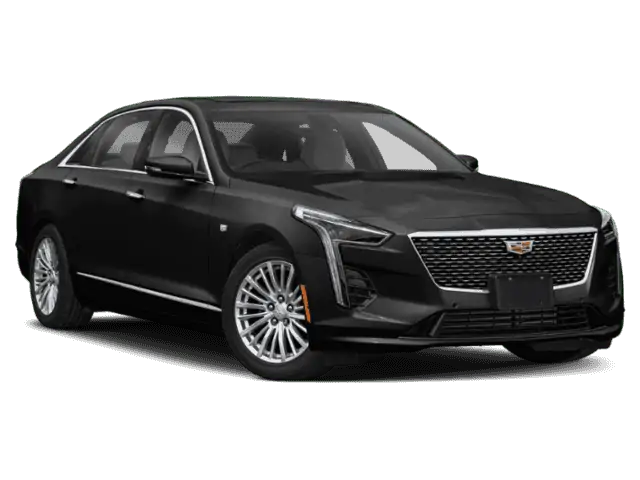
NHTSA ID Number: 10205543
Manufacturer Communication Number: 20NA171
Summary
This service bulletin provides repair information to correct a customer concern of software issues with Radio Software Version V808.
18 Affected Products
Vehicles
| MAKE | MODEL | YEAR |
| CADILLAC | CT6 | 2019-2020 |
| CADILLAC | XT4 | 2019 |
| CHEVROLET | BLAZER | 2019 |
| CHEVROLET | CAMARO | 2019 |
| CHEVROLET | COLORADO | 2019-2020 |
| CHEVROLET | EQUINOX | 2019-2020 |
| CHEVROLET | MALIBU | 2019-2020 |
| CHEVROLET | SILVERADO 1500 | 2019 |
| CHEVROLET | VOLT | 2019 |
| GMC | CANYON | 2019-2020 |
| GMC | SIERRA 1500 | 2019 |
| GMC | TERRAIN | 2019-2020 |
Condition
Some customers may comment on software issues.
A continuous improvement software update is being released with updates made on the following areas:
• Rear Seat Infotainment (RSI)
• HVAC
• Voice Recognition
• general system improvements
Most notable improvements include:
• RSI system (RPO UWG) front display screen will show a black screen and/or a poor distorted image while playing rear video to the front while in Park
• Phone contacts are unavailable and will not retry download
• RSI audio may intermittently stop after a navigation prompt
• Android Auto audio drops for approximately one second
• The Multifunction Controller (MFC) could change the AM frequency in the background of the Bluetooth audio page
• The navigation system will lose the street number in five minutes when the destination was entered using a myBrand app
• While CarPlay is in use, an OnStar Advisor call is active, and a user changes many apps then ends the Advisor call, the radio display may go black
• In porch / summary screen, the navigation highlighted exit route appears on display after missing the exit
• Super Cruise voice prompt to take the wheel may not play. Super Cruise disabled until next ignition cycle
• Cannot hear OnStar advisor if CarPlay incoming call session is active
• Incorrect French and Spanish translations for Ionizer
• (Non-GMNA regions) When receiving an incoming call, the incoming call popup on the head up display (HUD) flashes and disappears
• (Non-GMNA regions) During the first connection to CarLife on iPhone device, the CarLife page displays a black screen
• (Non-GMNA regions) The HUD does not display a contact name in Chinese when Bluetooth phone answers or receives a call
• (Non-GMNA regions) Korea has a Latin keyboard instead of a Swipe keyboard
• (Non-GMNA regions) Mismatch in rear seat climate control / fan speed
• (Non-GMNA regions) OnStar, OnStar Services, Climate, and Apps icon are displayed on the Home page
Cause
The cause of the condition may be software anomalies.
Correction
Reprogram the radio via USB. This radio software update, version V808, includes all enhancements from previous software version releases.
SEOCONTENT-START
Subject: Radio Software Version V808 USB Update
This bulletin replaces PIC6410A. Please discard all previous copies of PIC6410A.
Transmission:
Engine:
VIN:
Model
Brand: Model: Year:
from to from to
All All
All VINs starting with
LSG
2019
2019
CT6
Cadillac All VINs starting with
1G6
CT6 2020
— —
XT4 2019
2019
2019
Blazer
Chevrolet
Camaro 2019
Colorado 2020
Equinox 2020
Malibu 2020
2019
Silverado
1500
Volt 2019
2020
2019
Canyon
GMC Sierra 1500 2019
Terrain 2020
Holden Acadia 2019 2019
North America, Europe, Russia, Middle East, Israel, Palestine, Argentina, Brazil, Chile, Colombia, Ecuador,
Paraguay, Peru, Uruguay, Japan, Cadillac Korea (South Korea), GM Korea Company, China, Thailand, Australia/
New Zealand, Egypt, Other Africa
Involved Region or
Country
Equipped with Infotainment RPOs IOS, IOT or IOU
Additional Options
(RPOs)
Some customers may comment on software issues.
Condition
A continuous improvement software update is being released with updates made on the following areas:
• Rear Seat Infotainment (RSI)
• HVAC
• Bluetooth
• Voice Recognition
• general system improvements
Most notable improvements include:
• RSI system (RPO UWG) front display screen will show a black screen and/or a poor distorted image while
playing rear video to the front while in Park
• Phone contacts are unavailable and will not retry download
• RSI audio may intermittently stop after a navigation prompt
• Android Auto audio drops for approximately one second
• The Multifunction Controller (MFC) could change the AM frequency in the background of the Bluetooth
audio page
• The navigation system will lose the street number in five minutes when the destination was entered using
a myBrand app
• While CarPlay is in use, an OnStar Advisor call is active, and a user changes many apps then ends the
Advisor call, the radio display may go black
• In porch / summary screen, the navigation highlighted exit route appears on display after missing the exit
• Super Cruise voice prompt to take the wheel may not play. Super Cruise disabled until next ignition cycle
• Cannot hear OnStar advisor if CarPlay incoming call session is active
• Incorrect French and Spanish translations for Ionizer
• (Non-GMNA regions) When receiving an incoming call, the incoming call popup on the head up display
(HUD) flashes and disappears
• (Non-GMNA regions) During the first connection to CarLife on iPhone device, the CarLife page displays
a black screen
• (Non-GMNA regions) The HUD does not display a contact name in Chinese when Bluetooth phone answers
or receives a call
• (Non-GMNA regions) Korea has a Latin keyboard instead of a Swipe keyboard
• (Non-GMNA regions) Mismatch in rear seat climate control / fan speed
• (Non-GMNA regions) OnStar, OnStar Services, Climate, and Apps icon are displayed on the Home page
Cause The cause of the condition may be software anomalies.
Reprogram the radio via USB. This radio software update, version V808, includes all enhancements from
previous software version releases.
Correction
Service Procedure
Please refer Service Bulletin 2019-010 (AU & NZ region only) for further details on ALL programming requirements.
Caution: Before downloading the update files, be sure the computer is connected to the internet through a network cable
(hardwired). DO NOT DOWNLOAD or install the files wirelessly. If there is an interruption during programming,
programming failure or control module damage may occur.
• Ensure the programming tool is equipped with the latest software and is securely connected to the data link connector.
If there is an interruption during programming, programming failure or control module damage may occur.
• Stable battery voltage is critical during programming. Any fluctuation, spiking, over voltage or loss of voltage will
interrupt programming. Install a GM Authorized Programming Support Tool to maintain system voltage. Refer to
www.gmdesolutions.com for further information. If not available, connect a fully charged 12V jumper or booster pack
disconnected from the AC voltage supply. DO NOT connect a battery charger.
• Follow the on-screen prompts regarding ignition power mode, but ensure that anything that drains excessive power
(exterior lights, HVAC blower motor, etc) is off.
• Please verify that the radio time and date are set correctly before inserting USB drive into vehicle for programming,
otherwise an error will result.
• Clear DTCs after programming is complete. Clearing powertrain DTCs will set the Inspection/Maintenance (I/M)
system status indicators to NO.
Important: The service technician always needs to verify that the VIN displayed in the TLC left side drop down menu
and the top center window match the VIN plate of the vehicle to be programmed prior to using Service Programming
System 2 (SPS2) for programming or reprogramming a module.
• For the TLC application, service technicians need to always ensure that the power mode (ignition) is “ON” before
reading the VIN from the vehicle’s VIN master module and that they do not select a VIN that is already in the TLC
application memory from a previous vehicle.
• If the VIN that shows up in the TLC top center window after correctly reading the VIN from the vehicle does not
match the VIN plate of the vehicle, manually type in the VIN characters from the vehicle VIN plate into the TLC top
center window and use these for programming or reprogramming the subject module with the correct vehicle VIN
and software and/or calibrations.
• The Engine Control Module (ECM) is the master module (for VIP vehicles) that TLC reads to determine the VIN of
the vehicle. If the VIN read from the vehicle by TLC does not match the VIN plate of the vehicle, the ECM also needs
to be reprogrammed with the correct VIN, software and calibrations that match the vehicle’s VIN plate.
• The Body Control Module (BCM) is the master module (for GEM vehicles) that TLC reads to determine the VIN of
the vehicle. If the VIN read from the vehicle by TLC does not match the VIN plate of the vehicle, the BCM also needs
to be reprogrammed with the correct VIN, software and calibrations that match the vehicle’s VIN plate.
Caution: Be sure the VIN selected in the drop down menu (1) is the same as the vehicle connected (2) before beginning
programming.
5743643
Important: If the vehicle VIN DOES NOT match, the message below will be shown.
5877000
5644477
5431207
Important: Techline Connect and TIS2WEB screens shown above.
Important: If the Same Calibration/SoftwareWarning is noted on the TLC or SPS Summary screen, select OK and follow
on-screen instructions. The system will generate a warranty claim code (WCC) for documentation purposes only. Perform
service information (SI) diagnostics to determine the cause of the condition. Use the applicable labor operation code
when submitting a warranty claim. Do NOT use the WCC with the warranty claim submission.
Important: When programming a module in GM’s new Vehicle Intelligence Platform, or VIP, the power mode (ignition)
needs to be off or errors may occur. This involves the 2020 Chevrolet Corvette, Cadillac CT5 and CT4, as well as the
upcoming full-size Chevrolet, GMC, Cadillac SUVs and Buick Envision. Serial Data Message Authentication also needs
to have the ignition off.
TipKeep the doors closed for programming, otherwise an error may occur.Keep the doors closed for programming,
otherwise an error may occur.
1. Reprogram the radio software via USB. Refer to A11 Radio: Programming and Setup in SI.
5644478
5431209
Important: To avoid warranty transaction rejections, you MUST record the warranty claim code provided on the
SPS Warranty Claim Code (WCC) screen shown above on the job card. Refer to callout 1 above for the location of
the WCC on the SPS screen.
2. Record the SPS Warranty Claim Code on the job card for warranty transaction submission.
Warranty Information
For vehicles repaired under the Bumper-to-Bumper coverage (Canada BaseWarranty coverage), use the following labor
operation. Reference the Applicable Warranties section of Investigate Vehicle History (IVH) for coverage information.
Labor Operation Description Labor Time
RadioModule Reprogramming with SPS/USB 0.6 hr
for V808
2886988*
*This is a unique Labor Operation for bulletin use only.
Important: To avoid warranty transaction rejections, carefully read and follow the instructions below:
• The SPSWarranty Claim Code must be accurately entered in the “SPSWarranty Claim Code” field of the transaction.
• When more than one Warranty Claim Code is generated for a programming event, it is required to document all
Warranty Claim Codes in the “Correction” field on the job card. Dealers must also enter one of the codes in the
“SPS Warranty Claim Code” field of the transaction, otherwise the transaction will reject. It is best practice to enter
the FINAL code provided by SPS/SPS2.
Warranty Claim Code Information Retrieval
If the SPS Warranty Claim Code was not recorded on the Job Card, the code can be retrieved in the SPS system as
follows:
1. Open TLC/TIS on the computer used to program the vehicle.
2. Select and start SPS/SPS2.
3. Select Settings.
4. Select the Warranty Claim Code tab.
The VIN, Warranty Claim Code and Date/Time will be listed on a roster of recent programming events. If the code is
retrievable, dealers should resubmit the transaction making sure to include the code in the SPS Warranty Claim Code
field.
4
Version
Modi- Released August 28, 2020
fied September 25, 2020 – Added a TAC supersede statement, corrected AU and NZ region programming statement at beginning
of Service Procedure and updated the programming procedure template.
August 19, 2021 – Updated the programming Service Procedure and Labor Time under Warranty Information.
November 23, 2021 – Added a Tip to programming Service Procedure.
SEOCONTENT-END
1 Associated Document
Manufacturer Communications
20NA171
November 23, 2021
MC-10205543-9999.pdf 355.762KB
NHTSA ID Number: 10181701
Manufacturer Communication Number: 20NA171
Summary
This technical bulletin provides repair information to correct a customer concern of software issues with Radio Software Version V808.
1 Associated Document
Manufacturer Communications
Bulletin No.: 20-NA-171
Date: September, 2020
MC-10181701-9999.pdf 100.043KB
NHTSA ID Number: 10180323
Manufacturer Communication Number: 20NA171
Summary
This technical bulletin provides repair information to correct a customer concern of software issues with Radio Software Version V808.
1 Associated Document
Manufacturer Communications
Bulletin No.: 20-NA-171
Date: September, 2020
Reprogramming
GM Diagnostic/Programming (TIS2Web)
Approved J2534 Device with TIS2WEB can reprogram 1996 and later All GM Modules.
To obtain the latest electronic controller calibration information for your vehicle, go to https://tis2web.service.gm.com/tis2web and enter the vehicle's 17 character Vehicle Identification Number (VIN) and select 'Get CAL ID’.
You can then compare the latest part number with the actual number installed on the vehicle to determine if a reprogram is needed.
The Service Programming System (SPS) application is part of the TIS2Web system. To program an ECU, the SPS application must communicate with the vehicle control modules using the proper J2534 programming interface tool.
The Tech 2 supports model years 1996 and beyond. With the addition of the CAN Diagnostic Interface (CANdi) module, Tech 2 is fully backward compatible with current Tech 2 functionality and operates transparently when diagnosing non-CAN-equipped vehicles.
Servicing the next generation Global A vehicles will require the diagnostic software, GDS2, Global Diagnostic System 2 running on a local PC device while the MDI is connected to the vehicle. The GM MDI is the Global Diagnostic tool for future vehicles starting with Global A vehicles.
The GM MDI was introduced in the fall of 2007 for Pass-Thru programming and offers faster programming speed. It can be used to perform Pass-Thru programming on all vehicles built since 1996 and into the future. Click here to view a list of GDS supported vehicles.

- J2534 Pass-Thru Programmer: TOPDON RLink J2534 is an advanced diagnostic and reprogramming tool that support all J2534 protocols, as well as D-PDU, CAN-FD and DoIP, ensuring compatibility with a wide range of modern vehicles. It offers extensive versatility with support for over 18 major automotive brands, including Chrysler, Ford, GM, Nissan, Toyota, Honda, Subaru, Land Rover/Jaguar, Volvo, Wuling, Volkswagen/Audi, Mercedes-Benz, and BMW. NOTE: Not compatible with Ford IDS diagnostic software
- All-in-One OEM Diagnostics: This J2534 ECU programming tool elevates your automotive repair capabilities to new heights by delivering complete OEM diagnosis. Boasting comprehensive full-system diagnostics, intuitive repair guides, advanced ECU programming and coding, common reset services, a vast library of repair information and more, this all-in-one solution empowers technicians to effortlessly tackle complex vehicle issues with ease. *Not compatible with 24V vehicles
- Proven Performance You Can Trust: Backed by over 10000 real vehicle tests and benefit from a wealth of practical experience, this OEM reprogramming tool guarantees stable and exceptional performance. Supported by TOPDON's dedicated technical experts with in-depth knowledge of both auto repair and J2534 Pass-Thru programming, the RLink J2534 provides prompt and professional assistance, ensuring a smooth setup and reliable compatibility
- Integrated Excellence, Always Up-to-Date: Featuring the exclusive RLink Platform to provide a streamlined experience with one-click driver installation and management, ensuring flawless integration with your OE software, maintaining the original performance quality. The built-in operation guide makes mastering OE software quick and easy, so you can get started right away. Plus, with lifetime free updates, your diagnostics will stay current with the latest drivers and innovations
- Efficiency Meets Versatility: Engineered to support three CAN channels simultaneously - CAN FD and CAN-CC included, giving you the edge in fast troubleshooting. To perfectly synchronized with the OE software, please diagnose with active subscriptions and make sure your computer system is running a compatible 64-bit Windows version (7, 8, 10 or later) to fully leverage the power of RLink J2534. *We don't provide extra OE software

- Advanced VCI Box, Industry-leading J2534 Pass-Thru Technology: This J2534 Pass-Thru Programmer is designed espically for technicians, independent shop owners, and DIY enthusiasts, enables fast, reliable computer-based programming. It supports all J2534 protocols—including the latest DoIP and CAN FD—ensuring full compatibility with both legacy and next-generation vehicles.
- High-Speed OEM-Level Diagnostics & Programming: Unlock true OEM functionality with comprehensive system diagnostics, guided troubleshooting, coding, adaptations, resets, and programming—all designed to slash repair time. This all-in-one tool eliminates the need for multiple OEM devices, boosting efficiency and cutting costs. Equipped with High-Speed USB, it delivers 10x more data per second than competing solutions
- Coverage for 17 Car Brands & Ultra Reliability: Works seamlessly for Chrysler, for Ford(Forscan), for GM, for Nissan, for Toyota, for Honda, for Subaru(SSM4), for Land Rover/Jaguar, for Volvo, for Wuling, for Volkswagen, for Mercedes-Benz, and for BMW. Backed by over 10000 real vehicle tests and benefit from a wealth of practical experience, this OEM reprogramming tool guarantees stable and exceptional performance
- User-Friendly RLink Platform & Expert Support: TOPDON’s proprietary driver management platform offers a clean interface and lifetime free updates. Access a rich library of real-world case studies to stay ahead of the curve. Backed by a support team with 10+ years of J2534 and automotive repair experience, we provide one-on-one assistance to resolve any technical issue.
- 6.6 ft USB-C Cable & Portable Storage Case: The RLink J2534 diagnostic tool features a 6.6ft USB 2.0 Cable and a 1.2 ft OBDII Extension Cable, allows to connection your computer easily outside the vehicle. The included handled carry case offers easy portability, storage, and hanging options—keeping your gear clean and ready to go, anywhere.

- Dual WiFi & 10.1" Touchscreen: Provides a stable, high-speed wireless link 3x faster than bluetooth, and a responsive, professional interface. Topdon ONE obd2 scanner diagnostic tool ensures smooth, non-lagging diagnostic scan, boosting mechanic efficiency
- J2534 Pass-Thru Support: The included ONE VCI supports the J2534 standard, allowing it to function as a pass-thru device when paired with OEM diagnostic software.Through TOPDON’s RLink platform, technicians can perform dealer-level coding, expanding in-house capabilities without investing in multiple factory automotive scan tools
- OE Topology Mapping: Visualize the vehicle’s ECU network exactly as it’s built.Zoom, pan, and highlight specific modules to pinpoint component issues with precision.Topology mapping displays real-time communication between modules
- 50+ Service Functions: Covers high-demand services like ADAS calibration, DPF regen, TPMS reset, ABS bleed, and throttle adaptation.Expands your service menu, allows you to charge premium rates, and turns away zero jobs due to lack of tooling. Vehicle-specific functionality may vary
- Advaned ECU Coding: 10 of the most serviced brands in North America, including full ECU coding and flash hidden support for BMW, VW, Au-di, Benz, Porsche, Toyota, Ni ssan and more. Enables module replacement, feature customization, and personal settings with automatic backup or restore.Lets your shop safely offer high-margin customization services, attracting more customers and boosting profit
This product presentation was made with AAWP plugin.