NHTSA ID Number: 10222666
Manufacturer Communication Number: 22-NA-096
Summary
This informational bulletin provides information for dealers/technicians on Customer Education Bulletin for Google Built In Radio.
Information
Some features of the system require a service plan or trial. This includes Google Assistant, Google Maps and apps on Google Play. In order to use apps in vehicle, you must be signed into your Google account and have the paid service plan with in-vehicle data.
Your GM Account is different from your Google Account. Each account enables different functionalities within the vehicle.
Always use a trusted, damage free OEM phone USB cable.
8 Affected Products
Vehicles
| MAKE | MODEL | YEAR |
| CHEVROLET | SILVERADO 1500 | 2022 |
| CHEVROLET | SUBURBAN | 2022 |
| CHEVROLET | SUBURBAN 1500 | 2022 |
| CHEVROLET | TAHOE | 2022 |
| GMC | HUMMER EV | 2022 |
| GMC | SIERRA 1500 | 2022 |
| GMC | YUKON | 2022 |
| GMC | YUKON XL | 2022 |
1 Associated Document
Manufacturer Communications
Bulletin No.: 22-NA-096
Date: September, 2022
MC-10222666-0001.pdf 649.666KB

- [Easy to Use—Work Out of the Box] + [FOXWELL 2026 New Version] FOXWELL NT604 Elite scan tool is the 2026 new version from FOXWELL, designed for car owners who want to figure out the cause of issues before fixing car problems by scanning common systems like ABS, SRS, engine, and transmission. The NT604 Elite obd2 scanner diagnostic tool comes with the latest software—no need to waste time downloading software first. Plug the scanner into the OBDII port with OBDII cable to start the diagnosis.
- [Affordable] + [Reliable Car Health Monitor] Will you be confused what happens when the warning light of ABS/SRS/transmission/check engine flashes? Instead of taking your cars to dealership, this FOXWELL scanner will help you do a thorough scanning and detection for your cars and pinpoint the root cause. Note:The device is a diagnostic tool, not a repair tool. To turn off a warning light, you must first physically repair the issue causing it. Only then can the scanner be used to clear the corresponding fault code.
- [5 in 1 Car Diagnostic Scanner] Compared with obd scanners (50-100), NT604 Elite code scanner not only includes their OBDII diagnosis but also serves as ABS/SRS scanner, transmission and check engine code reader. When it’s an odb2 scanner, you can use it to check if your car is ready for annual test through I/M readiness menu. In addition, live data stream, built-in DTC library, data play back and print, all these features are a big plus for it. Note: doesn't support maintenance functions like reset or relearn. For the SRS system, NT604 Elite can read and clear common fault codes not caused by a crash, but crash/collision data cannot be cleared.
- [Fantastic AUTOVIN] + [No extra software fee] Through the AUTOVIN menu, this NT604 Elite car scanner allows you to get your V-IN and vehicle info rapidly, no need to take time to find your V-IN and input one by one. What's more, the NT604 Elite ABS SRS scanner supports 60+ car brands from worldwide (America/Asia/Europe). You don’t need to pay extra software fee. AUTOVIN may not work on some older vehicles or certain vehicle brands. If AUTOVIN fails, please input the vin code manually or go to the Diagnostic Menu to select your vehicle model.
- [Solid protective case KO plastic carrying bag] + [Lifetime update] Almost all same price-level car scanner diagnostic tool only offers plastic bag to hold the scanner.However, NT604 Elite automotive scanner is equipped with solid protective case, preventing your obd2 scanner from damage. Then you don’t need to pay extra money to buy a solid toolbox.

- OBD2 SCANNER FOR ALL SYSTEMS – The INNOVA SD35 is a tablet-based OBD2 scanner designed for advanced diagnostics. Read and clear check engine light, ABS, SRS, and TPMS codes, plus test your car battery and alternator to prevent unexpected failures. Vehicle coverage may vary. Please use Innova’s Coverage Checker to verify compatibility.
- ALL-SYSTEM DIAGNOSTICS & LIVE DATA – Unlike basic code readers, this OBD2 scanner for all vehicles scans engine, transmission, ABS, SRS, and more. Get real-time live data, including RPM, fuel trims, temperature readings, and oxygen sensor performance.
- OBD2 TABLET WITH USER-FRIENDLY INTERFACE – This automotive scan tool features a high-resolution display, making vehicle diagnostics faster and easier.
- ADVANCED TPMS, OIL RESET & SERVICE FUNCTIONS – Perform TPMS sensor checks, oil light reset, and other service resets with ease This professional diagnostic tool provides comprehensive vehicle maintenance capabilities in one device.
- WIDE VEHICLE COVERAGE (1996 & NEWER CARS & TRUCKS) – This OBD2 scanner Bluetooth tablet is compatible with Toyota, Ford, Honda, Chevrolet, Nissan, Dodge, and more. However, feature coverage may vary. Please use Innova's Coverage Checker to verify coverage.

- [All System Diagnostics, Professional-Level Scanner] - BLCKTEC 460T is the ultimate OBD2 diagnostic tool for home mechanics and professionals. It supports all 10 OBD2 modes, reads and clears Engine/Transmission/ABS/SRS codes, performs All-System Diagnostics, offers workshop reset tools, and provides real-time live data. It helps you pinpoint issues, assess your car's condition, and prepare for SMOG checks with ease. NOTE: Function availability depends on your vehicle. Before you buy, be sure to use the Compatibility Checker on BLCKTEC website or contact our customer support to verify that the features you need are supported for your vehicle’s specific year, make, and model.
- [12+ Most Popular Reset Functions] - BLCKTEC 460T OBD2 scanner offers 12+ dealer-level service functions, including Oil Maintenance Reset, ABS Bleeding, EPB Reset, SAS(Steering Angle Sensor) Recalibration, DPF(Diesel Particulate Filter) Reset, Throttle Body Relearn, Battery Reset/Initialization, TPMS Relearn, Transmission Reset, Fluid Change Reset, Maintenance Reset and more, enabling you to perform workshop services like a pro. NOTE: Function availability depends on your vehicle. Be sure to use the Compatibility Checker on BLCKTEC website to verify that the features you need are supported for your vehicle.
- [Real-Time OBD2 and OEM Live Data, Freeze Frame Data] - BLCKTEC 460T helps diagnose vehicle issues when warning lights like Check Engine Light or ABS/SRS Light appear. It offers detailed DTC info, ECU Freeze Frame Data, and real-time OBD2 and advanced OEM live data, including Engine, Transmission, ABS, SRS, and more, making it easy to diagnose and resolve vehicle problems. You can view, graph, record, replay, and overlay up to four live data streams in a single graph for better analysis.
- [AutoVIN, AutoReLink, AutoScan, 3X Faster] - Equipped with AutoVIN technology, 460T automatically retrieves the VIN to save you time. Its AutoScan and AutoReLink features scan all of the vehicle's ECUs and detect any fault codes immediately after you plug the scanner into the vehicle's OBD2 port - no button presses required. Additionally, it regathers DTC and I/M readiness information every 30 seconds, simplifying monitor tests. 460T's advanced technology makes it 3X faster than other products.
- [Get RepairSolutions2, the #1 Auto Repair App for Free] - When paired with RepairSolutions2(RS2) App, 460T becomes even more powerful. RS2's Verified Fix Database built by master technicians, provides the parts needed for the repair. Additionally, RS2 gives you access to OEM warranty info, maintenance schedules, TSB, and dealership recall info, making car care easier than ever. RS2 is free with no subscription fees and it stores your car scan reports in the cloud, allowing you to access, share, or print them anytime and anywhere.
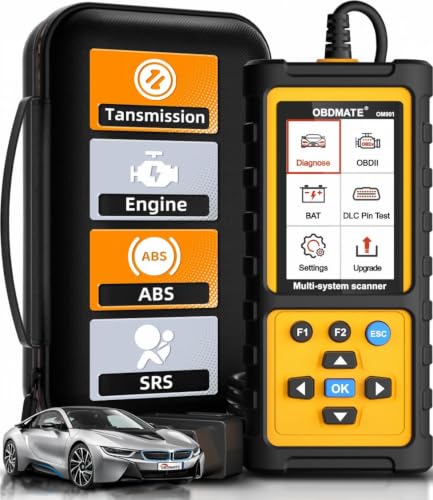
- 【Reset ABS/SRS/Transmission/Engine Lights】 More than an check engine code reader, OBDMATE OM901 obd2 scanner performs comprehensive diagnostics for the 4 most-used systems (ABS/SRS/Engine/Transmission). It quickly clears fault codes, turns off warning lights, read data stream and auto VIN.
- 【3.5" Handheld Scanner with 4 System Diagnose】 3.5" Super large TFT screen equipped displays an intuitive menu and clear readings of various sensors from ABS, SRS, ECM and TCM systems. It arrived with a silicone protective case and hard-shell carrying case, ensuring long-lived durability and drop resistance. The car diagnostic tool is plug-to-play designed, plug it and get diagnosis started without any batteries or updates required.
- 【One-Click I/M Readines&Full OBD2 Functions】 Press F1 to get an intuitive corloured form about whether various emissions-related systems on the vehicle are operating properly. Help you get smog-check ready quickly. OM901 car scanner supports all essential OBD2 functions you need: read & clear codes, view freeze frame, read I/M readiness, retrieve VIN, live data stream (with graphing display), O2 sensor test, onboard monitoring mode, and EVAP leak test.
- 【Battery Voltage Check&DLC Pin Test】 It allows you to monitor battery health by testing current battery voltage. Plus, this obd2 diagnostic tool features DLC 16-PIN test to check current voltage of every pin.
- 【Automotive Scanner Diagnostic Kit】 The package comes with 1 car scanner, 1 USB-type c cable, 1 hard storage bag and 1 user manual(en). Free to update without any hidden fees. 5 languanges available in setting including English, French, Italian, German and Espanish. Valuable and Portable, making it a great tool kit for car owners, DIY enthusiasts, and professional mechanics.

- [Diagnose Like a Pro] BlueDriver Pro is a professional OBD2 scanner and diagnostic tool that helps you scan, understand, and clear vehicle trouble codes with confidence. Turn your phone into a powerful car diagnostic scanner—no guesswork, no unnecessary repairs.
- [Read and Clear More Codes Than Ever] Read and clear more codes than basic car code readers. Access enhanced diagnostics for Check Engine, ABS, SRS, Airbag, TPMS, Transmission.
- [Verified Fixes and Real-Time Data] Get unlimited, technician-verified repair reports matched to your VIN, with definitions, causes, and confirmed fixes. Monitor live vehicle data as you drive, view freeze frames, check smog readiness, and analyze Mode 6 test results.
- [Wireless & Bluetooth Enabled] - Say goodbye to wires. BlueDriver connects with Bluetooth via your phone/tablet to a sensor that plugs into your car's OBDII port. Get all of the capabilities of an expensive code reader & scan tool without any annoying wires.
- [Broad Make & Model Coverage] Strong support for GM, Ford, Stellantis (RAM, Jeep, Chrysler), Toyota, Honda, Nissan, Mazda, Subaru, Hyundai, Mercedes-Benz, BMW, and VW.
SEOCONTENT-START
Copyright 2022 General Motors LLC. All Rights Reserved. Service Bulletin Bulletin No.: 22-NA-096 Date: September, 2022 INFORMATION Subject: Customer Education Bulletin for Google Built In Radio Brand: Model: Model Year: VIN: Engine: Transmission: from to from to Chevrolet Silverado 1500 LTD (RPO J21, VIN Digit 5 = W / Y) 2022 2022 Silverado 1500 New (RPO J22, VIN Digit 5 = A / D) Suburban Tahoe GMC Hummer EV Sierra 1500 Limited (RPO J21, VIN Digit 5 = 8 / 9) Sierra 1500 New (RPO J22, VIN Digit 5 = H / U) Yukon Yukon XL Involved Region or Country United States, Canada, Mexico, Uzbekistan, Russia, Middle East, Argentina (Mercosur), Bolivia (West), Chile (West), Colombia (West), Ecuador (West), Paraguay (West), Peru (West), Uruguay (West), Cadillac Korea (South Korea), Thailand (ASEAN) Additional Options (RPOs) Equipped with Radio RPO IOK Information Some features of the system require a service plan or trial. This includes Google Assistant, Google Maps and apps on Google Play. In order to use apps in vehicle, you must be signed into your Google account and have the paid service plan with invehicle data. Your GM Account is different from your Google Account. Each account enables different functionalities within the vehicle. Always use a trusted, damage free OEM phone USB cable. Page 2 September, 2022 Bulletin No.: 22-NA-096 Important: Service agents must comply with all International, Federal, State, Provincial, and/or Local laws applicable to the activities it performs under this bulletin, including but not limited to handling, deploying, preparing, classifying, packaging, marking, labeling, and shipping dangerous goods. In the event of a conflict between the procedures set forth in this bulletin and the laws that apply to your dealership, you must follow those applicable laws. Contents • Signing In – Setup Wizard – Guest vs User Profile – Security for User Profile • Google PlayStore • Setting up Auto Update in Google PlayStore • Checking for data plan • If a customer doesn’t have a data plan • Downloading offline maps • Privacy Settings with Google Maps • Google Maps while Paired • Pairing a phone • How to connect to Apple CarPlay • How to check infotainment software version in Google Built-In capable vehicles (RPO: IOK) • How to have enable GPS positioning and wireless projection by location Turn On feature in Google Built-In capable vehicles (RPO: IOK) • Using Siri with Apple CarPlay • How to connect with Android Auto • Using Bixby with Android Auto • Enabling Google Assistant • Android Auto PlayStore • Apple CarPlay Appstore • Vehicle to Phone Sharing • Moving Apps to Favorites Menu • Owner’s manual and downloading a copy • Factory Reset • Pairing Bluetooth headphones to Rear Seat Entertainment • Radio Data System (RDS) Signing In: Setup Wizard A. This is set up to walk the customer through personalizing the infotainment system (setting up user profile, Google account and pairing a Bluetooth phone). Any time you create a new profile, you will have the opportunity to use the setup wizard as well. The Setup Wizard can only be completed in PARK. Guest vs User profile A. Guest profile will reset any personalization each time the vehicle is turned on. B. User profile will retain these settings. Up to 7 profiles plus the guest profile are able to be stored in the vehicle. Security for User Profile A. Select Vehicle settings, then select security (or tap on name in upper left and click manage profile) – this will allow you to select what type of security to use (pin, pw or pattern). Google Play *The one stop shop for downloading apps designed for the vehicle (similar to apps found on your personal phone)* *Some third-party apps (such as Spotify) do require a separate account and, in some cases, a paid subscription to access in vehicle.* Bulletin No.: 22-NA-096 September, 2022 Page 3 6058786 A. Click the sign in button in Google Play and you are taken to a sign-in screen Page 4 September, 2022 Bulletin No.: 22-NA-096 6058788 B. While in the Google Play app, after signing in, click on the face icon to the right Bulletin No.: 22-NA-096 September, 2022 Page 5 6058792 C. Then options to sign in and out and control Google activity Page 6 September, 2022 Bulletin No.: 22-NA-096 Setting up Auto Update in Google Play: Note: Vehicle will need to have radio SW version w161 & above. Customers can enable Google auto updates by following the steps below. 6058799 A. Go to Google Play Store Bulletin No.: 22-NA-096 September, 2022 Page 7 6058801 B. Click on three dots at upper right corner Page 8 September, 2022 Bulletin No.: 22-NA-096 6058802 C. Go to Settings. Bulletin No.: 22-NA-096 September, 2022 Page 9 6058804 D. Click on Auto-Update apps. Page 10 September, 2022 Bulletin No.: 22-NA-096 6058805 E. Click to use one of the three options. “Over any Network” is highly recommended for best results. Checking for data plan: A. A way to determine if a data plan is active is by using the steering wheel controls to give the vehicle a command. B. Press the voice recognition button will bring up the Google Assistant. C. If there is no data plan, the Google Assistant will not come up and directions on how to get a data plan will be given. If a customer doesn’t have a data plan: A. Customers are still able to get maps but no traffic data will display. Offline maps are only accessible if the customer has downloaded the offline map prior to not having data. B. Some apps may not be available in the Google Play Store. C. Google Maps will run in offline mode if Terms & Conditions are not signed. D. Dashes for speed limit sign in cluster/HUD will be displayed if there is no active data plan or on wifi. Bulletin No.: 22-NA-096 September, 2022 Page 11 Downloading offline maps (Offline maps is a convenient way to have your map available if in a connectivity dead zone area. **Google Maps downloads offline maps automatically for use when not connected to the Internet and for making map data available to vehicle features regardless of connectivity. These offline maps are only available when the vehicle has a subscription data plan. Offline maps expire in one year.**) 6058806 A. Click maps Page 12 September, 2022 Bulletin No.: 22-NA-096 6058807 B. Click settings button (the gear icon) at bottom of map screen 6058808 Bulletin No.: 22-NA-096 September, 2022 Page 13 C. Click Offline Maps 6058810 D. Adjust the map to cover the desired area to download and click download E. Auto-download will specifically download the offline map if connected to a specific network the customer is in. You can select your own map and download that area and will stay in your download area until space is gone. Page 14 September, 2022 Bulletin No.: 22-NA-096 Privacy Settings with Google Maps 6058811 A. While in the Settings of the maps, select Privacy Center B. This allows you to select how you want to share driving data and the way you download offline maps (auto/manual). Bulletin No.: 22-NA-096 September, 2022 Page 15 6058812 6058813 Page 16 September, 2022 Bulletin No.: 22-NA-096 C. Screens above (offline maps help) will guide the customer through how to set up Auto-Download offline maps 6058814 D. Any other help needed with maps, the customer can visit the websites below in the About & Help screen in the offline maps section: Google Maps while Paired Customer will need to disconnect Wi-Fi and Bluetooth on their phone, then utilize google maps from the phone. A. Pairing a phone A.A. Go to phone app on home page and click “Manage Phones” A.B. Click the plus and follow the prompts on the screen and your phone. A.C. This may take up to 5+ minutes to connect and sync. A.D. Only allowed to pair one phone at a time. Bulletin No.: 22-NA-096 September, 2022 Page 17 B. How to connect to Apple CarPlay B.A. Apple CarPlay is available through Wi-Fi and Bluetooth or tethered (corded) 6058815 B.B. Once phone is paired to vehicle, the notification below will pop up. Click Allow or Deny depending on your preference for your Google experience. Page 18 September, 2022 Bulletin No.: 22-NA-096 6058816 B.C. Click Enable for CarPlay (if vehicle does not prompt for Apple CarPlay, customer can go to home screen and select Apple CarPlay on display) Bulletin No.: 22-NA-096 September, 2022 Page 19 6058817 B.D. If you accidentally click Not Now, you can go back onto the main infotainment screen and click CarPlay again Page 20 September, 2022 Bulletin No.: 22-NA-096 6058818 B.E. If phone was previously paired, and Apple CarPlay was not turned on via the steps above, the customer can go to the home page and select the Apple CarPlay app, then follow the prompts to connect **CarPlay will be unavailable if vehicle location is not turned on** C. How to check infotainment software version in Google Built-In capable vehicles (RPO: IOK) C.1. 1) From Home page, Go to Settings>System>About>Build number 6147889 C.2. 2) The software usually starts from 31st character position of the build number and it starts with a letter followed by three primary numbers and two secondary numbers separated by dots. Shown in screenshot above. Bulletin No.: 22-NA-096 September, 2022 Page 21 D. How to have enable GPS positioning and wireless projection by location Turn On feature in Google Built-In capable vehicles (RPO: IOK) D.1. 1) Certain features like offline maps, GPS positioning and wireless projection might not work without enabling the location Turn On feature. 6147906 D.2. 2) Usually, the system gives a notification to turn on location when the vehicle is first started. A user can enable it from the notification list by first pressing the bell icon and top left of the screen as shown above. 6147907 D.3. 3) Click on “Turn On” from the notification list and select “Turn On” on the pop-up itself as well as shown above. 6147908 D.4. 4) Alternatively, a user can enable it by going to Settings>Privacy>Location Services>Location Services For Android and enable it from the toggle switch as shown above. 6148207 D.5. 5) Additionally, a user can customize the number of apps allowed for location services by going to Settings>Apps and Permissions>App Permissions>Location and selecting the apps individually as shown above. E. Using Siri with Apple CarPlay E.A. Use Voice Recognition button on SWC and do a long hold press E.B. Short press is only available with an active data plan (Google Assistant). Page 22 September, 2022 Bulletin No.: 22-NA-096 F. How to connect to Android Auto *Android Auto is available through Wi-Fi and Bluetooth or tethered (cord connected)* 6058819 F.A. Select Android Auto from the homepage and follow the prompts G. Using Bixby with Android Auto G.A. Use Voice Recognition button on SWC and do a long hold press G.B. Short press is only available with an active data plan (Google Assistant). H. Enabling Google Assistant H.A. Click the settings icon on the home screen, settings, apps and permissions, special app access, notification access — Google Assistant on. H.B. Adisconnect and repair of the customer’s phone to the infotainment system may need to be done. I. Android Auto PlayStore I.A. Mirror image of Google Play. Limited functionality at this time with certain apps within Google Play. Check back later for further enhancements. J. Apple CarPlay AppStore J.A. Mirror image of Google Play. Limited functionality at this time with certain apps within Google Play. Check back later for further enhancements. Bulletin No.: 22-NA-096 September, 2022 Page 23 K. Vehicle to Phone Sharing 6058820 K.A. This feature allows Android Auto/Apple CarPlay apps to use vehicle data. Only phones connected to the vehicle by these options can request the vehicle to share data. By default this is turned on in the vehicle- but the customer can turn this feature off by way of the settings menu. *Wireless streaming from cellular phone is unavailable.* L. Moving Apps to Favorites Menu L.A. Customers will need to select and hold the icon app you want to move until icon is red. You can drag it over to the page of your choosing. There are a few icons that are not removeable out of the favorites tray, i.e Home. Page 24 September, 2022 Bulletin No.: 22-NA-096 M. MyGMC, MyChevrolet – managing usage and data plans 6058821 M.A. After signing in, customers must accept the terms/conditions as well as privacy/permissions. Bulletin No.: 22-NA-096 September, 2022 Page 25 6058822 M.B. **MyBrand will not work without an OnStar package** Page 26 September, 2022 Bulletin No.: 22-NA-096 N. Owner’s manual and downloading a copy 6058821 N.A. Customers must select the MyGMC or MyChevrolet N.B. Customers cannot sign into MyChevrolet without a data plan Bulletin No.: 22-NA-096 September, 2022 Page 27 6058823 N.C. Select the settings icon in the top right Page 28 September, 2022 Bulletin No.: 22-NA-096 6058824 6058825 N.D. Click Owner’s Manual Details then Install Now to install the Owner’s Manual Bulletin No.: 22-NA-096 September, 2022 Page 29 6058826 N.E. After downloading go to ”Learn About…” (this will allow you to search for keywords) O. Factory Reset O.A. After doing a factory reset with the radio, customers will need to sign in through MyChevrolet or MyGMC app. Customers will need wifi/data to do this if trying to sign in via the Integrated Center Stack (ICS). Page 30 September, 2022 Bulletin No.: 22-NA-096 P. Pairing Bluetooth headphones to Rear Seat Entertainment 6058827 P.A. Click the plus sign to add headphones Bulletin No.: 22-NA-096 September, 2022 Page 31 6058828 P.B. Follow the prompts on screen. The headphones (if previously paired to phone) may need to be unpaired from your phone before pairing to Rear Seat Entertainment. Page 32 September, 2022 Bulletin No.: 22-NA-096 6058829 P.C. Once paired, you can rename the headphones and disconnect or delete the headphones. P.D. Only two headphones can be achieved per RSI Screen. **An HDMI cable is required to connect an HDMI device to the RSI hub. The RSI HDMI inputs allow connection to video games, disc players, cameras, smartphones, tablets, streaming devices, and A/V dongles that have HDMI.** ** Streaming RSI is only supported with an unlimited data plan** Q. Radio Data System (RDS) Q.A. If equipped, RDS features are available for use only on FM stations that broadcast RDS information. With RDS, the radio can: – Display a Station Name – Display messages from radio stations Q.B. This can be managed in the settings section under Audio settings. Q.C. Refer to Owner’s Manual for more specifics on this feature. Version 2 Modified Released May 10, 2022. Revised September 08, 2022 – Added Important statement and sections How to check infotainment software version in Google Built-In capable vehicles (RPO: IOK) and How to have enable GPS positioning and wireless projection by location Turn On feature in Google Built-In capable vehicles (RPO: IOK). GM bulletins are intended for use by professional technicians, NOT a “do-it-yourselfer”. They are written to inform these technicians of conditions that may occur on some vehicles, or to provide information that could assist in the proper service of a vehicle. Properly trained technicians have the equipment, tools, safety instructions, and know-how to do a job properly and safely. If a condition is described, DO NOT assume that the bulletin applies to your vehicle, or that your vehicle will have that condition. See your GM dealer for information on whether your vehicle may benefit from the information. WE SUPPORT VOLUNTARY TECHNICIAN CERTIFICATION
**************************************************************************************************************
**************************************************************************************************************
SEOCONTENT-END
This product presentation was made with AAWP plugin.