
NHTSA ID Number: 10222660
Manufacturer Communication Number: 20-NA-090
Summary
This informational bulletin provides a way for the technician to identify if the ECM has been modified.
General Motors Position on Aftermarket Power-Up Devices
General Motors does not support or endorse the use of devices or modifications that when installed, increase the engine horsepower and torque.
This bulletin outlines the procedures to identify the presence of non-GM (aftermarket) calibrations. GM recommends performing this check whenever a hard part failure is seen on internal engine, transmission, transfer case or rear axle components, and before disassembly, repair or replacement of an engine, transmission, transfer case or rear axle assembly under warranty. It is also recommended that the engine calibration verification procedure be performed whenever diagnostics indicate that an exhaust aftertreatment system component replacement is necessary.
58 Affected Products
Vehicles
| MAKE | MODEL | YEAR |
| CADILLAC | ESCALADE | 2021-2023 |
| CADILLAC | ESCALADE ESV | 2021-2023 |
| CHEVROLET | SILVERADO 1500 | 2020-2023 |
| CHEVROLET | SILVERADO 2500 | 2020-2023 |
| CHEVROLET | SILVERADO 3500 | 2020-2023 |
| CHEVROLET | SILVERADO 4500HD | 2019-2023 |
| CHEVROLET | SILVERADO 5500HD | 2019-2023 |
| CHEVROLET | SILVERADO 6500HD | 2019-2023 |
| CHEVROLET | SUBURBAN | 2021-2023 |
| CHEVROLET | SUBURBAN 1500 | 2021-2022 |
| CHEVROLET | TAHOE | 2021-2023 |
| GMC | SIERRA 1500 | 2020-2023 |
| GMC | SIERRA 2500 | 2020-2023 |
| GMC | SIERRA 3500 | 2020-2023 |
| GMC | YUKON | 2021-2023 |
| GMC | YUKON XL | 2021-2022 |
1 Associated Document
Manufacturer Communications
Bulletin No.: 20-NA-090
Date: September, 2022
MC-10222660-0001.pdf 4861.723KB

- 【You can always trust Thinkcar】Not happy with the product? If you experience any issues with the product after purchase(functions doesn't work or receive a used product), not sure about the compatibility with your car, please directly message to support @ mythinkcar. com, we also offer online technical support and consultation services to help you quickly get started, even if it's your first time. For select functions, we provide step-by-step guides, video tutorials, and direct support to ensure a smooth experience.
- 【Engineered for Excellence】Favored by A Tremendous Loves of Users, from DIYers and technicians to top automotive influencers. The new intelligent AI-powered THINKSCAN 689BT PRO diagnostic tool provides comprehensive workshop solutions and diagnostic capabilities, topology mapping, J2534 pass-thru solution, new developed Tyler AI Agent, full bidirectional control, 35+ services, PMI, CANFD, DoIP, FCA gateway. While excellent software innovation requires stable hardware support. The THINKSCAN 689BT PRO is driven by Android 10, 4-core high-speed CPU, 4GB RAM, 64GB ROM, ensure 5X faster performance and empowers technicians to repair cars more efficiently, and deliver results with confidence.
- 【J2534 Pass-Thru Support】Featuring an innovative factory-level VCI with the latest J2534 protocol standards, the THINKSCAN 689BT PRO scanner can function as a pass-thru device to achieve direct connectivity seamlessly with mainstream OEM softwares, including GDS2, Forscan, Witech2.0, ODIS, Techstream, ect. This means that with just one device, you can easily access factory level diagnostic, pr0gramming and maintenance functions on multiple brand models, greatly helping technicians get from scan to solution faster than ever.
- 【Pro-Level Topology Mapping for Full System Insight】The THINKSCAN 689BT PRO now features newly integrated topology mapping. It provides a complete and intuitive overview of complex system interconnections for the vehicle, displaying each accessible control module in different colors at a glance, as well as system counts, scanned systems, and diagnostic results. No need for endless scrolling menus, this smart zoom, pan, and highlight specific modules allows for pinpoint module selection. With the support of AI, you can also easily identify the cause of faults and obtain step-by-step repair assistance - empowering you with dealer-level intelligence and excellent efficiency at workshop speed.
- 【Revolutionary Tyler AI Intelligent Scan Tool】Stop wasting cycles on manual code lookups and repetitive cross-referencing. The THINKSCAN 689BT PRO's Tyler AI intelligent system works as a full-time AI expert— it automatically retrieve fault codes, generate reports, capture data for post-scan review, and analyze underlying vehicle issues in real time. But that's just the baseline. The built-in THINKAI chatbot takes it further: ask it any question you wanna know, it delivers instant, context-aware troubleshooting guidance and technical resources without forcing you to flip through service manuals
 , Tyler AI Agent gives you the confidence of a pro, right from your driver's seat.

- CEL Doctor: The ANCEL AD310 is one of the best-selling OBD II scanners on the market and is recommended by Scotty Kilmer, a YouTuber and auto mechanic. It can easily determine the cause of the check engine light coming on. After repairing the vehicle's problems, it can quickly read and clear diagnostic trouble codes of emission system, read live data & hard memory data, view freeze frame, I/M monitor readiness and collect vehicle information
- Sturdy and Compact: Equipped with a 2.5 foot cable made of very thick, flexible insulation. It is important to have a sturdy scanner as it can easily fall to the ground when working in a car. The AD310 OBD2 scanner is a well-constructed mechanic tool with a sleek design. It weighs 12 ounces and measures 8.9 x 6.9 x 1.4 inches. Thanks to its compact design and light weight, transporting the device is not a problem. The buttons are clearly labelled and the screen is large and displays results clearly
- Accurate Fast and Easy to Use: The AD310 scanner can help you or your mechanic understand if your car is in good condition, provides exceptionally accurate and fast results, reads and clears engine trouble emission codes in seconds after you fixed the problem. This device will let you know immediately and fix the problem right away without any car knowledge. No need for batteries or a charger, get power directly from the OBDII Data Link Connector in your vehicle
- OBDII Protocols and Car Compatibility: Many cheap scan tools do not really support all OBD2 protocols. AD310 scanner as it can support all OBDII protocols such as KWP2000, J1850 VPW, ISO9141, J1850 PWM and CAN. This device also has extensive vehicle compatibility with 1996 US-based, 2000 EU-based and Asian cars, light trucks, SUVs, as well as newer OBD2 and CAN vehicles both domestic and foreign. Pls confirm with our customer service whether it is compatible with your vehicle before purchasing
- Home Necessity and Worthy to Own: This is an excellent code reader to travel or home with as it weighs less and it is compact in design. You can easily slide it in your backpack as you head to the garage, or put it on the dashboard, this will be a great fit for you. The AD310 is not only portable, but also accurate and fast in performance. Moreover, it covers various car brands and is suitable for people who just need a code reader to check their car


- 2026 Advanced ECU Coding Scan Tool: Maximize the capabilities of your vehicles with the ArtiDiag Pro. This scan tool, seamlessly compatible with renowned models such as VW, A-U-D-I, SKODA, SEAT, BENZ, and more, empowers you to uncover hidden features, deactivate annoying functions, and code retrofitted components for peak performance. Ensure a backup before coding and steer clear of problems on low battery levels.
- Efficient Diagnostics with Bidirectional Control: Say goodbye to uncertainty, streamline diagnostics, and reclaim valuable time with ArtiDiag Pro scan tool. This bidirectional scan tool exceeds expectations, enabling targeted tests on individual actuators to swiftly identify and resolve issues. Covering lights, door locks, fuel and coolant systems, windows, wipers, EVAP, and more in vehicle components.
- 35+ Services Resolve 90% of Repair Challenges: Unleash maximum productivity with the ArtiDiag Pro, a scan tool that tackles 90% of maintenance issues through its 35 special functions. Effortlessly clear oil maintenance indicators with oil reset. Engage the EPB Reset for brake system management and establish precise alignment with the Steering Angle Reset to define the straight-line reference position for your vehicle.
- FCA Autoauth : This diagnostic tool supports Autoauth for FCA SGW/Renault, Chrysler, Jeep, Dodge, Fiat etc. 2017 and later. NOTE: Due to Product Upgrade, there is no Chrysler 12+8 adapter, the BMW-20 Adapter in the package any more. We are sincerely sorry for the inconvenience. NOTE: Please confirm compatibility before purchase.(Topdon Website>Support>Vehicle Coverage)
- Professional Customer Support: At TOPDON, your satisfaction is our unwavering commitment. Experience hassle-free support and a lifetime of expert assistance. Should you encounter any challenges, reach out to us at 833-629-4832. For returns, please damage the packaging to prevent Amazon from reselling it. Please be advised that after two years, a subscription fee of 249 Bucks will apply.
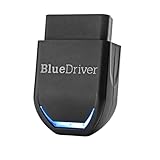
- [Diagnose Like a Pro] BlueDriver Pro Next-Gen is a professional OBD2 scanner and diagnostic tool that helps you scan, understand, and clear vehicle trouble codes with confidence. Turn your phone into a powerful car diagnostic scanner—no guesswork, no unnecessary repairs.
- [Read and Clear More Codes Than Ever] Read and clear more codes than basic car code readers. Access enhanced diagnostics for Check Engine, ABS, SRS, Airbag, TPMS, Transmission, and more on supported vehicles, including expanded coverage on newer model years.
- [Verified Fixes and Real-Time Data] Get unlimited, technician-verified repair reports matched to your VIN, with definitions, causes, and confirmed fixes. Monitor live vehicle data as you drive, view freeze frames, check smog readiness, and analyze Mode 6 test results.
- [Expanded Make & Model Coverage] Optimized for today’s vehicles with strong support for GM, Ford, Stellantis (RAM, Jeep, Chrysler), Toyota, Honda, Nissan, Mazda, Subaru, Hyundai, Mercedes-Benz, BMW, and VW. Enhanced communication on select 2024+ Nissan and Mazda models (see compatibility chart).
- [Gas Vehicles 1996+ & Select Light-Duty Trucks] Works with all gas-powered vehicles made in 1996 or newer, plus select light-duty trucks and diesels, including F-250, RAM 2500, Silverado, and Sierra. Built for daily drivers, family vehicles, and real-world truck use.
SEOCONTENT-START
Copyright 2022 General Motors LLC. All Rights Reserved. Service Bulletin Bulletin No.: 20-NA-090 Date: September, 2022 INFORMATION Subject: Identifying Non-GM ECM Calibration Use and Power-up Hardware Detection in Duramax Diesel Engines Using GDS 2 Attention: In order to process an engine/transmission/drivetrain hard part Warranty Transaction, the Service Personnel must retrieve and save the required GDS 2 screen shot information as outlined below for the specific vehicle, before disassembly or removing the engine/transmission/drivetrain components from the vehicle. Always refer to the GM Service Policy and Procedures Manual for the latest GM Policy and Procedures Information. Brand: Model: Model Year: VIN: Engine: Transmission: from to from to Cadillac Escalade Models 2021 2023 — — LM2 — Chevrolet Silverado 1500 2020 2021 Silverado 1500 New (RPO J22, VIN Digit 5 = A / D) 2022 2022 Silverado 1500 2023 2023 LZO Silverado 2500HD/3500HD 2020 2023 LM2, L5P Silverado 4500HD, 5500HD and /6500HD 2019 2023 L5D Suburban 2021 2023 LM2 Tahoe GMC Sierra 1500 2020 2021 Sierra 1500 New (RPO J22, VIN Digit 5 = H / U) 2022 2022 Sierra 1500 2023 2023 LZO Sierra 2500HD/3500HD 2020 2023 LM2, L5P Yukon Models 2021 2023 LM2 Involved Region or Country North America, Israel, Australia, New Zealand Page 2 September, 2022 Bulletin No.: 20-NA-090 Information Important: Service agents must comply with all International, Federal, State, Provincial, and/or Local laws applicable to the activities it performs under this bulletin, including but not limited to handling, deploying, preparing, classifying, packaging, marking, labeling, and shipping dangerous goods. In the event of a conflict between the procedures set forth in this bulletin and the laws that apply to your dealership, you must follow those applicable laws. General Motors Position on Aftermarket Power-Up Devices General Motors does not support or endorse the use of devices or modifications that when installed, increase the engine horsepower and torque. This bulletin outlines the procedures to identify the presence of non-GM (aftermarket) calibrations. GM recommends performing this check whenever a hard part failure is seen on internal engine, transmission, transfer case or rear axle components, and before disassembly, repair or replacement of an engine, transmission, transfer case or rear axle assembly under warranty. It is also recommended that the engine calibration verification procedure be performed whenever diagnostics indicate that an exhaust aftertreatment system component replacement is necessary. Various Symptoms Caused by an Aftermarket Power-Up Kit or Hardware • Poor performance • Drivability concerns • Increased emissions • Knocking noise • Engine damage • Smoke from exhaust GDS2 Software Updates and Screen Views GDS 2 Software updates are available when released and are indicated by the following prompt: Diagnostic Package Updates Available. Whenever this prompt is displayed, press the Update (1) button to download the latest available software version. Typical GDS 2 screen views may vary due to Model Year, Model, Engine, Transmission and other Equipment, and for example if the view was saved as a “Report” or as a single screen shot .jpg, .jpeg or .png file. It also depends on the GDS 2 software version currently being used by the Service Technician. Notice: BEFORE authorizing any Duramax® diesel engine or transmission replacement, the Calibration Group will require copies of both of the following GDS 2 screens in the .jpg, .jpeg or .png file format: Engine Control Module – Calibration History Screen • Navigate to: ⇒ Module Diagnostics ⇒ Engine Control Module ⇒ Identification Information ⇒ Calibration History • On this screen, you should see: ⇒ Calibration History Buffer ⇒ Number of Calibration History events stored ⇒ Calibration Part Number History ⇒ Calibration Verification Number History ⇒ Engine Calibration Part Number History X Counter Bulletin No.: 20-NA-090 September, 2022 Page 3 4749840 Capture a photo of the Calibration History screen, verify all of the data listed above is on the photo as well as the VIN at the bottom of the screen. • It may be required to scroll the screen and take multiple photos to capture all of the calibration history events. Save photo(s) and attach it to the email. Note: Repeated “FFFF”s or “0000”s are harmless. They are place holders, and are not actual calibrations. It is not necessary to photograph extra screens containing only this type of calibration (FFFF’s or 0000’s). Another option is to select the Create Report button in the upper right of the screen. Save the report and attach it to the E-mail. Notice: This is a typical GDS 2 report generated by selecting the “Create Report” button, and taken from a Model Year 2017 Silverado showing the VIN, Calibration History, Calibration Verification Number History and other Associated Parameters Engine Control Module – Engine Overspeed Event Data • Navigate to: ⇒ Module Diagnostics ⇒ Engine Control Module ⇒ Event Information ⇒ Engine Overspeed Event data • On this screen, you should see: ⇒ Engine Overspeed Counter ⇒ Total Engine Overspeed Time ⇒ Odometer When Engine Overspeed Detected ⇒ Engine Speed When Engine Overspeed Detected ⇒ Current Gear When Engine Overspeed Detected ⇒ Engine Speed When Engine Overspeed Detected ⇒ Current Gear When Engine Overspeed Detected ⇒ Vehicle Speed When Engine Overspeed Detected ⇒ Accelerator Pedal Position When Engine Overspeed Detected ⇒ MAF When Engine Overspeed Detected Page 4 September, 2022 Bulletin No.: 20-NA-090 5591397 Capture a photo of the Data Display screen, verify all of the data listed above is on the photo as well as the VIN at the bottom of the screen. ⇒ Save photo and attach it to E-mail. Another option is to select the Create Report button in the upper right of the screen. Save the report and attach it to the E-mail. Notice: This is a typical GDS 2 report generated by selecting the “Create Report” button, and taken from a Model Year 2020 Silverado showing the: VIN and Engine Overspeed Event Data. Aftermarket Equipment installed in the vehicle Notice: If you notice any aftermarket equipment or devices, please take a photo of the device and document the brand, model, and model number. Please send this information in with the documents requested. Instructions for E-Mailing the Required Information and .jpg, .jpeg or .png Files to the Calibration Group 1. E-mail copies of the files to [email protected] Note: Properly providing the requested information in Step 2 and Step 3 is extremely important. 2. In the Subject line of the E-mail include the phrase ”Duramax® diesel”, the complete VIN and Service Agent BAC. Important: DO NOT cut and paste the GDS 2 screen shots into the body of the e-mail. The .jpg, .jpeg or .png files must be sent as e-mail ATTACHMENTS. 3. In the Body of the E-mail include the following: 3.1. Complete VIN 3.2. Mileage 3.3. Job Card Number (R.O. Number) 3.4. Service Agent BAC. 3.5. Service Personnel Name (Manager or Technician) 3.6. A complete and comprehensive description of the customer concern and cause of the concern. 3.7. Include any additional information as to why the Service Personnel believes that there may be aftermarket calibrations or hardware installed on the vehicle. 4. When sending the e-mail to the Calibration Group, the .jpg, .jpeg or .png files must be “attached” to the e-mail, in order to properly validate the calibration. 5. E-mails that are sent without all of the above information and attachments as outlined, may be returned to the sender with a request for the missing information. 6. Remember to review e-mail replies for further information from the Calibration Group. Bulletin No.: 20-NA-090 September, 2022 Page 5 7. The Service Agent will receive an e-mail reply from the Calibration Group after the calibrations have been validated. The e-mail reply will advise the Service Agent if the calibrations are OEM. 8. The Service Personnel may call the PQC after receiving their e-mail notification from the Calibration Group informing them that the calibrations are OEM, if required to do so for Warranty Requirements. Be prepared to provide all of the usual documentation that is normally required when requesting an assembly authorization from the PQC. • If the Calibration Group determines that the calibrations ARE aftermarket calibrations, DO NOT contact GM Technical Assistance to discuss warranty concerns on the aftermarket calibrations. All questions and concerns about warranty should be directed to the Service Agent’s District Manager Aftersales (DMA) in the United States and in Canada to the District Manager – District Service Manager (DSM). Warranty Information • The Service Management must be involved in any situation that would justify the use of labor operation 0600014. • Notify the Service Agent’s District Manager Aftersales (DMA) in the United States and in Canada the District Manager – District Service Manager (DSM). • All claims will have to be routed to the Warranty Support Center (WSC) for approval. • Please refer to the latest version of Corporate Bulletin Number 09-00-89-016, Labor Operation 0600014 – Suspected Tampering or Vehicle Modifications for important information. Labor Operation Description Labor Time 0600014* Suspected Tampering or Vehicle Modifications 0.2 hr *This is a unique Labor Operation for Bulletin use only. Version 5 Modified Released May 04, 2020 Revised November 17, 2020 — Added 2021 Model Years Revised January 14, 2022 — Added the 2022 Model Year and Australia/New Zealand. Revised January 24, 2022 – Added Escalade Models, Silverado 1500, Suburban, Tahoe Sierra 1500 and Yukon Models also added RPO LM2. Revised September 09, 2022 – Added the 2023 Model Year GM bulletins are intended for use by professional technicians, NOT a “do-it-yourselfer”. They are written to inform these technicians of conditions that may occur on some vehicles, or to provide information that could assist in the proper service of a vehicle. Properly trained technicians have the equipment, tools, safety instructions, and know-how to do a job properly and safely. If a condition is described, DO NOT assume that the bulletin applies to your vehicle, or that your vehicle will have that condition. See your GM dealer for information on whether your vehicle may benefit from the information. WE SUPPORT VOLUNTARY TECHNICIAN CERTIFICATION
**************************************************************************************************************
**************************************************************************************************************
SEOCONTENT-END
This product presentation was made with AAWP plugin.