
NHTSA ID Number: 10163251
Manufacturer Communication Number: 19NA135
Summary
This technical bulletin provides repair information to correct a customer concern of Sirius XM Radio Stations Missing or SXM Favorites Greyed Out.
9 Affected Products
Vehicles
| CHEVROLET | BLAZER | 2019 |
| CHEVROLET | CAMARO | 2019 |
| CHEVROLET | COLORADO | 2019 |
| CHEVROLET | EQUINOX | 2019 |
| CHEVROLET | MALIBU | 2019 |
| CHEVROLET | SILVERADO 1500 | 2019 |
| GMC | CANYON | 2019 |
| GMC | SIERRA 1500 | 2019 |
| GMC | TERRAIN | 2019 |
SEOCONTENT-START
Service Bulletin Bulletin No.: 19-NA-135
Date: June, 2019
TECHNICAL
Subject: SiriusXM Radio Stations Missing or SXM Favorites Greyed Out
Brand: Model:
Model Year: VIN:
Engine: Transmission:
from to from to
Chevrolet
Blazer
2019 2019 All All
Camaro
Colorado
Equinox
Malibu
Silverado
1500 (New
Model)
GMC
Canyon
Sierra 1500
(New Model)
Terrain
Involved Region or Country North America, Russia, Middle East, Israel, South America, Japan, South Korea,
Thailand, Egypt, Africa
Additional Options (RPOs) Equipped with Infotainment System (IOR) and SiriusXM Satellite Radio (U2K)
Condition
Some customers may comment on channels missing from SiriusXM radio despite having
a full access package. Channel numbers can vary as SXM programming lineups change,
but may include channels 40, 41, 43-45, 94-97, 99, 100, 101-103, 109, 168, 415, 720,
721, 769, 770, 791. As channel lineups change it is possible that a channel number
switched from standard programming to explicit content. The Favorite can still show the
old station ID information and still be blocked by the newly assigned station broadcasting
explicit content.
Cause
The cause of the condition may be that a radio software error causes the SiriusXM
Explicit Content (xL) filter default value to be ON. This setting will prevent SXM explicit
content (xL) channels from playing.
Correction Disable the SiriusXM Explicit Content filter in the radio settings.
Service Procedure
1. Select Home > Settings > Apps > Audio >
SiriusXM Explicit Content Filter.
2. Disable the SiriusXM Explicit Content Filter setting.
Parts Information
No parts are required for this repair.
Page 2 June, 2019 Bulletin No.: 19-NA-135
Warranty Information
For vehicles repaired under the Bumper-to-Bumper
coverage (Canada Base Warranty coverage), use the
following labor operation. Reference the Applicable
Warranties section of Investigate Vehicle History (IVH)
for coverage information.
Labor
Operation
Description Labor Time
3486898* Disable Sirius XM Explicit
Content Filter setting
0.3 hr
*This is a unique Labor Operation for Bulletin use only.
Version 1
Modified Released June 14, 2019
SEOCONTENT-END
Bulletin No.: 19-NA-135
Date: June, 2019
To View or Download this Document Click Here
- This card is redeemable toward a new or existing subscription to any SiriusXM service, and not for the purchase of hardware which is sold separately.
- Redemption: Online
- No returns and no refunds on gift cards.

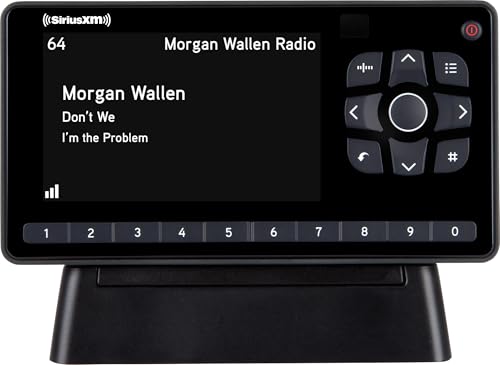
- SUBSCRIPTION REQUIRED - Activate your radio/tuner with the All Access Plan and enjoy 165+ channels of ad-free music, plus sports, news, talk & comedy.
- ADVANCED FEATURES - Store up to 10 of your favorite SiriusXM channels or use TuneMix to create a blend of selected channels; plus, quickly return to the previous channel with One-Touch Jump or conveniently operate your radio from across the room with the included remote control.
- EASY-TO-READ DISPLAY - View what’s playing on the 3.2” high-resolution display, while using split screen mode to see what's currently playing on your other favorite channels. Two display options available -- white text on black background or black text on white background.
- WHAT’S IN THE BOX - Complete home kit for DIY home stereo connection and installation, including SiriusXM Onyx EZR radio, home dock, remote control, indoor/outdoor home antenna, home power adapter, and stereo audio cable.
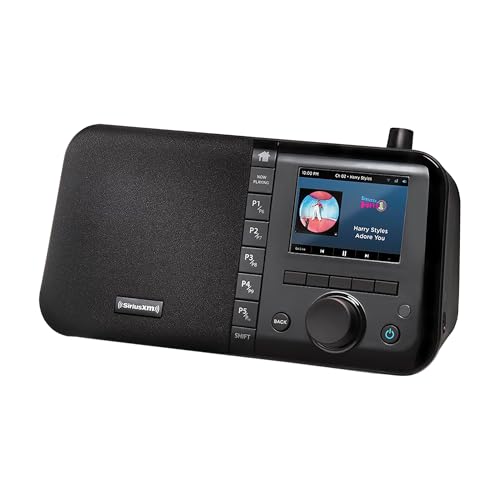
- Streams ad-free music from every genre and decade, plus sports, comedy, talk, and news
- Easily sets up in home or office and uses Wi-Fi connectivity
- Large, colorful display for album art and channel information
- Powerful, full-range sound with adjustable equalizer
- Ability to create Pandora Stations for an artist from a song
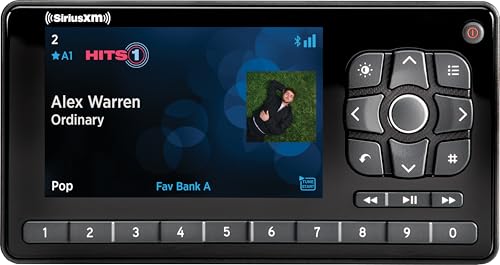
- SUBSCRIPTION REQUIRED - Activate your radio/tuner with the All Access Plan and enjoy 165+ channels of ad-free music, plus sports, news, talk & comedy.
- BLUETOOTH CONNECTIVITY - Connect to your car's audio system via Bluetooth audio streaming, Aux or FM audio output for instant access to SiriusXM.
- MAGNETIC MOUNTING OPTIONS - Choose versatile magnetic vent or dash mount options (included) or a compatible alternative mounting solution (sold separately).
- CONTROL YOUR CONTENT - Pause, rewind, and replay up to 60 minutes of live satellite radio programming; plus, enjoy advanced music features, such as TuneStart, which allows you to restart songs from the beginning on your favorite channels.
- WHAT’S IN THE BOX - SiriusXM Roady BT display and cable, intelligent power adapter, 3.5mm aux audio cable, magnetic adapter, wedge, vent and dash mounts, magnetic mount antenna

- SiriusXM Bundle Includes:
- 1 x SiriusXM SXEZR1V1 Onyx EZR Satellite Radio with Vehicle Kit. Easy to Install – Enjoy SiriusXM in Your Car and Beyond with this Dock and Play Radio
- Enjoy SiriusXM through your existing car stereo with this Satellite & Streaming Radio for as Low as $5/Mo + $60 Service Card with Activation. Only SiriusXM brings you more of what you love—all in one place. Enjoy ad-free music from nearly every genre, plus exclusive entertainment and comedy, world-class news, and more.
- VEHICLE KIT: The SXEZR1V1 Onyx EZR with Vehicle Kit allows you to enjoy SiriusXM Satellite Radio in your car and beyond with this Dock and Play radio. Listen to 150+ channels in your car and over 300+ channels online or on the app. The SiriusXM Onyx EZR with Vehicle Kit includes a PowerConnect Vehicle Kit for easy installation. Listen to all of your favorite SiriusXM channels through your existing vehicle stereo with quick, DIY installation.
- 1 x SiriusXM SXSD2 Portable Speaker Dock Audio System for Dock and Play Radios (Black) 2.1 system with separate tweeters, midrange speakers and a powerful subwoofer. A fold away handle and an antenna cradle make it easy to take anywhere. Control your radio and docking station with the included remote.
This product presentation was made with AAWP plugin.