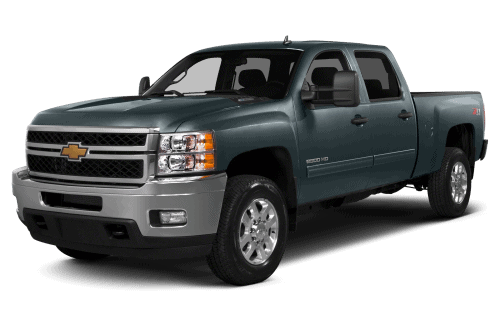
NHTSA ID Number: 10112390
Manufacturer Communication Number: PIT5234A
Summary
This Preliminary Information communication provides information to the technician about vehicles that have an ignition key cannot be turned. Technician will need to insert the key and measure the gap from the key to the cylinder. If the key is not going in fully the ignition lock cylinder will need to be replaced. Also obtain a new key that is cut to the vehicle. Technician will need to shorten the key shank by grinding or cutting 6-7 millimeter (1/4 inch) off the tip of the key, and then bevel the tip of the key. Now the technician can install the new ignition lock cylinder.
2 Affected Products
Vehicles
SEOCONTENT-START
Bulletin No.: PIT5234A
Date: Oct-2013
| Subject: | Ignition Key Cannot Be Turned |
| Models: | 2014 Chevrolet Silverado 1500 Silverado 1500 |
| 2014 GMC Sierra 1500 |
This PI was superseded to add warranty labor op. Please discard PIT5234.
The following diagnosis might be helpful if the vehicle exhibits the symptom(s) described in this PI.
Condition/Concern
Some customers may comment that the ignition key cannot be turned. This concern could be caused by the following issues:
- The ignition key not fully going into the lock cylinder, only on vehicles built prior to the following break points:
Fort Wayne Assembled Vehicles – August 29th, 2013
Silao, MX Assembled Vehicles – August 17th, 2013 - Pressure being applied to the column lock plate will prevent disengagement of the locking pin.
Recommendation/Instructions
Condition #1:
- Insert key into ignition and confirm key will not turn.
- With key inserted, measure the key to the cylinder, shown below is the correct (1) and incorrect (2) insertion measurements.
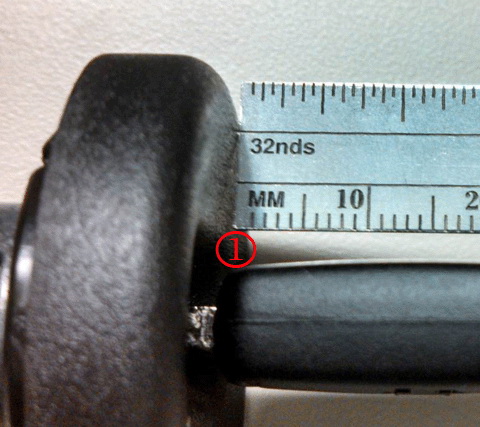
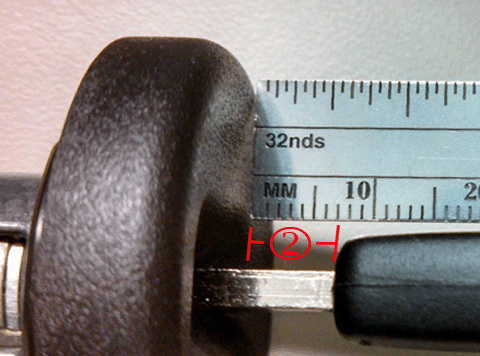
Important: If the insertion distance is correct, do not perform the following procedure and proceed to Condition #2.
- The ignition lock cylinder will need to be replaced to correct this issue, if the key is not going in fully. To remove and replace the ignition lock cylinder, it must be rotated to the start position so the ignition cylinder retaining tab can be pressed down. Since the lock cylinder will not rotate continue with the following steps.
- Obtain a new key that is cut to the vehicle. Reference the latest version of TSB 09-00-89-029: Key Cutting Procedure for Obtaining Replacement Key. The purpose of ordering a new key is so that the original customer’s keys are left intact.
- Shorten the key shank by grinding or cutting 6-7mm (1/4 inch) off the tip of the key.
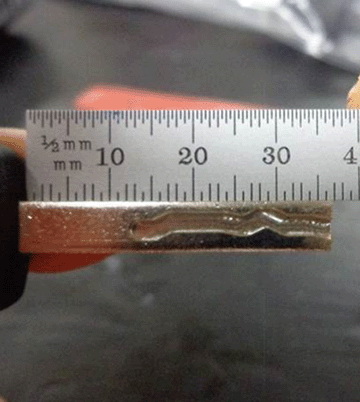
- Then using a file/grinder, bevel the tip of the key in a similar fashion to the way it was from the factory. Also, grind / file the beginning of each groove so the tumblers will be funneled along the groove. Note: If this is not done correctly the key will only go into the lock cylinder part way.
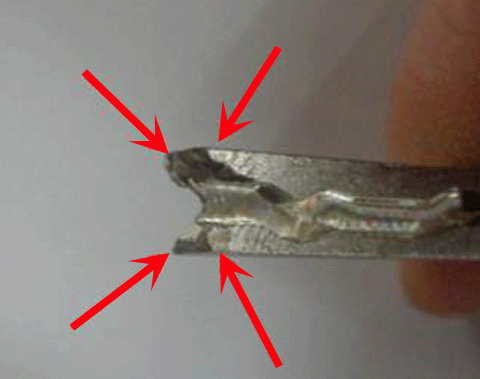
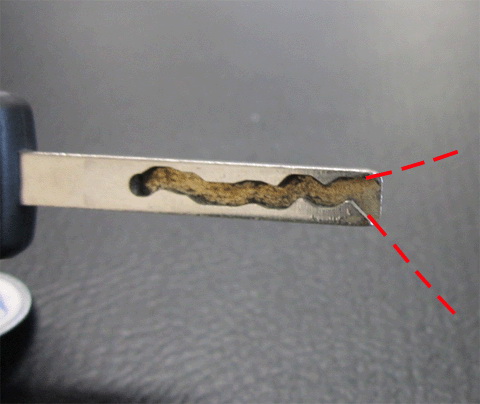
- Remove steering column upper cover.
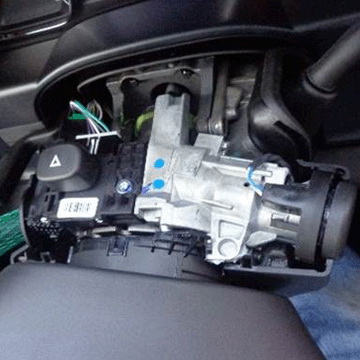
- Remove the key reminder chime sensor.
Important: If you don’t remove the sensor, you will shear the sensor off during removal.
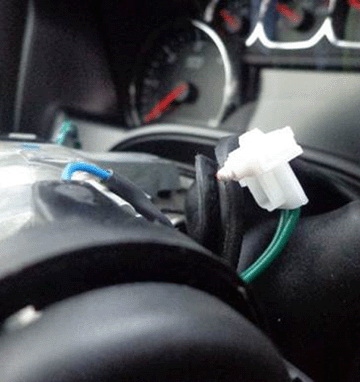
- Install “short” key into ignition lock cylinder. If head of key bottoms out pull out slightly while applying front pressure to engage the tumblers.
Note: If you are still unable to rotate the ignition lock cylinder, the ignition lock cylinder case/housing will need to be removed and replaced along with the lock cylinder.
- Turn the ignition lock cylinder to the START position.
- Insert an Allen wrench or other suitable tool into the access hole on the ignition lock cylinder case and press the lock tab down to remove the cylinder.
- Pull the ignition lock cylinder out of the ignition lock cylinder case and discard the shortened key.
- Obtain a new ignition lock cylinder.
- Remove tumblers and springs from the old cylinder and rebuild new cylinder with the old tumblers.
- Install the new ignition lock cylinder.
- Install the key reminder chime sensor.
- Verify both keys work.
- Install Steering column Upper cover.
- Clear codes.
Condition #2
Please reference the latest version of PIT5233: Normal Characteristic – Hard or Unable To Rotate Ignition Key From The Off Position.
Warranty Information
For vehicles repaired under warranty use:
| Labor Operation | Description | Labor Time |
| 5430040 | Ignition Lock Cylinder Replacement | Use Published Labor Operation Time |
Please follow this diagnostic or repair process thoroughly and complete each step. If the condition exhibited is resolved without completing every step, the remaining steps do not need to be performed.
SEOCONTENT-END
Bulletin No.: PIT5234A
Date: Oct-2013
To View or Download this Document Click Here
Bulletin No.: PIT5234
Date: October, 2013
To View or Download this Document Click Here
Bulletin No.: PIT5234
Date: Sep-2013
To View or Download this Document Click Here
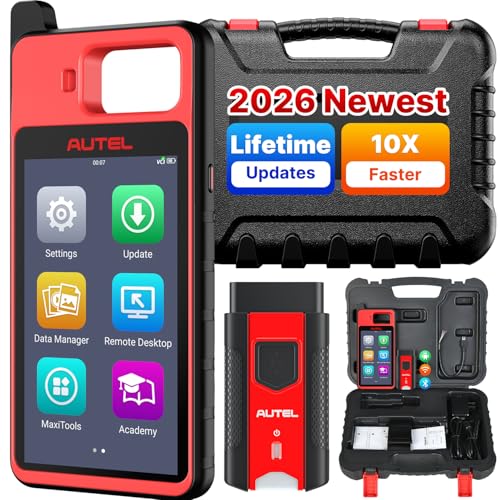
- 📌【Check Before Purchase】WARM NOTICE: N-A-STF VSPID account is required for specific functions. This Autel OBD2 scanner CAN’T work for Benz, for BMW, for Toyota, for Lexus, for GM, for Chrysler, for Ford and for Nissan. Please DO provide the 17 digits VIN to 💌 autelusa @ outlook . com to check compatibility before purchase! For FCA vehicles after 2018, need 12+8 Cable or FCA Aut0.auth Subscription.
- 【Advanced Hardware Configuration】Autel scan tool comes with user-friendly Android 9.0 OS, Rockchip PX30 Processor, 5.5-inch 1280x720 resolution, 2GB RAM &64GB ROM, 8MP Camera, 4950mAh battery, Bluetooth 5.0 Communication, WIFI Update, USB 2.0 type C Charging interface.
- 【Lifetime F.ree Updates】Autel automotive diagnostic tool enjoys lifetime f-ree software updates, you don't need to pay extra to get the newest software, you can always download latest vehicle software for fr-ee in all lifetime.
- 【Multilingual Menu and DTC definitions】Interface supports multiple languages (e.g., English, Spanish, French) and shows definitions of diagnostic trouble codes on the screen. Send SN to change language for f.ree.
- 【Internet Updateable】The unit supports firmware/software updates via PC/Internet, enabling support for newer vehicles over time.
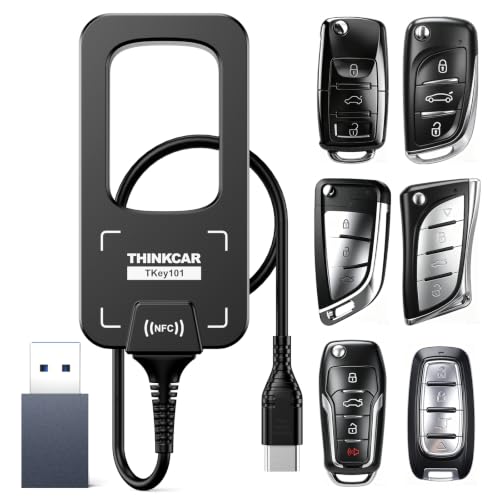
- 【Read Carefully Before Ordering】Batteries Not Included. This is a blank key that must be pr0grammed before use. It works with Thinkcar scan tools like THINKSCAN 689, THINKSCAN 689BT. Dear friend, if you have any issues with product(functions not work, not sure about the compatibility), or just a simple question, please don't hesitate to con.tact us via Amazon Message or directly reach to us via support@ mythinkcar. com. We are committed to ensuring your experience is seamless.
- 【One Solutions Meet All Your Needs】The TKey101 is equipped with four standard anti-the.ft types, supports anti-the.ft data for over 8000 vehicle models, and it's configured with super chips covering more anti-the.ft chips of different car models.
- 【High Sensitivity 3 Buttons】Crafted from premium engineering materials for enhanced durability and drop resistance, this key fob delivers the same performance as the factory original. It features five responsive buttons: L.ock, Unl.ock, and Panic (to locate your car). Do it yourself, it serves as a quick and easy replacement for your lost or broken remote fob. Kindly note: Please ensure that your original remote has the exact same number and layout of buttons before purchasing.
- 【Pr0grammable with Thinkcar Thinkscan Tools】Thinkcar blank key can be pr0grammed for supported vehicles using Thinkscan Tools, including THINKSCAN 689BT, THINKSCAN 689, THINKTOOL series, etc. Please note the compatibility varies by car models, we recommend that you check compatibility with us before purchase.
- 【Package Included】1 * Tkey101 K.ey Progra.mmer, 6 * Universal Remote, 1 * Super Chip, 1 * USB3.0 to TypeC Cable, 1 * Remote Generation Cable, 1 * User Manual.
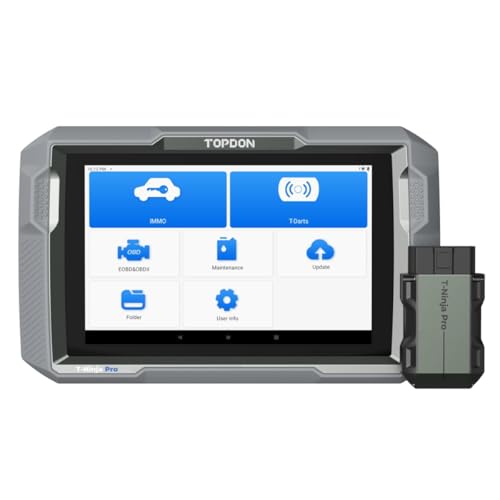

- DO IT YOURSELF – Simple Car Key Replacement that you can do yourself without going to the dealership, paying hundreds of dollars.
- PAIRING TOOL INCLUDED – Car Keys Express Replacement Keys are paired easily with your vehicle.
- SAVES TIME – Pair your Car Keys Express Replacement Key yourself, no hassles and no dealership service appointment.
- NO TOOLS REQUIRED – Pair your new key to your vehicle with the INCLUDED EZ Installer and step-by-step instructions.
- COMPATIBLE – See our images on this page for full vehicle compatibility.

This product presentation was made with AAWP plugin.